

How do I limit an extra to the available stock?
- Manager v3
- Administrator
- Agency manager
In short. In Extras › Stocks, “Create a stock” (name, quantities, preparation delay), then in the option, “Stock” section, choose that stock. Without a stock, the option has an unlimited quantity.
A baby seat, a GPS, a bike rack: you only have so many. A stock limits how many options are lent at the same time. An option without a stock has an unlimited quantity.
Create the stock
In Extras › Stocks, click “Create a stock”. Give a Stock name (for example “Baby seats”).
Set the quantities
Choose the Scope of the stock: “For the company” (one quantity shared by every agency) or “By agency” (a quantity for each agency that has some). If an option of the stock is in a price list reserved to agencies, the stock has to be by agency. An agency manager sets stocks agency by agency, for theirs; the quantities of a company stock are set by the administrator.
Add a preparation delay (optional)
The time to leave between two rentals to get the item ready again.
Attach the option to the stock
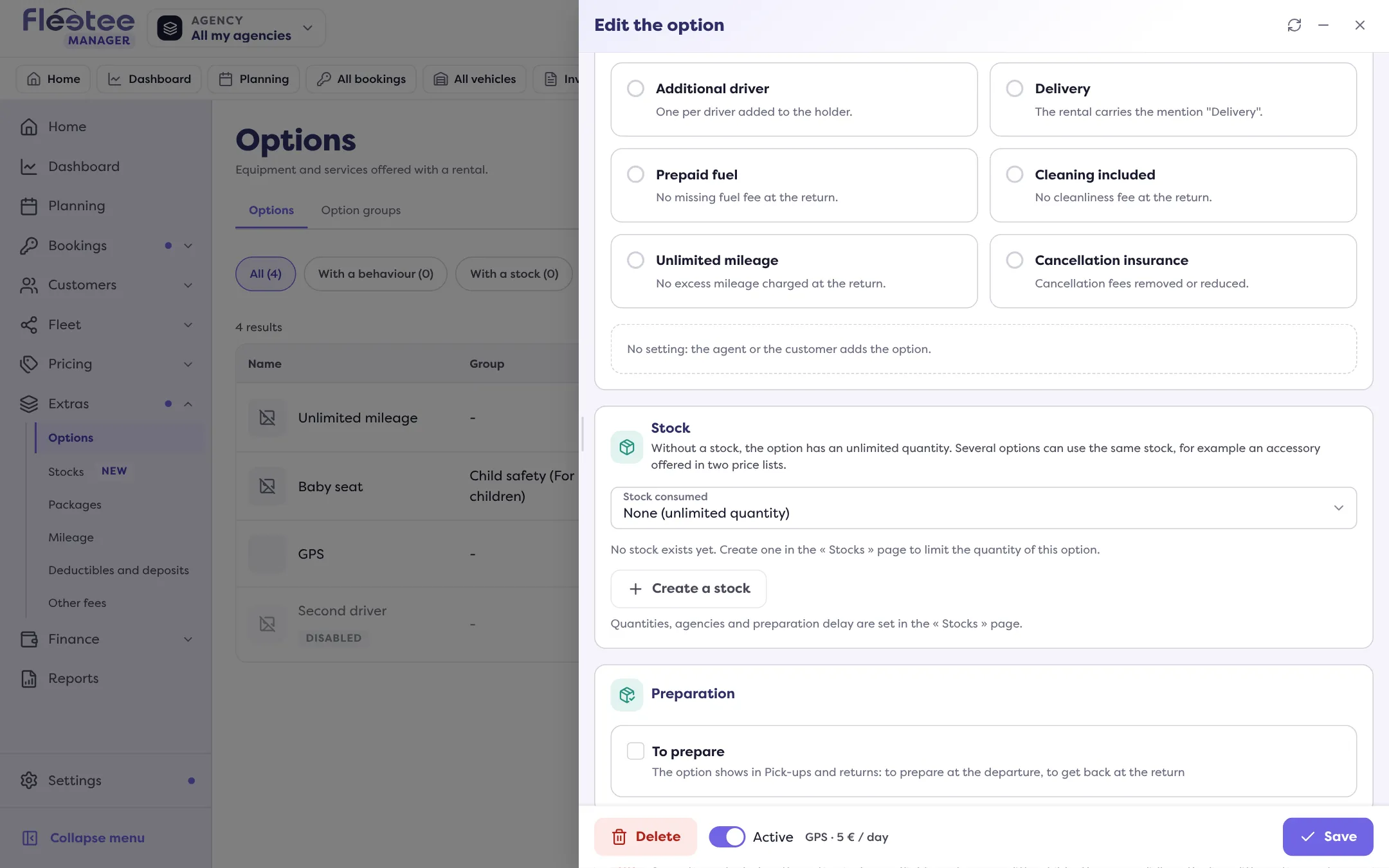
In Extras › Options, open the option: in the “Stock” section, choose the “Stock consumed”. Several options can consume the same stock, for example an accessory offered in two price lists. “None (unlimited quantity)” removes the limit.
See what is left
The Stocks page lists each stock (Scope, Quantity, Options that consume it, Alert). In “Availability”, pick a period (“From”, “To”, “Wanted quantity”): Fleetee shows the tightest day, whether the stock is “Not enough”, or “Never short over the period”. Without dates, the next two weeks show day by day. A Stock alert flags “0 at … on …” or “Over the stock at … on …”.
When creating a booking
If an option exceeds its stock over the period, the Manager warns: “stock ‘…’ is insufficient …”. When overbooking is not allowed, creation is blocked: “remove the option or reduce its quantity” (Why does Fleetee warn me about an overbooking?). Creating the option itself: How do I create extras (child seat, additional driver…)?.
Where to find it: Extras › Stocks › “Create a stock”, then Extras › Options › the option › “Stock” section
Where to find it: Extras › Stocks › “Create a stock”, then Extras › Options › the option › “Stock” section
Go further
Updated on 18 November 2026 with version 3.0