

How do I set up cancellation fees?
- Manager v3
- Administrator
- Agency manager
In short. In Extras › Other fees, Cancellation fees tab: “Add cancellation fees”. Set the amount (fixed or % of the total price), automatic addition when the renter cancels, a time range before departure, and the no-show.
Cancellation fees are added to a rental when the customer cancels or does not show up. They are set per price list: first choose the price list at the top of the page.
Open Extras › Other fees, Cancellation fees tab
The page lists the fees: Name, Price, Step and Categories.
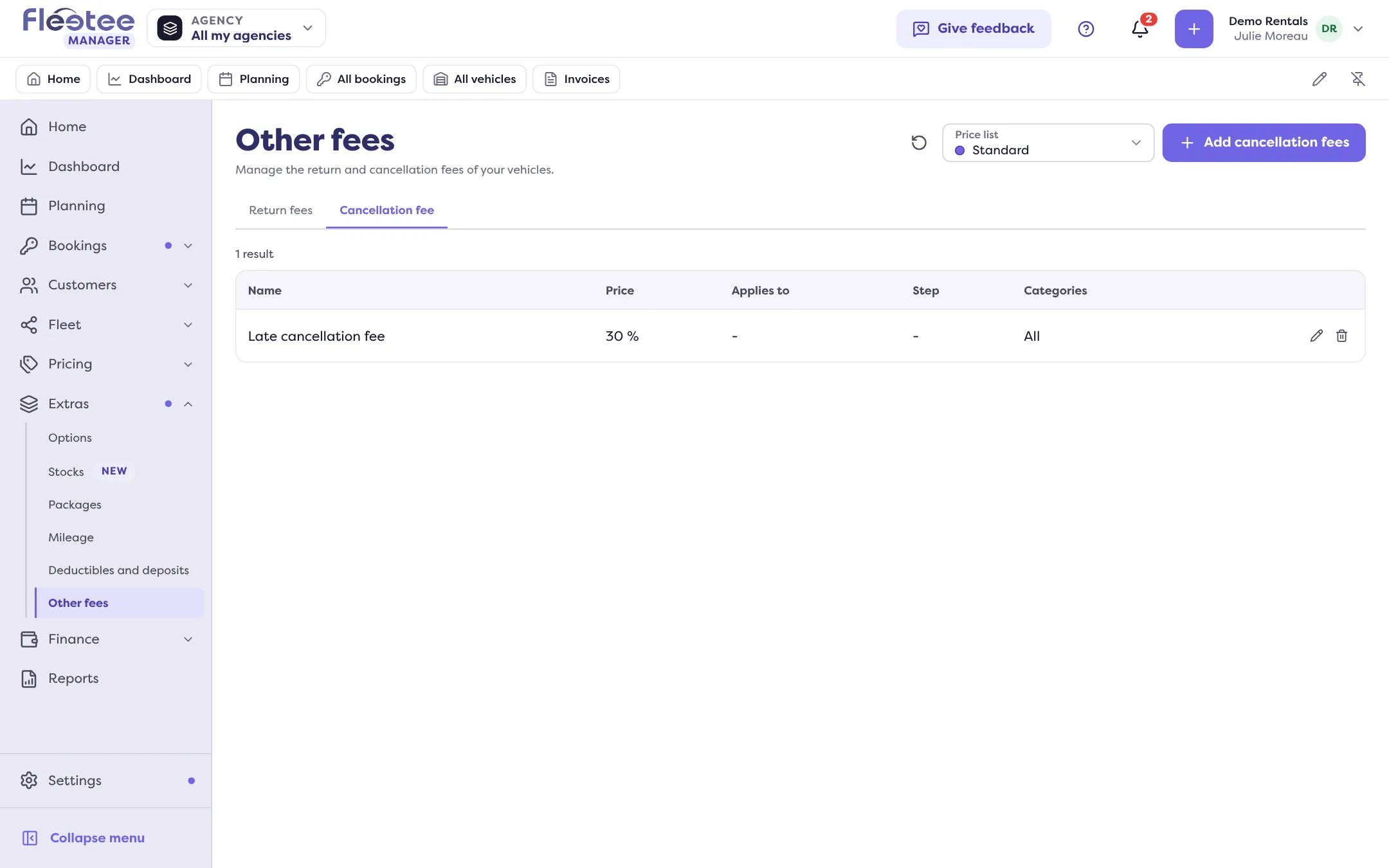
Click “Add cancellation fees”
The panel opens.
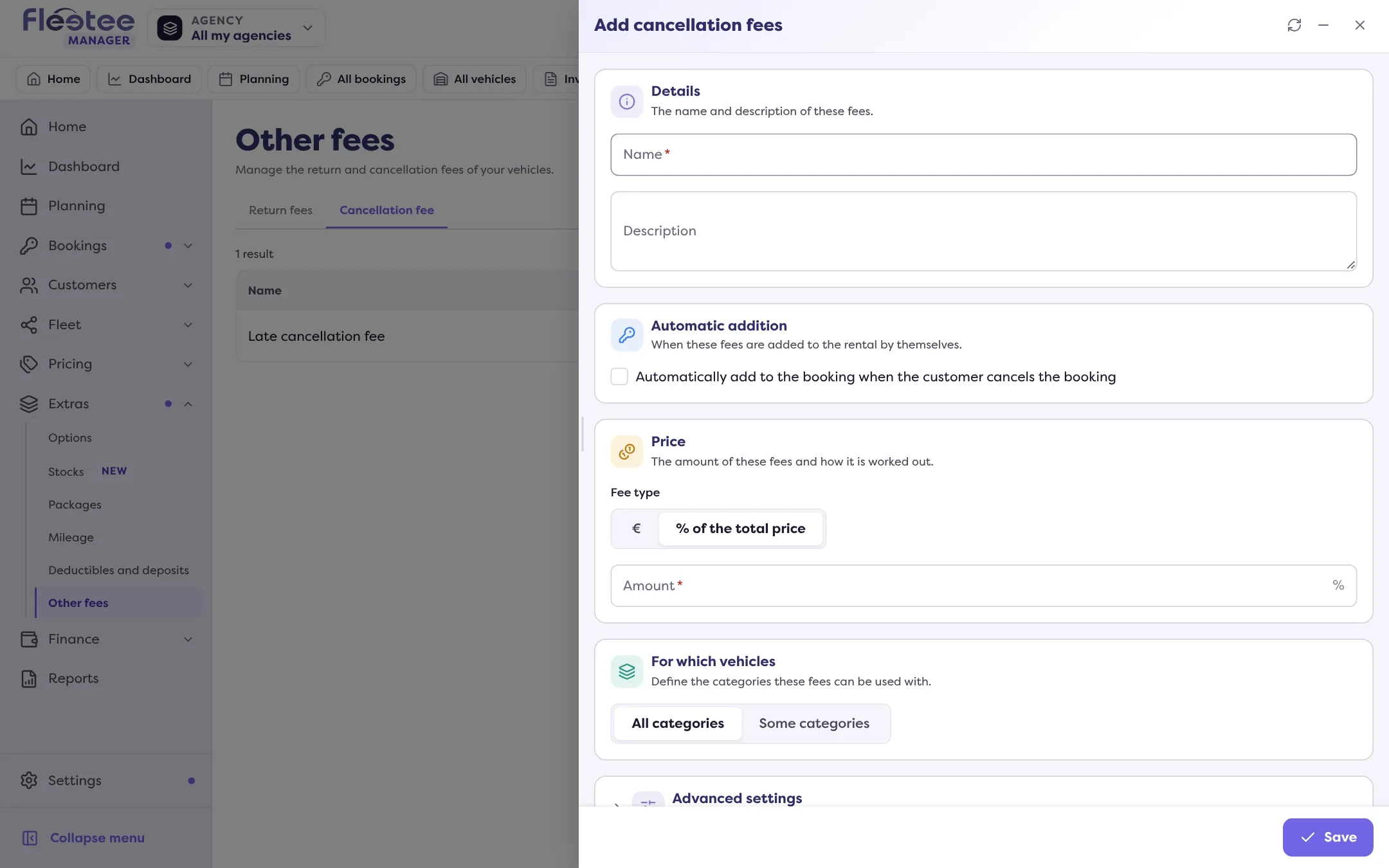
Details
The Name and a Description.
Automatic addition
Tick “Automatically add to the booking when the customer cancels the booking”. Without this box, the fees are not added by themselves.
Limit in time, if needed
Turn on “Time range”: enter From and To, with the Unit (days or hours), “included”. The range is counted before the departure date: for example, fees for a cancellation made between 0 and 2 days before departure. You can create several fees for several ranges.
No-show and late cancellation
Tick “Also apply to a no-show or a cancellation after the booking’s start date” to cover these cases.
Price
The Amount, and the Fee type: a fixed price, or a % of the total price of the rental.
Categories, then “Save”
Choose the categories concerned. Message: “Return fees created successfully.”
When the fees are added
The fees are added when you set the rental to “Cancelled by renter”, or to “No-show” if you ticked the no-show box. Read Cancel a booking. The status change window announces the amount that will be added. You can then edit the fees from the rental, then bill them.
If the customer has cancellation insurance, the fees are removed or reduced by the percentage it covers.
In Settings › Automations, an administrator can turn off the automatic addition of cancellation fees: the status then changes with no fees.
Where to find it: Extras › Other fees › Cancellation fees
Where to find it: Extras › Other fees › Cancellation fees