

How do I set a minimum age or a young driver surcharge?
- Manager v3
- Administrator
In short. Create an option with the “Young driver” behaviour (Extras › Options) and an age band: it is added for each driver concerned, age computed at departure. Old surcharges are migrated in Settings › Drivers.
In Fleetee, a young driver is handled by a surcharge: an option whose behaviour adds its price for each driver in an age band. Creating the option is reserved for the administrator and the agency manager; migrating an old surcharge is reserved for the administrator.
Create or open the option
In Extras › Options (How do I create extras (child seat, additional driver…)?), create for example “Young driver” with its price (per day or on the rental).
Choose the “Young driver” behaviour
In the “Behaviour” section: “One per driver in the age band, at the departure date.”
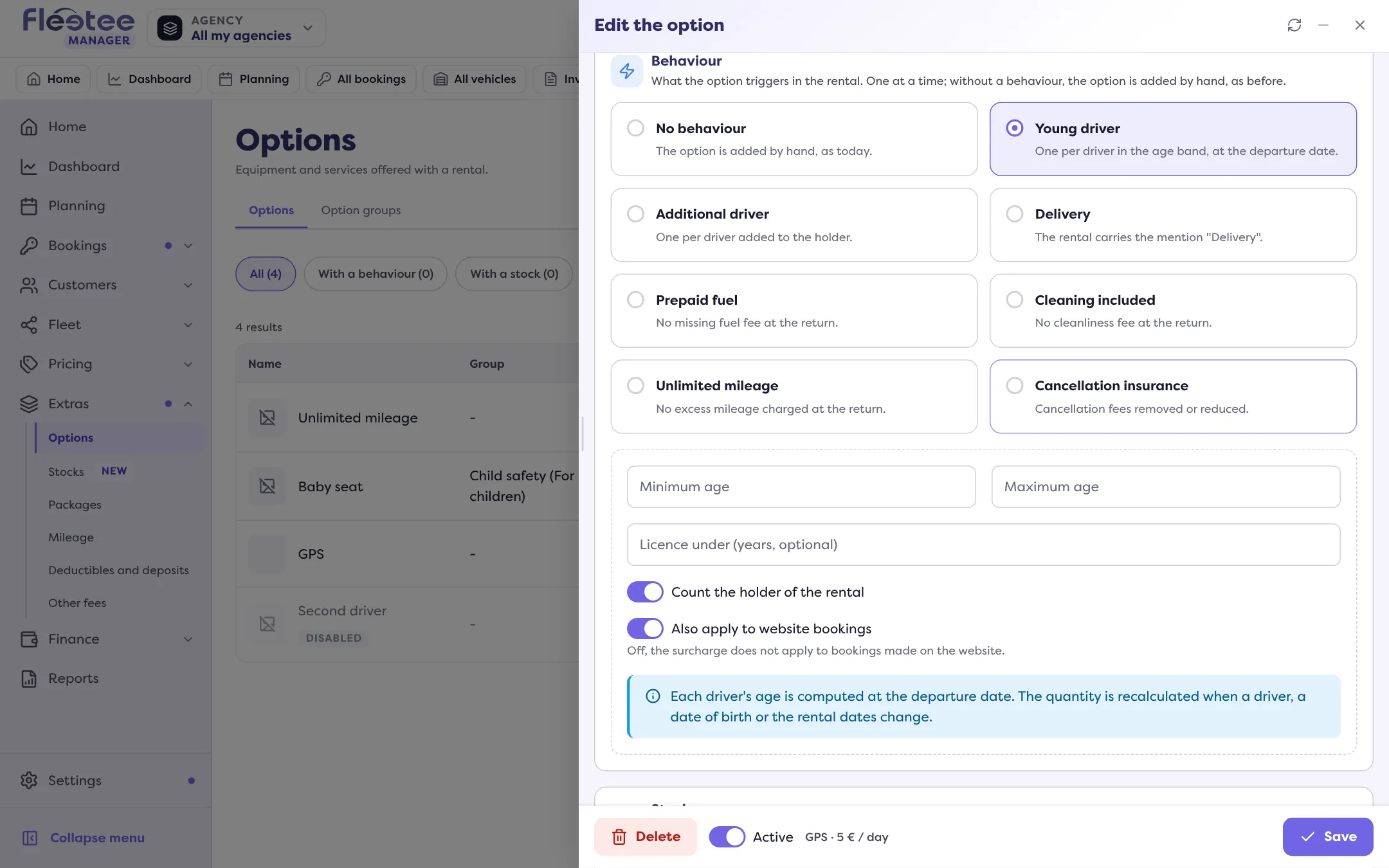
Set the band
“Minimum age”, “Maximum age” and, if needed, “Licence under (years, optional)”.
Save
On each booking, the option computes itself: each driver’s age is computed at the departure date, and the quantity is recalculated when a driver, a birth date or the booking dates change.
What Fleetee does not do
The surcharge adds a price. For now, no Manager setting refuses a booking because a driver is too young or has too recent a licence: your team decides when creating it.
The old surcharges
If your company had young driver surcharges from the old version, the Settings › Drivers page (“Young driver surcharges to migrate”) lists them: age band, amount, excl. or incl. tax, per day or on the rental. “Migrate to the option” (or “Migrate all”) applies the options’ young driver rule: age on the departure day, on every channel. “Open the option” leads to the linked option. A surcharge without a linked option cannot be migrated here: contact support. The page disappears once everything is migrated.
For a driver added to the booking: How do I add a driver to a booking?.
Where to find it: Extras › Options › the option › “Behaviour” › “Young driver”; Settings › Drivers (old surcharges)
Where to find it: Extras › Options › the option › “Behaviour” › “Young driver”; Settings › Drivers (old surcharges)
Go further
Updated on 18 November 2026 with version 3.0