

What are pricing rules and surcharges?
- Manager v3
- Administrator
In short. Settings › Pricing rules sets the order of price lists, the list chosen by booking duration and how the price is recalculated when dates change. A price surcharge is an agency amount added to the price, set in Settings › Agencies.
Two notions look alike but are set in two places: pricing rules (how Fleetee picks and recalculates a price) and surcharges (an amount added by an agency). Both are reserved for the administrator.
Pricing rules
The Settings › Pricing rules page has three blocks.
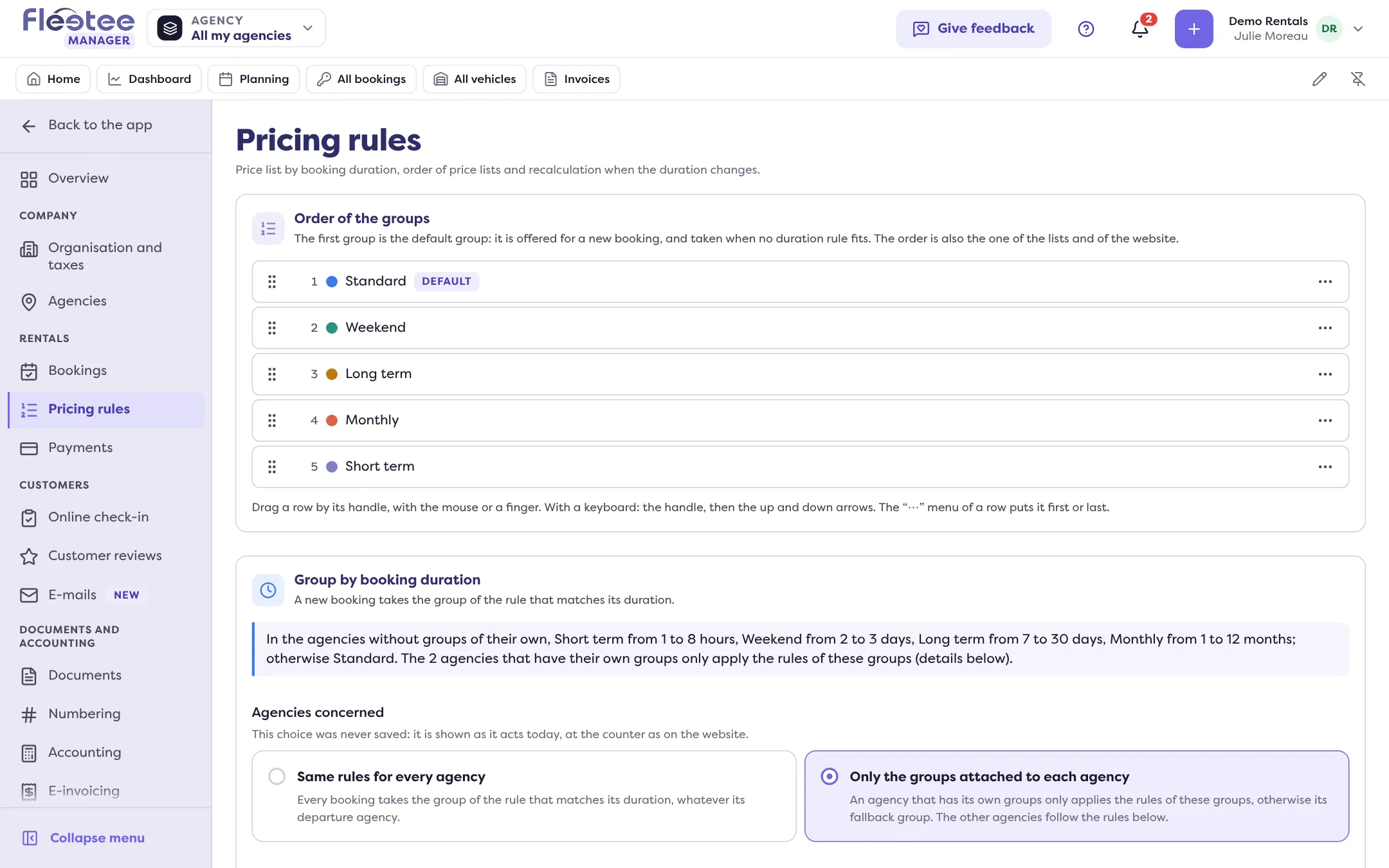
- “Order of the groups”: the first group (price list) is the default group. It is offered for a new booking, and taken when no duration rule fits. This order is also that of the lists and the website.
- “Group by booking duration”: “Add a rule” so that a new booking takes another group depending on its duration (in hours, days or months). The “Agencies concerned” setting says whether the rule holds for all agencies or whether an agency with its own groups applies only those, else its fallback group.
- “When the duration of a booking changes”: the calculation method for the price when the dates of a booking are changed in the Manager. Four choices: keep the initial rate and only calculate the difference with the current rates (default); recalculate the whole booking at the latest rate; apply an average rate based on the initial price; choose the method at each change (“Not advised”). The example shown makes it concrete: Mr Martin booked 5 days at €20, your rate goes up to €25, he extends by 2 days: €150, €175 or €140 depending on the method.
Price surcharges
A surcharge is “an amount added to the price of a rental that leaves from the agency or comes back to it, at the times you choose” (for example “Night”, “Sunday”, “Airport”). It is set in Settings › Agencies, on the agency, “Prices” tab, “Price surcharges” card: “Add a surcharge”.
- Name and Amount;
- Applies: at departure and at return (counted once for each), at departure only, or at return only;
- Frequency: permanent, every day, every week, every month, every year, with hours if needed. The time of the booking’s departure or return decides.
A deleted surcharge is no longer added to bookings priced afterwards. A booking’s agency fees are recalculated when the agency changes (Can a vehicle leave from one agency and be returned to another?).
For the minimum duration by season: How do I set a minimum rental length by season?.
Where to find it: Settings › Pricing rules; Settings › Agencies › the agency › “Prices” tab › “Add a surcharge”
Where to find it: Settings › Pricing rules; Settings › Agencies › the agency › “Prices” tab › “Add a surcharge”