

How do I quickly work out a price for a customer on the phone?
- Manager v3
- Administrator
- Agency manager
- Rental agent
In short. Open “Create a rental” (or “Create a quote”), enter the dates, the start agency and the category: the Summary gives the price straight away, with no customer or vehicle. “See breakdown” breaks it down. Close without creating to save nothing.
A customer calls to ask the price of a rental? The creation form calculates the price as you go, before you create anything.
Open the form
Click “+” in the top bar then Rental, or “Create a rental” in Bookings › All bookings. To send a written price afterwards, open “Create a quote” instead: read Make a quote.
Enter the dates and the agency
The Start, the End and the Start agency (and return agency).
Choose the category
At the vehicle step, choose the Category: the price is calculated for the category, the exact vehicle changes nothing. As long as it is missing, the Summary says “Pricing appears once the category is chosen”.
Read the Summary
It shows the Period, the Duration, then the Price: Total excl. tax, VAT and Total incl. tax, the Deposit and the Left to collect. “See breakdown” breaks the price down.
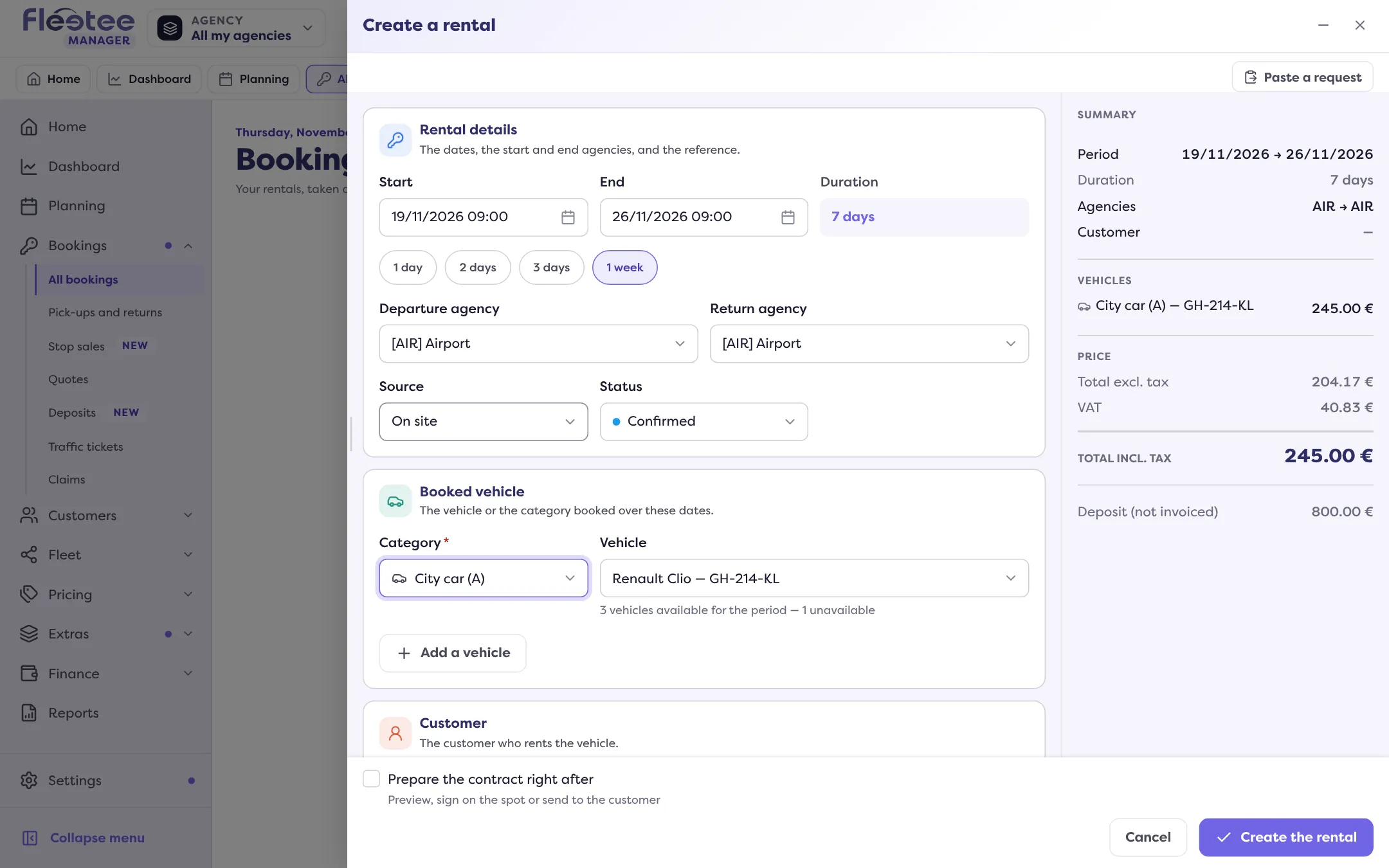
Adjust, if needed
At the Pricing step, check the Price list (the customer’s, the agency’s, the duration’s or the main one) and add what the customer asks for: mileage, franchises, options, discounts. The price is recalculated at each change.
If the customer has their own price list
Choose the customer in the Customer step before reading the price: their price list takes priority over the agency’s. Read Apply a price list to a customer.
Save nothing
Nothing is created until you click “Create the rental”. If you close or minimise the panel, your entry is kept as a draft and restored when you reopen it (“Draft restored”); “Discard” erases it.
A price that surprises you
A package, a season or a discount can make the price vary: read Why isn’t the calculated price the one I expected?.
Where to find it: Top bar › “+” (Create) › Rental; Bookings › All bookings › “Create a rental”
Where to find it: Top bar › “+” (Create) › Rental, or Bookings › All bookings › “Create a rental”
Go further
Updated on 18 November 2026 with version 3.0