

What is a package and how do I create one?
- Manager v3
- Administrator
- Agency manager
In short. A package bundles options, deductibles, deposit and mileage under one name and one price, offered to your customers. In Extras › Packages, “Add a package”: name, details, categories, contents, price.
A package bundles several items into one offer: deductibles, a deposit, an allowed mileage and options. The customer sees a name, details and a price. Do not confuse it with a rate package (weekend, week…), which sets a price for a duration: see How do I create a package (weekend, week…)?.
Click “Add a package”
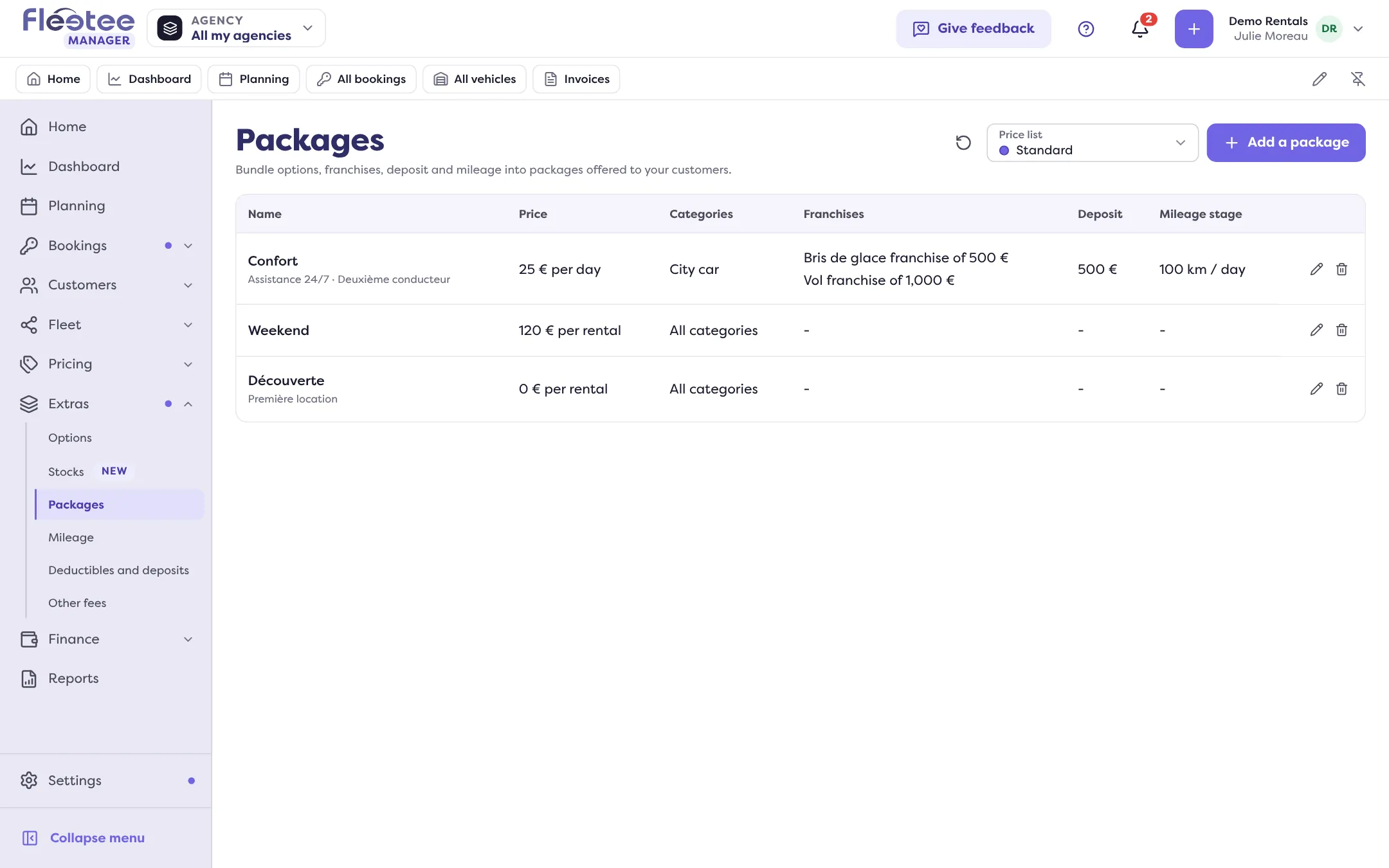
In Extras › Packages, the list shows each package’s name, price, categories, franchises, deposit and mileage stage.
Fill in what the customer sees
“Package name”, then the Details: one line per item (“Add a detail”). A preview of the card shows alongside.
Choose the categories
All categories, or a selection by type then category. The options and the mileage stage offered next depend on this choice.
Choose what the package includes
The franchises, the deposit (“None” is possible), the mileage stage and the options. You find what you created in How do I set deductibles and the deposit amount per category?, How do I offer unlimited mileage or mileage stages? and How do I create extras (child seat, additional driver…)?.
Set the price
“Price” and “Billing”: per day, month or hour depending on the price list’s frequency, or per booking.
Save
If your company has several languages, a translations section lets you name the package in each.
A package belongs to a price list: the list shows those of the chosen list (How do I create a price list and choose the default one?). In a package, the included options are not billed separately: only the package price counts.
Where to find it: Extras › Packages › “Add a package”
Where to find it: Extras › Packages › “Add a package”