

Can a vehicle leave from one agency and be returned to another?
- Manager v3
- Administrator
- Agency manager
- Rental agent
In short. Yes: a booking has a “Departure agency” and a “Return agency”, which may differ. Agency fees are recalculated when an agency changes, unless the price was set by hand.
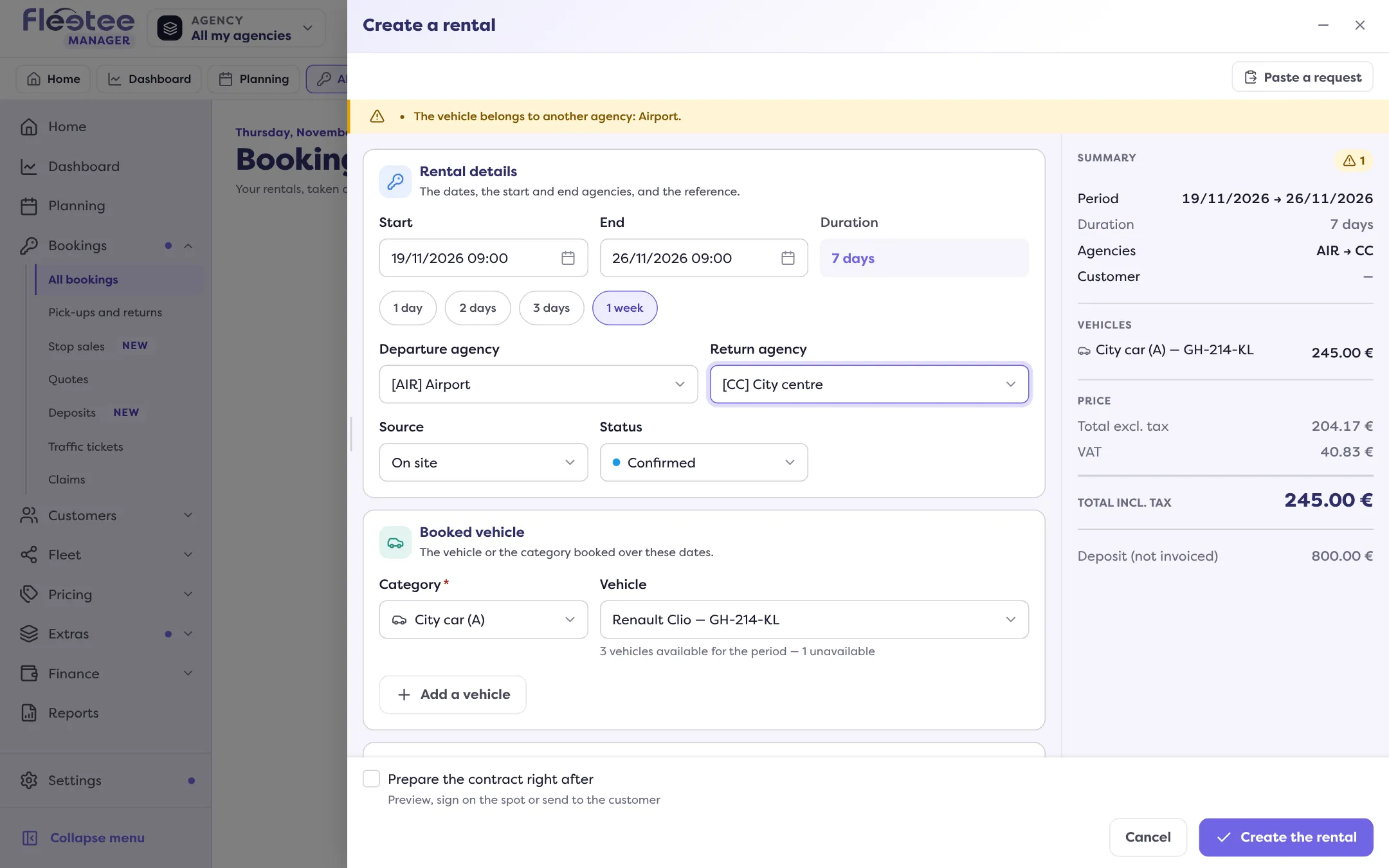
Yes. Each booking carries two agencies: the Departure agency (where the customer picks the vehicle up) and the Return agency (where they bring it back). They can be the same or different.
Where to choose them
- When you create the booking, in the details: “Departure agency” and “Return agency”. The departure agency is fixed to the agency chosen at the top of the screen, so the booking shows in your lists and planning; “Change agency” changes it for the whole app (How do I show the data of a single agency?).
- Afterwards, in the “Rental details” card of the booking page (“Pick-up agency”, “Return agency”), with “Edit”: the “Other changes” form offers both agencies.
What it changes
- Agency fees. If an agency carries fees, Fleetee adds them to the price: “… agency fee”. When you change an agency they are recalculated, and the form says whether they are added or removed. If the price was set by hand, agency fees are not applied.
- The departure agency’s settings. For example, the online payment link depends on the departure agency: without online payment on that agency, the link is not created.
- Taxes, when your company invoices per agency: products and bookings take those of their departure agency.
- The planning. You can show the departure and return agency on the blocks (How do I set up the planning display?).
A vehicle from another agency
Choosing a vehicle from another agency is possible: the Manager warns “The vehicle belongs to another agency: …” and the booking can be created if your “Booking outside the criteria” setting (“Create a booking despite a warning”) is on. A vehicle can also be attached to other agencies, to leave from or come back to them.
Where to find it: Booking creation or booking page › “Rental details” › “Edit”: “Departure agency”, “Return agency”
Where to find it: Booking creation or booking page › “Rental details” › “Edit”: “Departure agency”, “Return agency”
Go further
Updated on 18 November 2026 with version 3.0