

Why does Fleetee warn me about an overbooking?
- Manager v3
- Administrator
- Agency manager
- Rental agent
In short. Fleetee warns you when a category already has as many bookings as vehicles on your dates, or when a vehicle is already taken. Depending on the company’s “Overbooking” setting, you confirm, or the creation is refused.
An overbooking is more bookings than vehicles over the same period. Fleetee does not always prevent it, but it tells you before saving.
What you see, and why
Cause 1: “The category … already has … rentals for … vehicles from … to …”
You create or change a booking with no specific vehicle (it is taken on a category), and that category is already full on these dates. An “Overbooking” box says so, with “You can create the rental after a confirmation.” (or “You can save after a confirmation.”).
What to do: change the dates or the category, or confirm: the booking is created as an overbooking, and you choose the vehicle later.
Cause 2: “Vehicle … is not available for these dates.”
The chosen vehicle is already taken (another booking, an intervention, a block). In a dates change, the message is “The vehicle is not available on these dates. You will be able to save after confirming.” What to do: choose another vehicle, or confirm with “Create anyway” / “Save anyway”: the vehicle will be booked twice over the period. For an extension, Fleetee can also offer to move the other booking: see How do I extend a booking without overbooking?.
Cause 3: “Overbooking is disabled for your company”
The message is “No vehicle is available for this period and overbooking is disabled for your company.” Creation is blocked. When changing a booking: “your company setting forbids overbooking”, “overbooking is reserved to the company administrators” or “your rights do not allow overbooking”.
What to do: choose other dates or another category, or ask an administrator to change the setting. It is in Settings › Bookings, “Creation rules” card, “Overbooking” row: Everyone, Administrators only or Nobody. See How do I set booking lead times and rules?.
Where to spot an overbooking without creating a booking
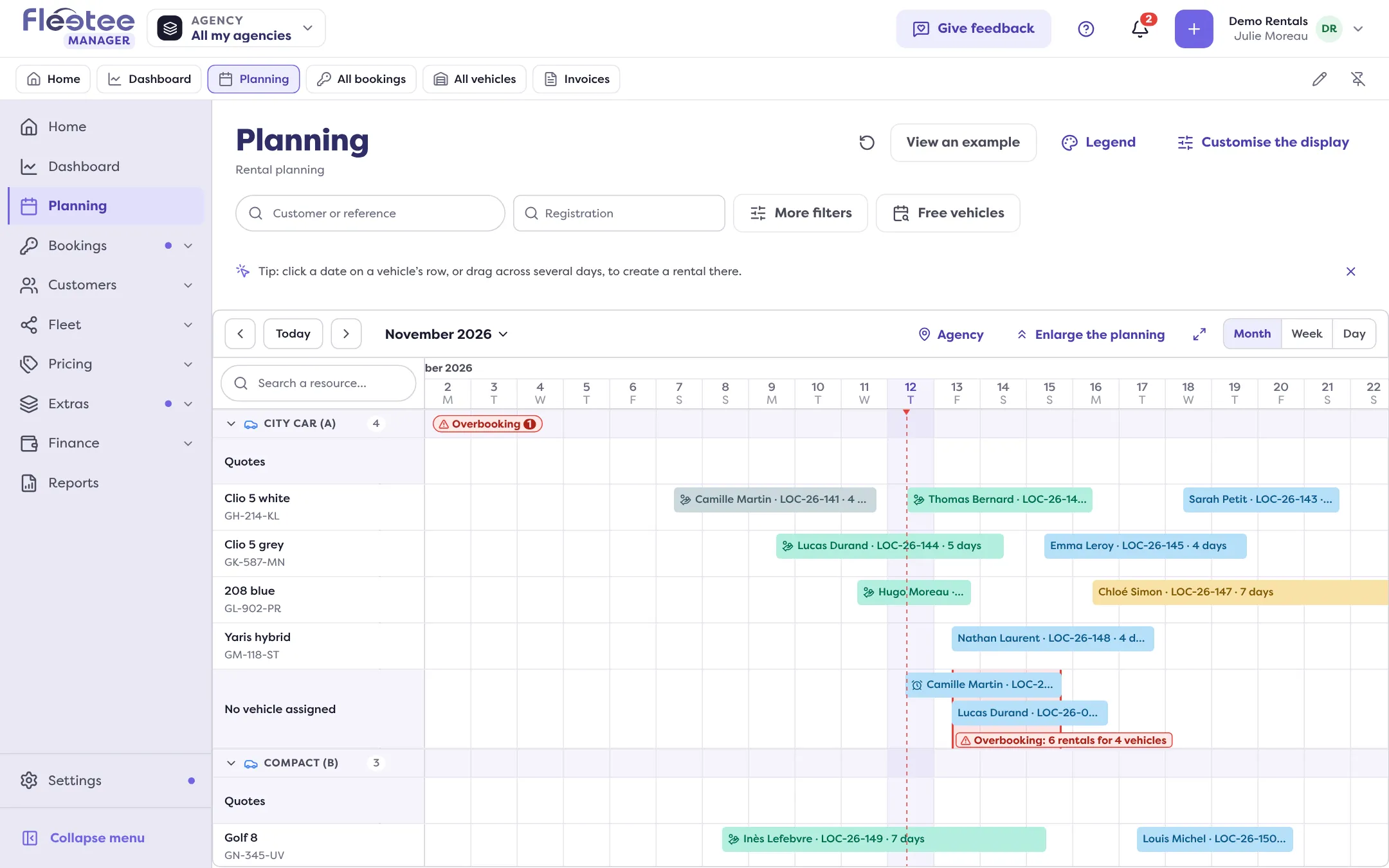
- In the Planning: the “No vehicle assigned” row carries the “Overbooking” badge with the detail (“Overbooking: 3 rentals for 2 vehicles”). Click it to go to the period. See How do I read the bookings planning?.
- On Home: the “Overbooked categories” line counts those of the next 7 days.
Resolving an existing overbooking
Assign a free vehicle to a booking without a vehicle, or move a booking onto another vehicle from the planning (How do I move a booking in the planning?). If you have no vehicle available, see Why is no vehicle offered for my dates?.
Where to find it: Settings › Bookings › Creation rules › Overbooking