

Can each agency use a different deposit platform?
- Manager v3
- Administrator
- Agency manager
In short. Yes: in Settings › Payments, “Online deposits” card › “Edit”, turn on “Choose a provider for each agency”, then per agency choose “Follow the company”, “Do not use” or a provider where it has an account.
Yes. Each agency can follow the company, use its own choice, or offer no online deposit. The company setting is made with “All my agencies”; an agency manager sets their agencies, but only an administrator can customise per agency (“Only an administrator can customise this setting per agency”).
Link the account of each agency concerned
In Settings › Connectors, Deposits tab, open the provider (Stripe, PayZen, Swikly, Gando) and add an own account for the agency (How do I connect my Stripe, PayZen or Swikly account to Fleetee?).
Open the “Online deposits” card
In Settings › Payments, click “Edit”.
Turn on “Choose a provider for each agency”
“Each agency can follow the company or use its own choice.”
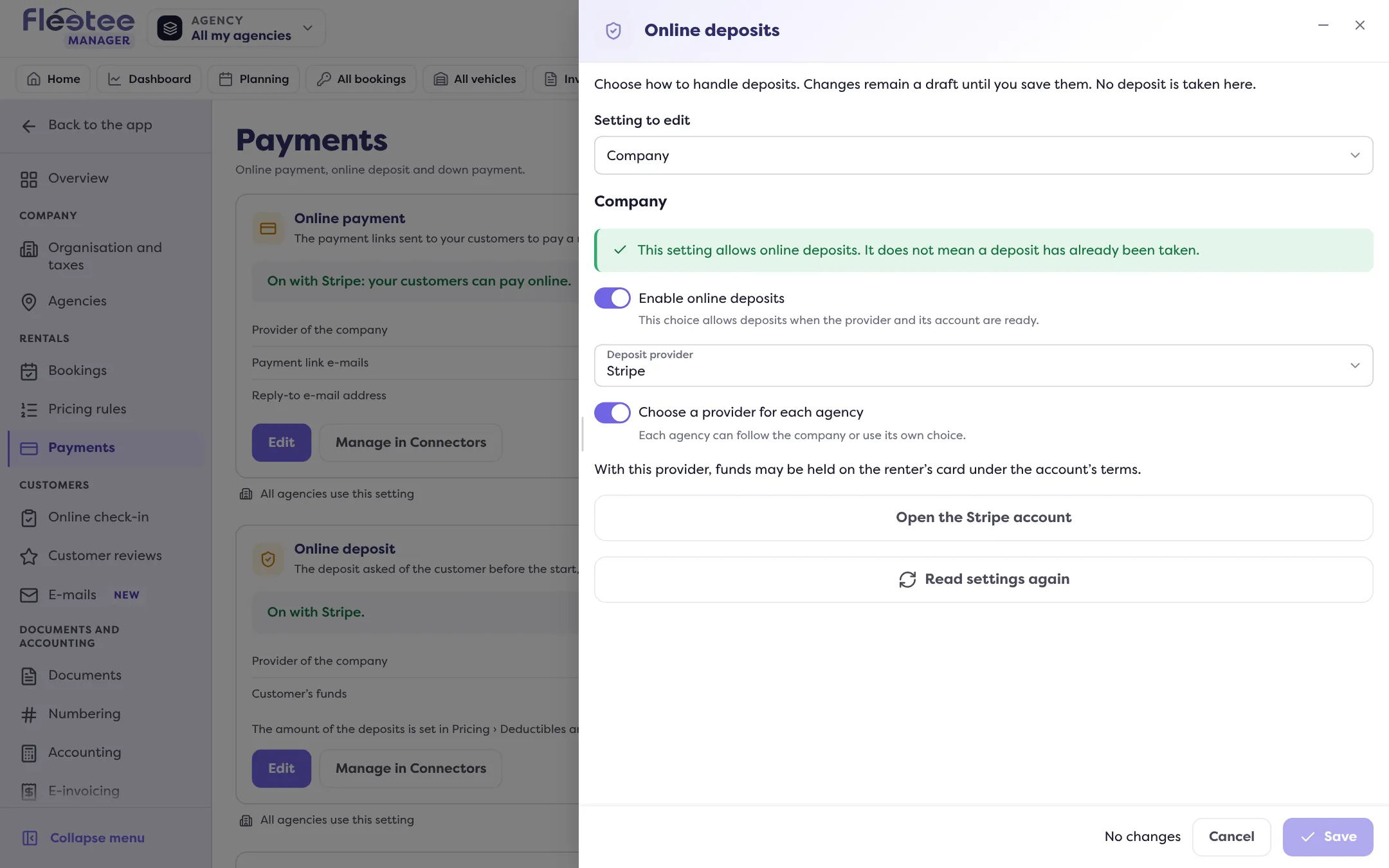
Choose the agency in “Setting to edit”
Under “Deposit provider”: “Follow the company”, “Do not use”, or the provider you want.
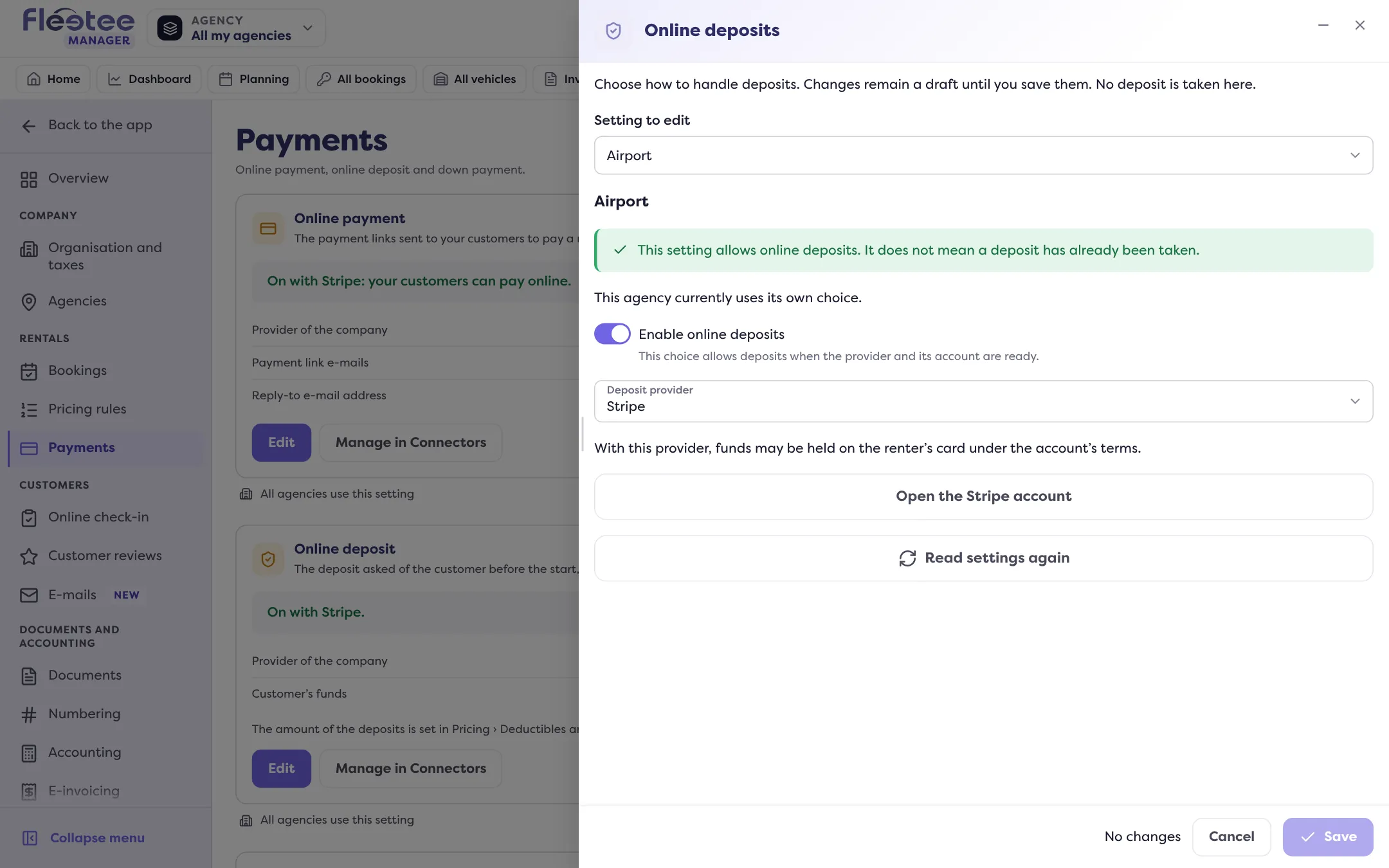
Save
The panel says “This agency currently uses the company setting” or “… its own choice”.
If the deposit is not available for an agency, the panel says why: “Online deposits are disabled for this agency”, “No deposit provider is selected” or “The provider account is missing or needs completing”. Overview: How do I turn on online deposits?.
Where to find it: Settings › Payments › “Online deposits” › “Edit” › “Choose a provider for each agency”
Where to find it: Settings › Payments › “Online deposits” › “Edit” › “Choose a provider for each agency”
Go further
Updated on 18 November 2026 with version 3.0