

How do I use Swikly for deposits?
- Manager v3
- Administrator
- Agency manager
- Rental agent
In short. Link your Swikly account in Settings › Connectors (administrator), choose it as deposit provider in Settings › Payments, then follow each deposit in the booking’s Deposit block: no funds are held up front.
With Swikly, the deposit is secured without an initial hold on funds, under the terms of your Swikly account. Here are the three steps.
Link your Swikly account
In Settings › Connectors (administrator), open Swikly. Beforehand: ask Swikly support to enable the payment feature (it is not on by default) and get your account validated (ID of the manager, company registration, bank details): until it is, nothing is collected. Enter the manager account identifier (the first value of the block, in the long format with dashes, not the “Account Id (V1)”) and the link secret (16 characters). One account serves online payment and deposits, and its currency must be the same as on your Swikly account. Step by step: How do I connect my Stripe, PayZen or Swikly account to Fleetee?.
Choose Swikly for the deposit
In Settings › Payments, “Online deposits” card › “Edit”: turn the deposit on and choose Swikly as “Deposit provider”. The amount is set per category (How do I turn on online deposits?). Each agency can have another choice: Can each agency use a different deposit platform?.
Follow the deposit in the booking
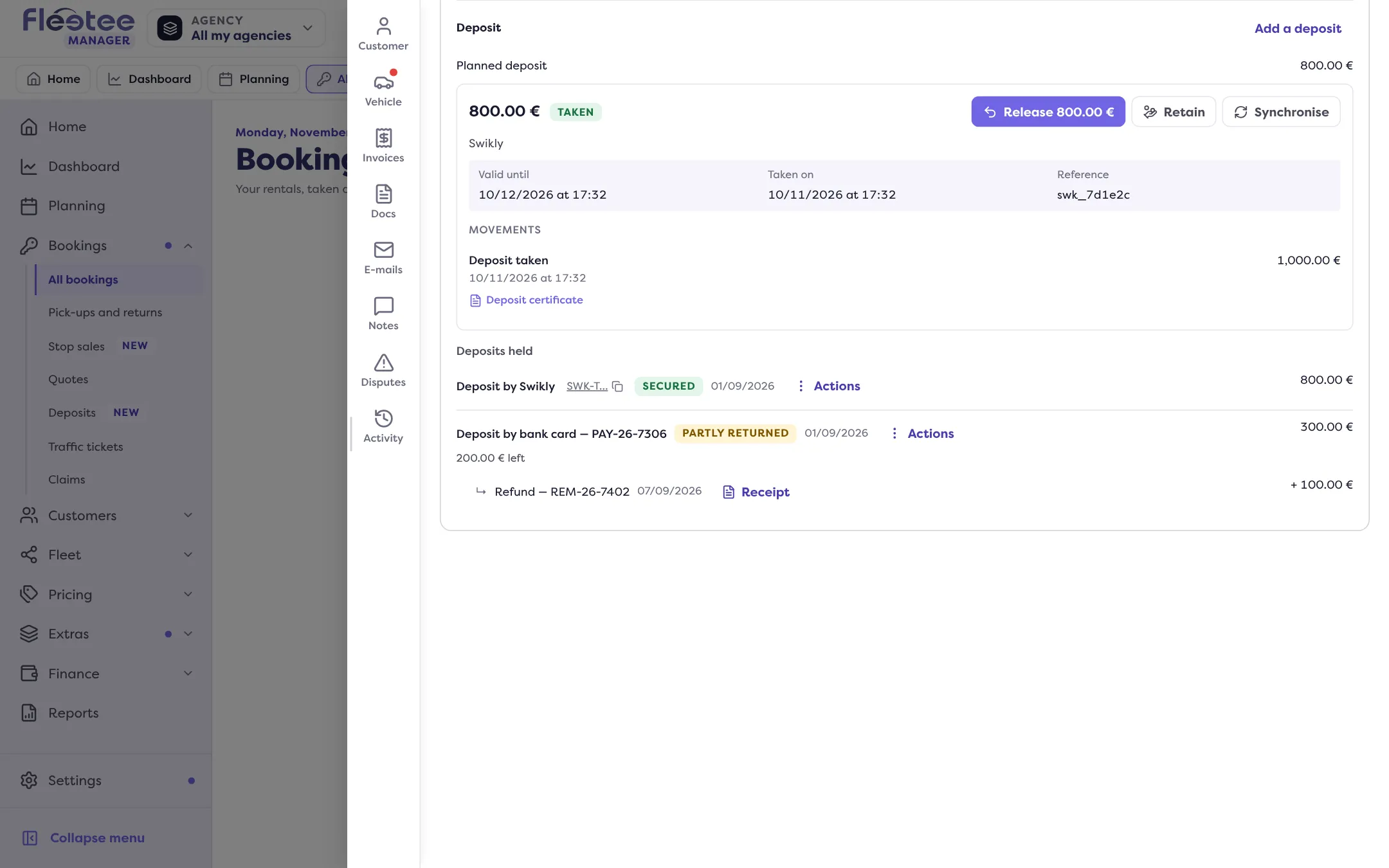
In Pricing & payments › Deposit, the method is Swikly and the deposit is “Taken” when the guarantee is in place. It carries a “Valid until” date rather than a hold on funds (How do I read a booking’s Deposit block?).
Day to day
- “Synchronise” reads the state again at Swikly.
- The Swikly payment shows its state: “Secured”, “Collected”, “Partly collected”, “Refunded” or “Released”, and “Copy the Swikly id” copies its reference, useful for support.
- “Release”: Fleetee asks Swikly to release it and waits for the answer (How do I return a deposit?).
- “Retain” keeps all or part of the deposit for fees (How do I keep part of a deposit for charges?).
If Swikly does not answer or refuses, the movement’s line says so (“Release refused by …”).
Where to find it: Settings › Connectors › Swikly, then Settings › Payments › “Online deposits”
Where to find it: Settings › Connectors › Swikly, then Settings › Payments › “Online deposits”
Go further
Updated on 18 November 2026 with version 3.0