

My Stripe hold is expiring: what should I do?
- Manager v3
- Administrator
- Agency manager
- Rental agent
- 1:00
In short. A Stripe hold only blocks the deposit for 7 days. Fleetee reads the real end date from Stripe, shows it with the time left, and flags “Expiring soon” within 48 hours.
A hold is not a charge
With a card hold, Stripe blocks the deposit amount on the customer’s card without charging it. The hold only lasts 7 days.
Where to see when the hold ends
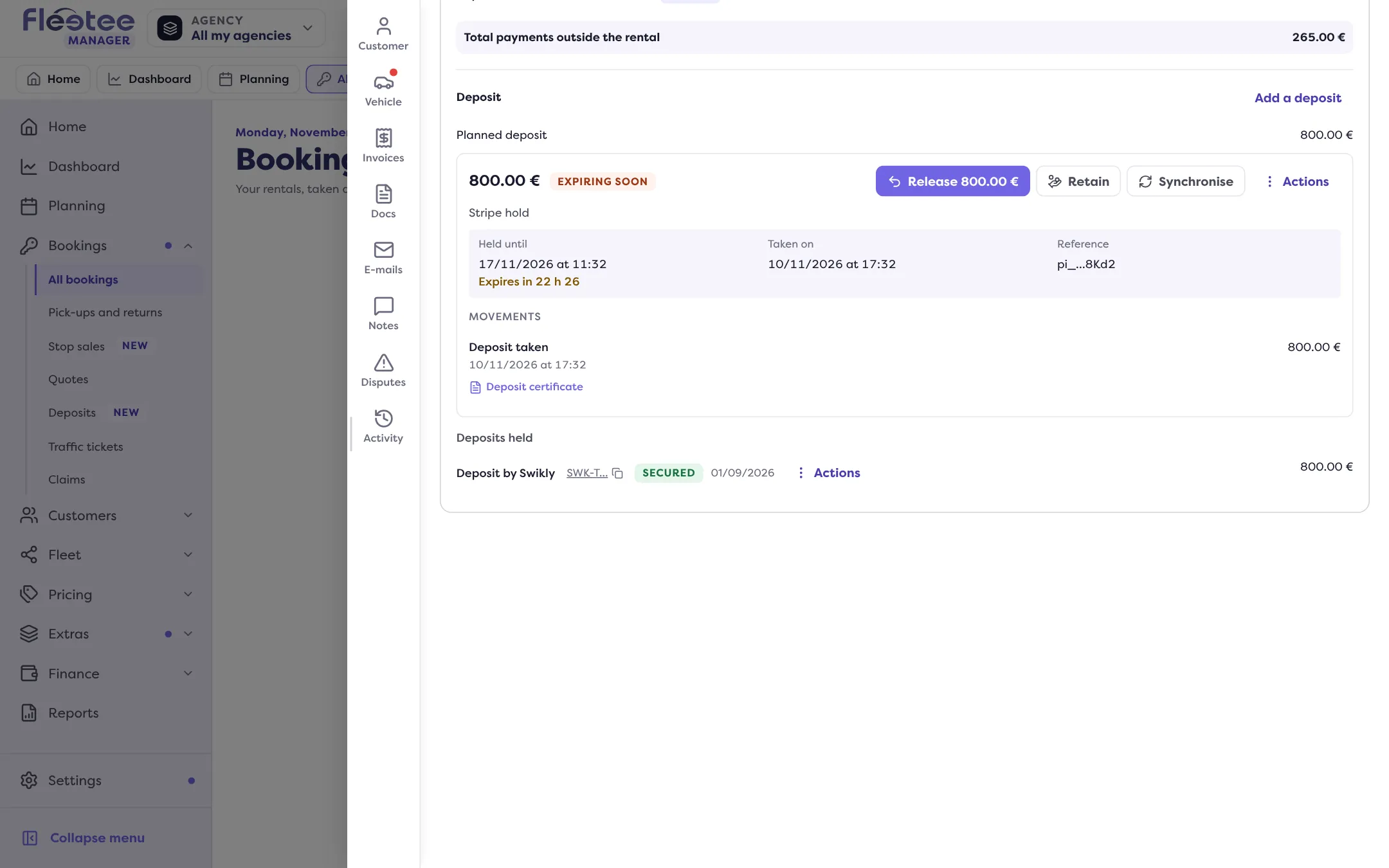
Fleetee reads the real end date from Stripe. In the rental’s Deposit block, you see when the hold ends and the time left, for example “Expires in 22 h 26”. In the last 48 hours, the deposit gets the “Expiring soon” badge.
The “Synchronise” button reads the deposit’s status from Stripe again.
Every hold that is expiring
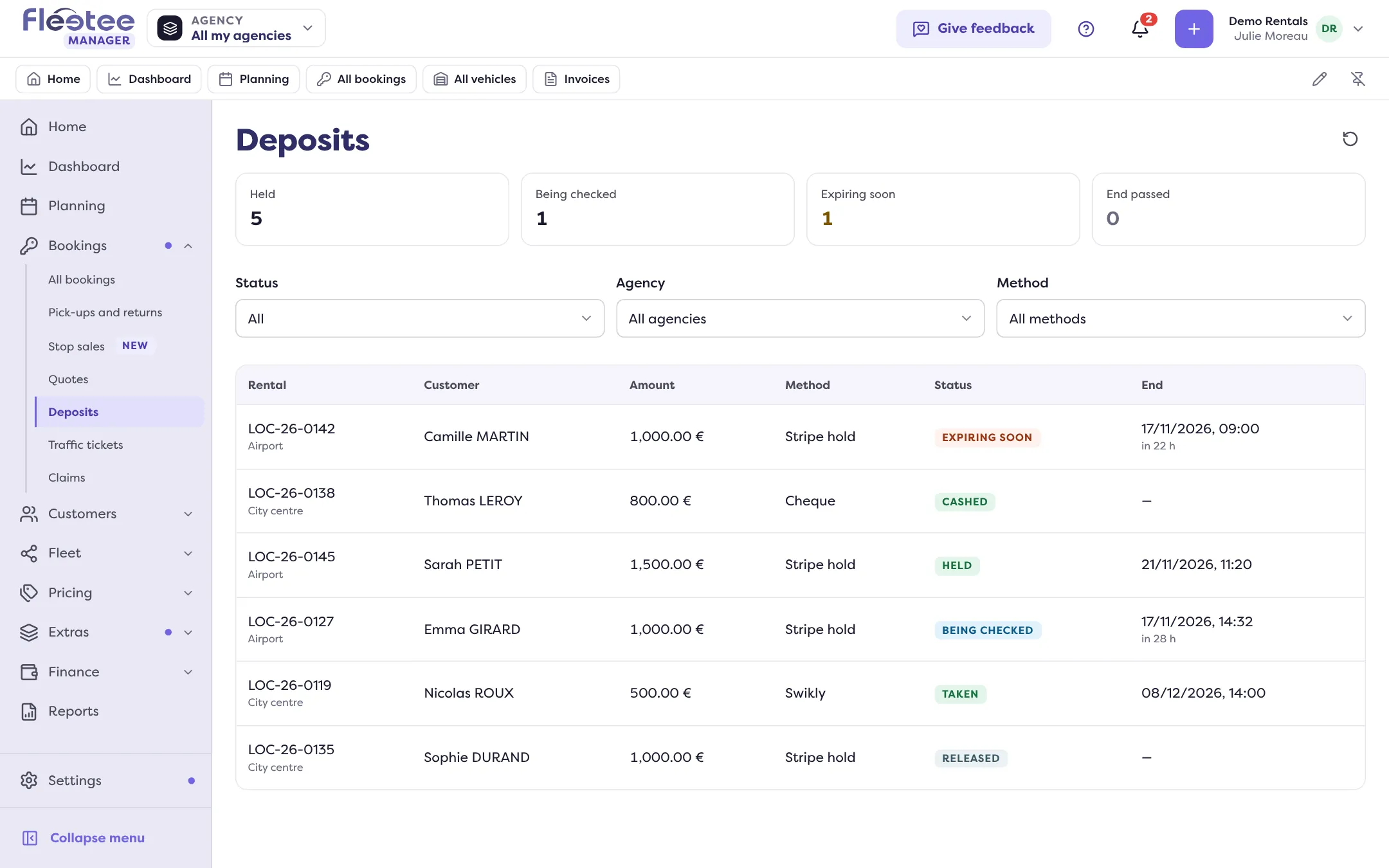
The Bookings › Deposits page gathers all deposits. The “Expiring soon” tile filters the list on those reaching the end of their hold; the “End passed” tile shows those whose date has passed.
On Home, the Deposits card of “To follow” flags them too: each line opens the filtered list.
What to do before it ends
Decide while the deposit is still held:
- all is well: return the deposit;
- there are charges: withhold from the deposit what is owed.
Once the hold has ended, it no longer secures the deposit: decide as soon as the “Expiring soon” badge shows up.
Where to find it: The rental’s Deposit block; Bookings › Deposits › “Expiring soon”
Go further
Updated on 18 November 2026 with version 3.0