

Where can I see all the deposits in progress?
- Manager v3
- Administrator
- Agency manager
- 0:56
In short. In Bookings › Deposits: tiles Held, Being checked, Expiring soon and End passed (click to filter), filters by status, agency and method, and one line per deposit. A click on the line opens the rental.
The “Deposits” list is reserved to the administrator and the agency managers. A rental agent finds a rental’s deposit in the Deposit block of its page.
The Deposits page gathers every deposit of the company, without opening rentals one by one. It is mostly used to spot those to give back, or to decide on, before they expire.
Open Bookings › Deposits
If the entry is missing from your menu, your profile has no access to finance: ask the administrator.
Read the tiles
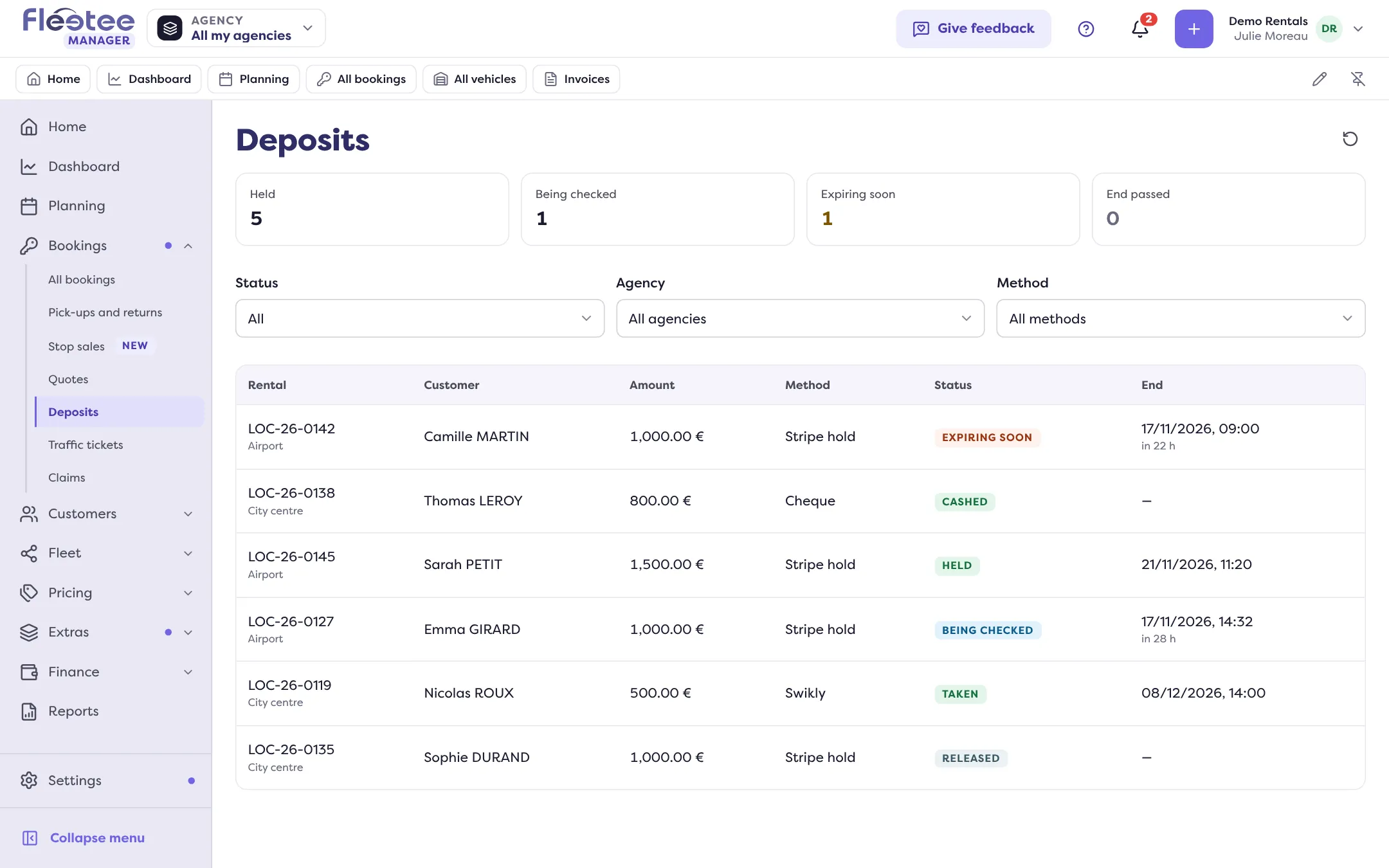
They count the deposits: Held, To release (only when there are some: the deposits of a group whose rentals are all returned), Being checked, Expiring soon (hold ending within 48 hours) and End passed. Click a tile to filter the list; click again to remove the filter.
Narrow down with the filters
Status (All, Held, then each status), Agency (if you have several agencies) and Method: Stripe, Swikly, Gando, PayZen, Cash, Cheque, Card, Card terminal hold, Transfer.
Open the rental
The columns are Rental, Customer, Amount, Method, Status and End. For a hold ending in under 48 hours, the End column adds “in 27 h”. Click the line: the rental page opens, where you can return or retain from the deposit. A group deposit shows “Group GRP-…”.
Good to know
- The list shows 50 deposits per page. The Being checked, Expiring soon, End passed and Method filters apply to the first 1,000 deposits read: beyond that, a message says so (“… deposits read of …”).
- The refresh button in the header reads the list again. With no result: “No deposit.”
- To understand a status or the time left, read Read a rental’s Deposit block and My Stripe hold is expiring.
Where to find it: Bookings › Deposits
Where to find it: Bookings › Deposits