

Which deposits does the Home page flag?
- Manager v3
- Administrator
- Agency manager
- Rental agent
In short. In “To follow”, the “Deposits” group counts deposits held, rentals with a deposit to give back, and when relevant those expiring, past their end or being checked. Each line opens the filtered list.
On Home, the “To follow” card gathers what needs your attention. Its “Deposits” group counts:
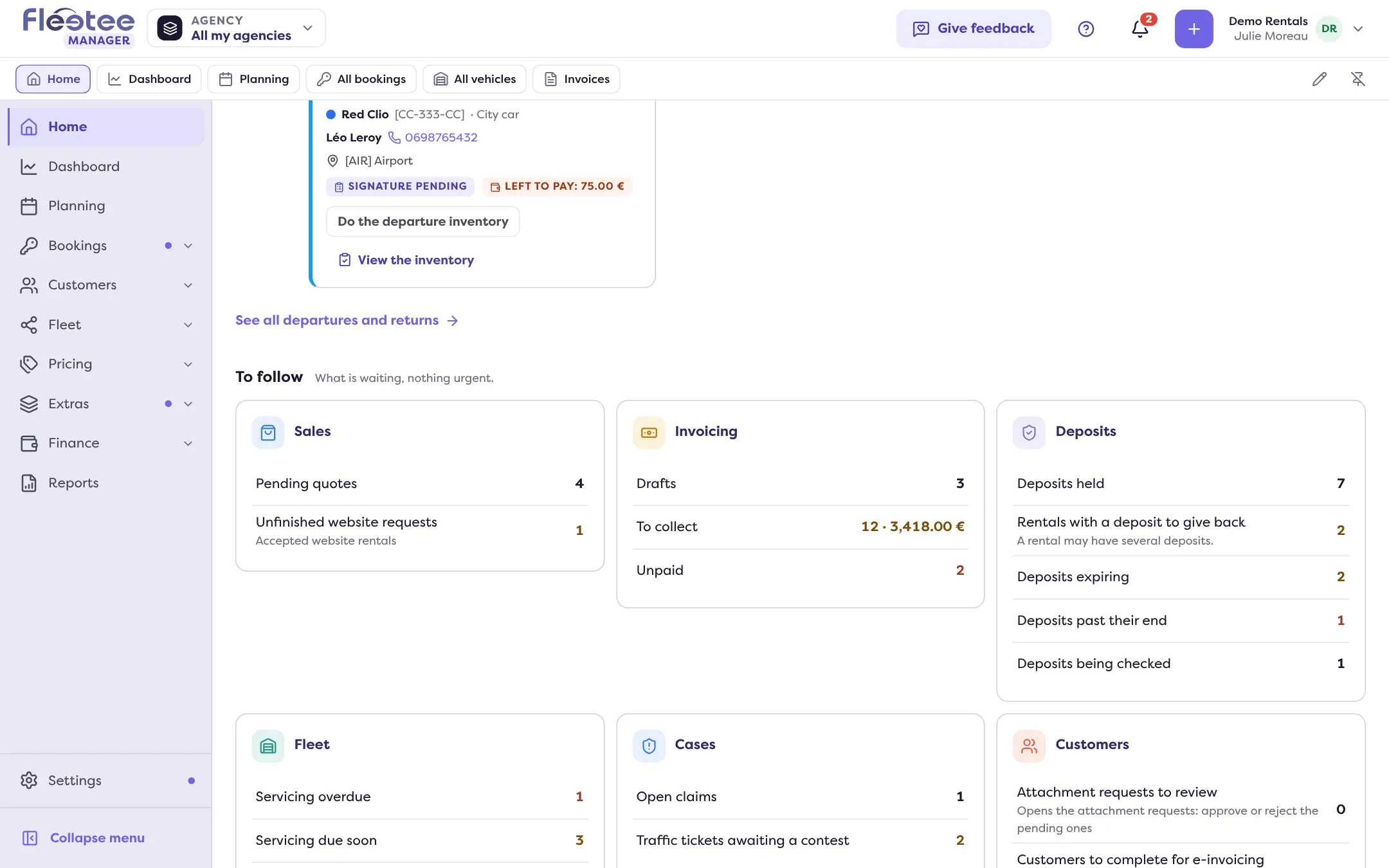
- “Deposits held”: every deposit still held, whatever its recorded status.
- “Rentals with a deposit to give back”: rentals whose deposit must be returned.
- “Deposits expiring”: holds that are about to end (My Stripe hold is expiring: what should I do?).
- “Deposits past their end”: those whose end has passed.
- “Deposits being checked”: those being checked.
The last three lines show only when there is at least one. A line in error offers to try again.
One click on a line
Each line opens the deposits list filtered on that status (Bookings › Deposits): see Where can I see all the deposits in progress?. For “Rentals with a deposit to give back”, the list opened counts deposit payments while the line counts rentals: a rental may have several deposits, and the note “A rental may have several deposits” reminds you.
Good to know
- The detailed lines (expiring, past their end, being checked) come from the deposits register; for a role without access to it, Home shows only the first two figures.
- To act on a deposit, open the rental: How do I read a booking’s Deposit block?.
Where to find it: Home › To follow › Deposits
Where to find it: Home › To follow › Deposits
Go further
Updated on 18 November 2026 with version 3.0