

How do I turn on online deposits?
- Manager v3
- Administrator
In short. First link the provider’s account in Connectors, then in Settings › Payments, “Online deposit” card › “Edit”: turn deposits on, choose Stripe, PayZen, Swikly or Gando, and save. The amount is set per category.
The online deposit is asked of the customer during their online check-in, before the start. No deposit is taken from the settings: they only say with which provider it will be taken.
Link the provider’s account
In Settings › Connectors, Deposits tab, link Stripe, PayZen, Swikly or Gando. Read Connect your account.
Open Settings › Payments
The Online deposit card says where you stand, for example “Off for the company.”
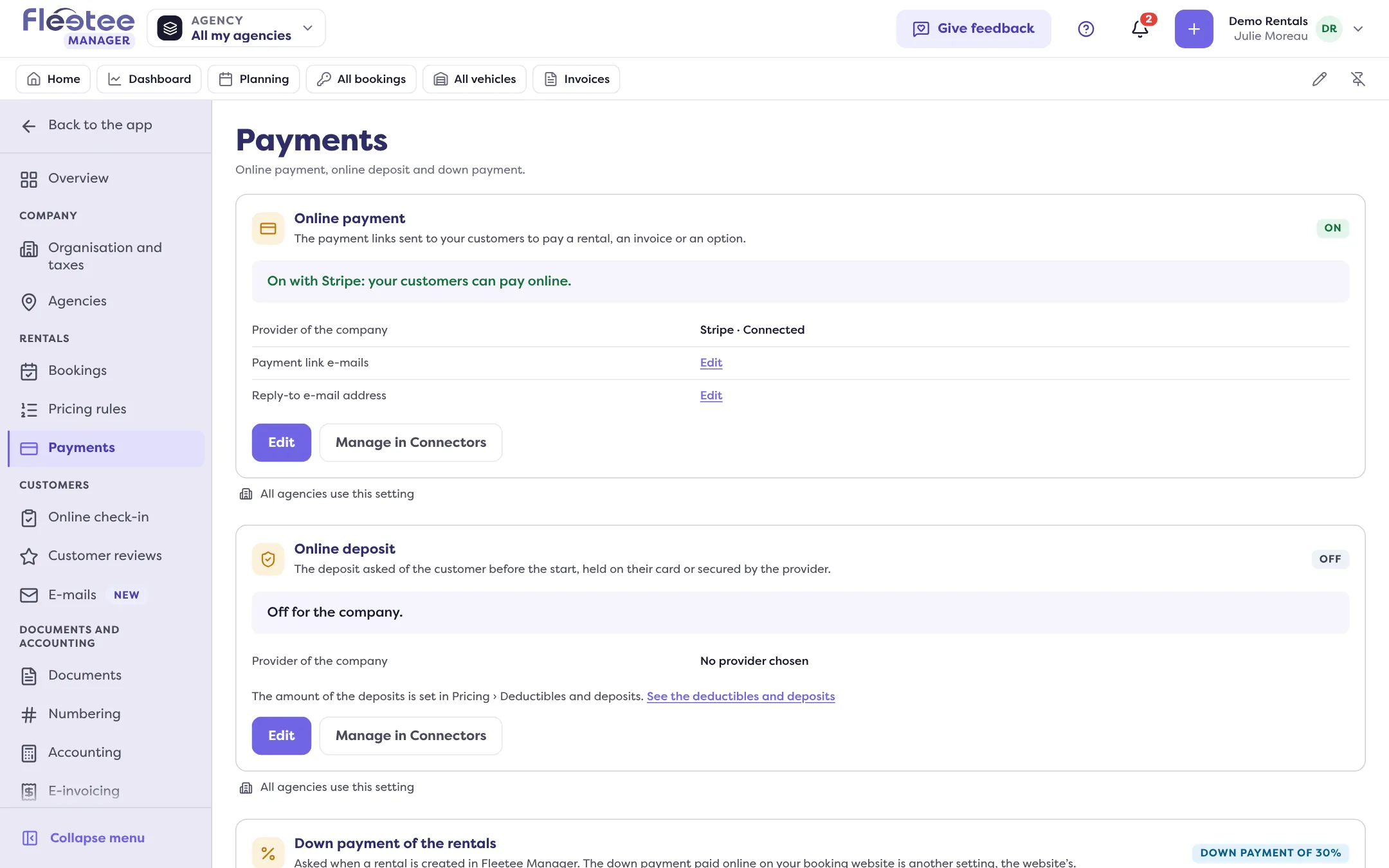
Click “Edit”
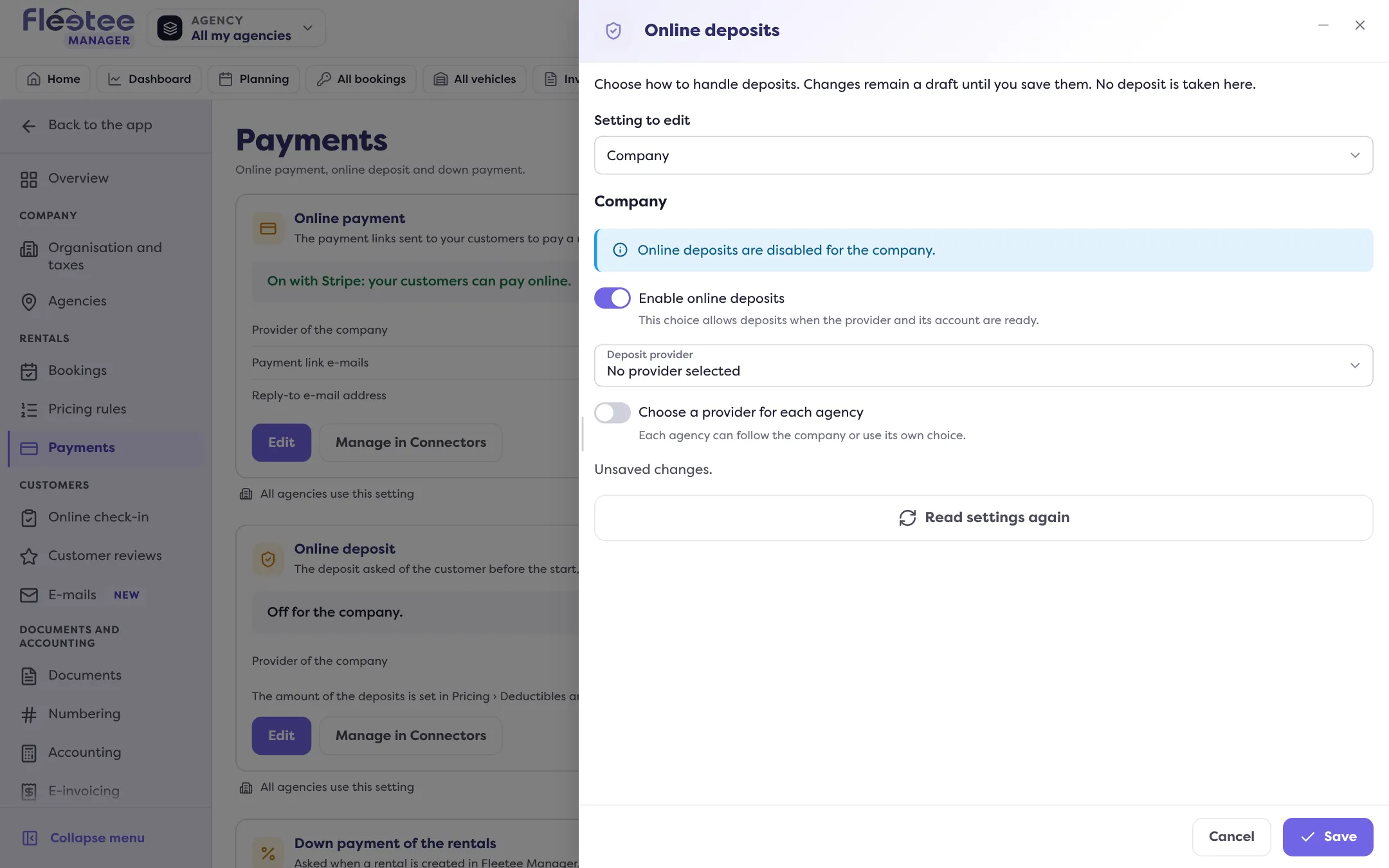
The “Online deposits” panel opens. In “Setting to edit”, Company is chosen by default.
Turn deposits on and choose the provider
Turn on “Enable online deposits”, then choose the “Deposit provider”: Stripe, PayZen, Swikly or Gando. The panel states what it changes: with Stripe or PayZen, funds may be held on the renter’s card; with Swikly or Gando, the deposit is secured without an initial hold.
Confirm PayZen if asked
For PayZen, the Manager asks: “Is the PayZen option enabled?” The “Reservation and rental” option must be active on your account. This confirmation does not verify the account with PayZen.
Click “Save”
The panel announces “Deposit settings saved.” and the card moves to On.
The panel’s “Open the … account” button opens the chosen connector.
Check that it is ready
The panel says whether a deposit is possible: “This setting allows online deposits. It does not mean a deposit has already been taken.” If not, it gives the reason:
- “Online deposits are disabled for the company.”;
- “No deposit provider is selected.”;
- “The provider account is missing or needs completing.”: finish it in Connectors.
The deposit amount
It is not set here, but per category in Extras › Deductibles and deposits: read Set deductibles and the deposit amount per category. With Swikly or Gando, if the company’s currency is not the euro, each deposit must also have its euro amount. Without it, the deposit is not asked of the customer.
Per agency
Turn on “Choose a provider for each agency” so that each agency follows the company (“Follow the company”), uses its own choice, or offers no online deposit (“Do not use”). Choose the agency in “Setting to edit”. The own switch of an agency that follows the company does not disable the inherited deposit. An agency manager sets their agencies with “Set my agencies”, if the company customises per agency.
For a Stripe hold, the standard holding time is 7 days: read My Stripe hold expires: what should I do?.
Where to find it: Settings › Payments › Online deposit › “Edit”
Where to find it: Settings › Payments › Online deposit
Go further
- How do I connect my Stripe, PayZen or Swikly account to Fleetee?
- How do I set up online payment, online deposits and down payments?
- My customer can’t register their deposit: what should I do?
- How do I set deductibles and the deposit amount per category?
- How do I read a booking’s Deposit block?
- Academy lesson · Chapter 4
Updated on 18 November 2026 with version 3.0