

How do I make a Gando claim, and what happens next?
- Manager v3
- Administrator
- Agency manager
In short. On the booking, Deposit block, click “Retain”: choose the invoice, the amount (at least €10, at most the deposit) and the reason. Fleetee asks Gando to collect, and Gando charges the customer’s card. The rest of the deposit is then released with “Release”.
Retaining from a deposit is for administrators and agency managers. With Gando, the retention is a charge on the card the customer registered with Gando.
Open the booking’s deposit
Rental page, Pricing & payments › Deposit: the Gando deposit is “Valid until” a date.
Click “Retain”
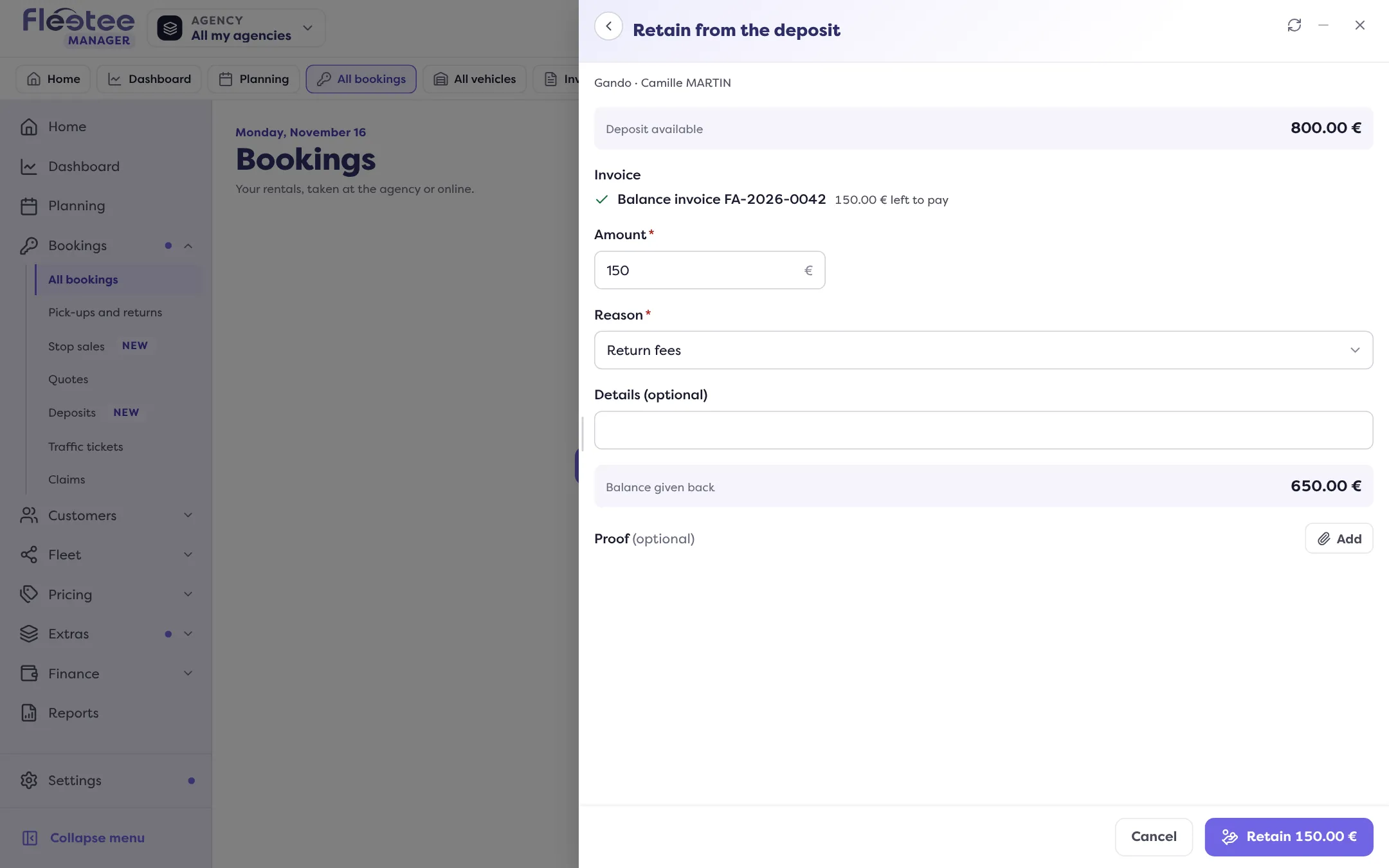
Choose the invoice to settle, the amount and the reason, and add a supporting document, as for any retention: How do I keep part of a deposit for charges?.
Stay within Gando’s limits
At least €10 (“The platform does not retain less than €10”), at most the deposit amount, and a deposit in euros.
Confirm
Fleetee asks Gando to collect. The movement shows Retention in progress until Gando answers; Fleetee then reads the result at Gando, never sending the request twice.
What happens next?
- The rest of the deposit isn’t released by itself: Gando doesn’t say what becomes of the rest after a charge. When you have nothing more to retain, click “Release”: Fleetee asks Gando to cancel the deposit. See How do I return a deposit?.
- The money collected reaches your Gando account, according to the payouts set up at Gando.
If Gando refuses
The reason is shown (in French), for example:
- the rental company’s Gando account isn’t ready to collect (payouts not set up): finish setting up your account at Gando;
- an amount below the €10 minimum or above the deposit;
- no payment method on the deposit, or a card expiring too soon;
- the deposit has already been collected;
- the Gando account isn’t linked: see How do I connect Gando to Fleetee?;
- Gando is temporarily overloaded: try again.
Where to find it: Rental page › Pricing & payments › Deposit › “Retain”
Where to find it: Rental page › Pricing & payments › Deposit › “Retain”
Go further
Updated on 18 November 2026 with version 3.0