

How do I connect Gando to Fleetee?
- Manager v3
- Administrator
In short. In Settings › Connectors, Deposits tab, Gando card: “Activate Gando” opens the Gando signup in a new tab. Finish it, come back and click “Check now”. Then choose Gando as the provider in Settings › Payments › “Online deposit”.
The Gando account is linked once, for the whole company: every agency uses it. Only administrators link a connector.
Open the Gando card
Settings › Connectors, Deposits tab, Gando card. The Activate Gando section sums up how it works: a card imprint with a bank check, no funds held, a commission paid by the renter, deposits up to €10,000.
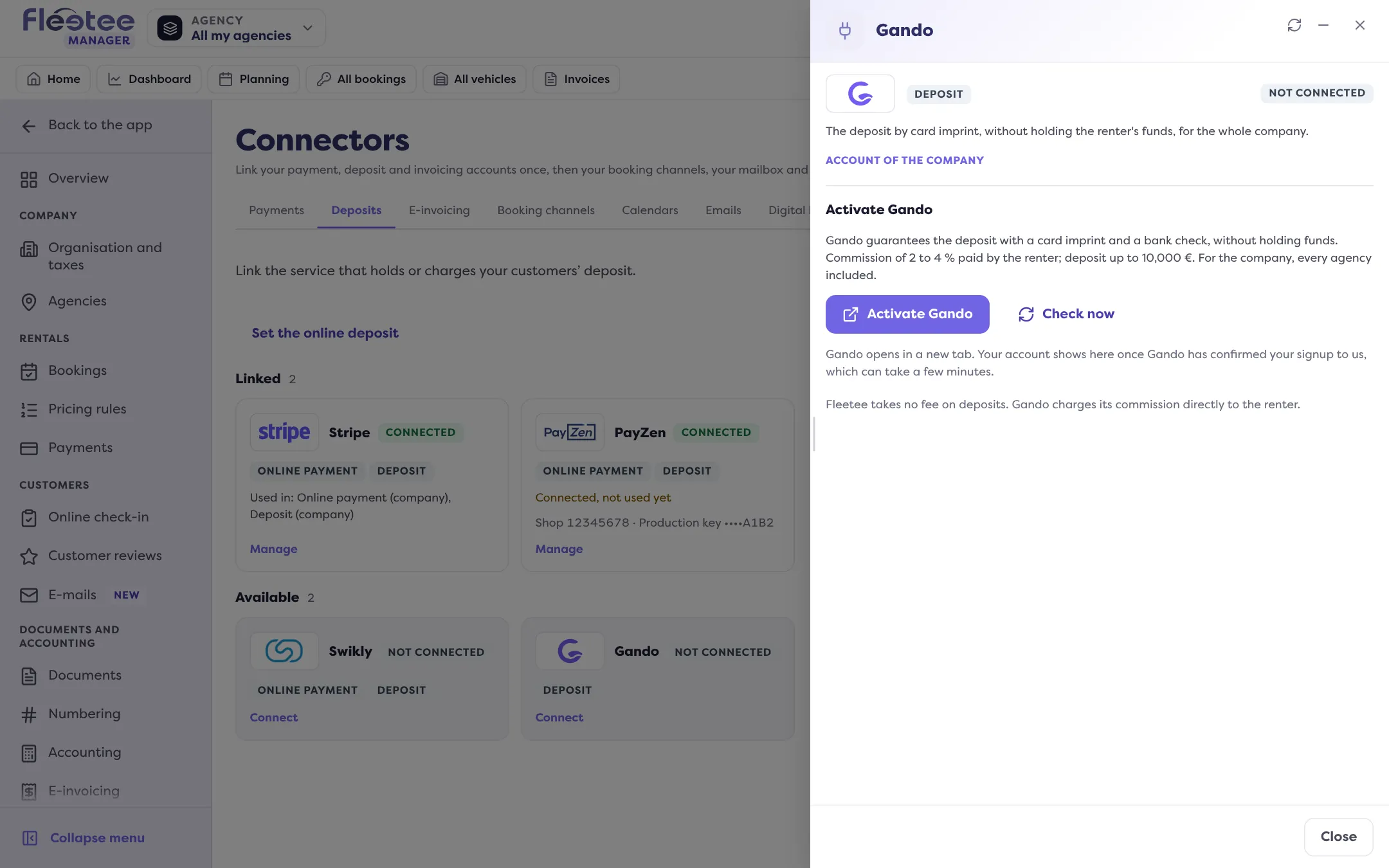
Click “Activate Gando”
The signup opens at Gando, in a new tab: “Signup opened at Gando”. If your browser blocks the tab, the Open the Gando signup link shows. Interrupted? Resume the signup.
Finish the signup at Gando
Your account shows in Fleetee once Gando has confirmed the signup, which can take a few minutes.
Come back and click “Check now”
“Your Gando account is linked.” Otherwise: “Gando has not confirmed your signup to us yet”; try again a little later.
Choose Gando for deposits
Settings › Payments, “Online deposit” card › “Edit”: turn on “Enable online deposits” and choose Gando as the “Deposit provider”, then “Save”. See How do I turn on online deposits?.
Check the amounts in euros
Gando charges in euros: each category’s deposit amount must exist in euros, otherwise the deposit can’t be requested from the customer. See How do I set deductibles and the deposit amount per category?.
Once linked, the Gando panel shows the Account, the Commission and the Maximum deposit. There is no hold to set.
Where to find it: Settings › Connectors, Deposits tab › Gando, then Settings › Payments › “Online deposit”
Where to find it: Settings › Connectors, Deposits tab › Gando, then Settings › Payments › “Online deposit”
Go further
Updated on 18 November 2026 with version 3.0