

What is in a customer file?
- Manager v3
- Administrator
- Agency manager
- Rental agent
In short. The customer file gathers the customer’s details and six panels: Documents, Customer account, Reviews, E-mails, Timeline and Activity. The Timeline only shows with the shared inbox, and E-mails depends on your rights.
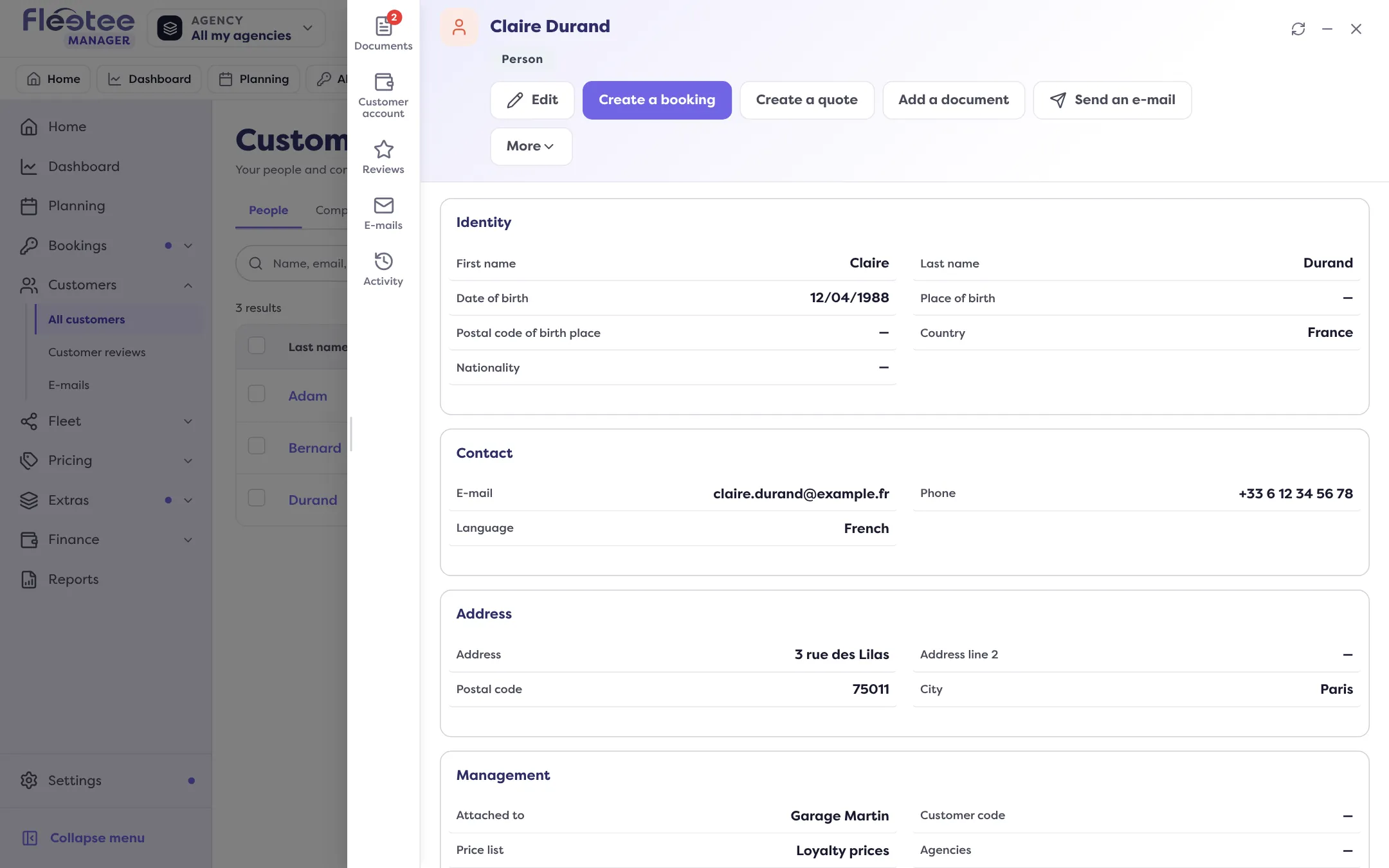
A customer’s file opens in a panel, from Customers › All customers, from a booking or from a search. In the middle, their information; on the side, a rail of panels.
The information
Identity, contact, address and, for a company, its legal context (SIREN, VAT, legal form…). A person also has their driving licence (front and back); a company has the “Drivers” card with “Add a driver”. Next come the properties you created for your customers (see Add your own fields) and the “Customer space” card.
For a company, a banner tells where e-invoicing stands: “Details complete for e-invoicing”, “N details are missing to invoice this customer” or “Waiting for your customer’s answer”. It never blocks saving.
The action bar
“Edit”, “Create a booking” and “Create a quote” are one click away. The “More” menu holds the rest: add a document or the licence, see the customer’s rentals, quotes, e-mails, invoices and credit notes, create, enable or disable their customer space, and “Delete the customer”. Before a deletion, Fleetee lists what is still open for this customer.
The six panels
- Documents: the customer’s papers, with a counter. See Where to keep a customer’s licence and ID.
- Customer account: the Wallet card (available balance, “Add credit”, “Create a voucher”, “Refund”, “History”) and the Customer general ledger, with every invoice and every payment of the customer, filtered by period and agency, and “Export” as XLSX, CSV or PDF.
- Reviews: the customer’s overall rating, its breakdown and each review left on a rental. With administrator rights, you make a review public (“Publicly visible”, only if it has a comment) or delete it for good.
- E-mails: the e-mails written to this customer, with “Send an e-mail”. If their address is blocked, bouncing or marked as spam, a banner says so.
- Timeline: everything that happened with the customer, most recent first, filtered by type (rentals, quotes, invoices, payments, e-mails, conversations, notes). It shows when the shared inbox is open for your company (see Answer customers from the shared inbox). The customer’s commercial status, calculated automatically, is explained there with “Why?”: Prospect, Quote sent, Active customer or Inactive.
- Activity: the log of changes to the customer, rentals, documents and e-invoicing exchanges, most recent first.
Where to find it: Customers › All customers › click a customer
Where to find it: Customers › All customers › click a customer
Go further
Updated on 18 November 2026 with version 3.0