

How do I create a task or a reminder?
- Manager v3
- Administrator
- Agency manager
- Rental agent
In short. Customers › Tasks › “New task”, or “Create a task” from a conversation: say what to do, the due date, the reminder and for whom. Overdue tasks come first.
A task is a reminder for you or a colleague (“Call the customer about the quote”), tied if you like to a customer, a rental or a conversation. At the right time, Fleetee tells the person.
Tasks come with the shared inbox. If they are not open for your company, the page says “Tasks are not turned on”.
Open the form
In Customers › Tasks, click “New task”. From a conversation of the inbox, click “Create a task”: the task is tied to the conversation.
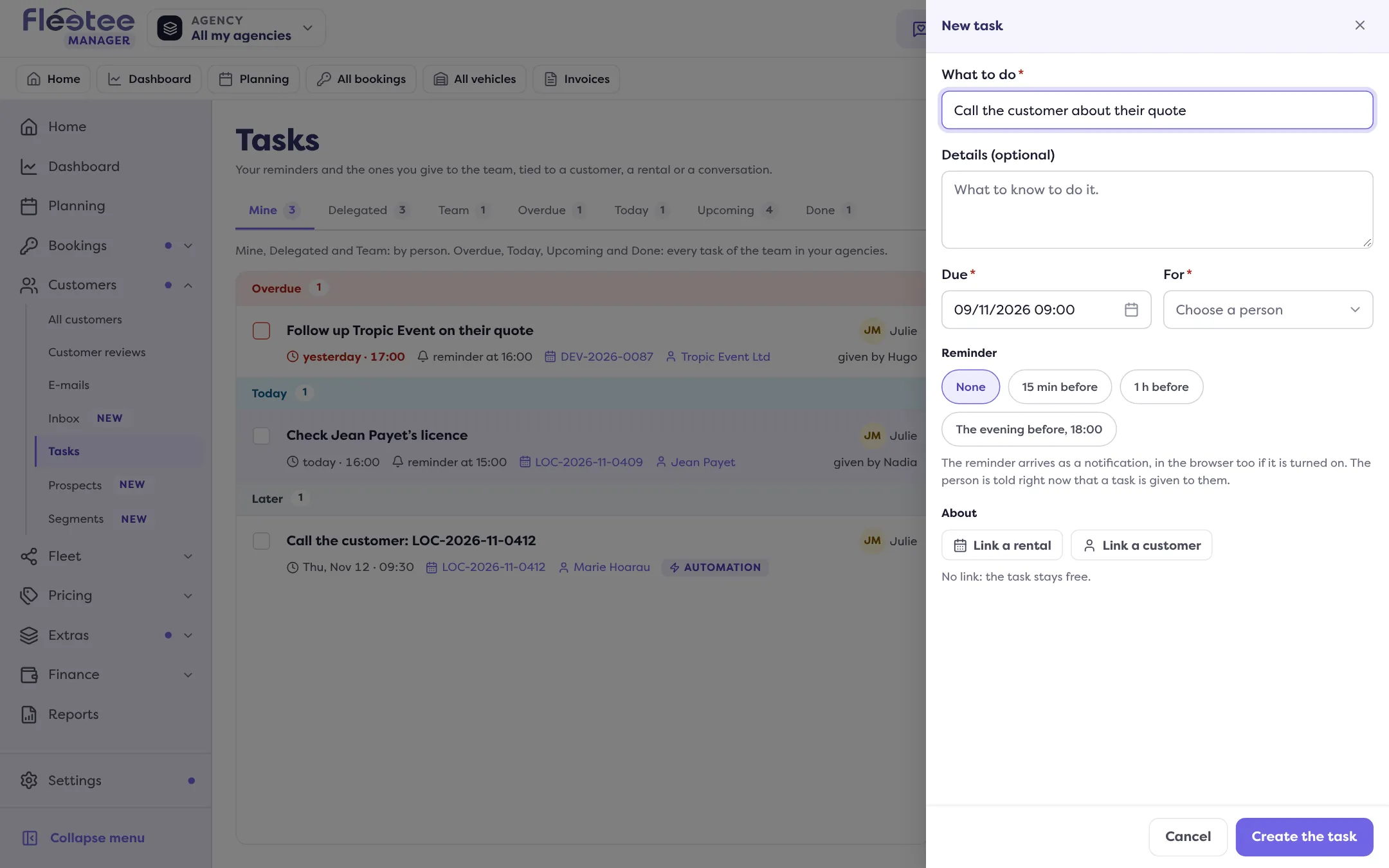
Say what to do
“What to do” is required. “Details” (optional) gives what to know to do it.
Choose the due date and the reminder
The due date is the planned date. The reminder is a notification: None, 15 min before, 1 h before, The evening before, 18:00 or an Exact time. A reminder already past tells nobody, and Fleetee says so.
Choose for whom
“For”: you, a colleague or an agency’s team. Colleagues who cannot see the linked file are flagged (“Cannot see this file”). The person is told right away that a task was given to them.
Link it (optional)
“About”: a customer, a rental (search by LOC-…, DEV-… or customer name) or a conversation. With no link, the task stays free.
Click “Create the task”
The message “Task created” confirms.
Follow the tasks
The tabs of Customers › Tasks: Mine (given to you), Delegated (given by you), Team, then, for the whole team of your agencies, Overdue, Today, Upcoming and Done. Tasks are grouped by day, overdue first.
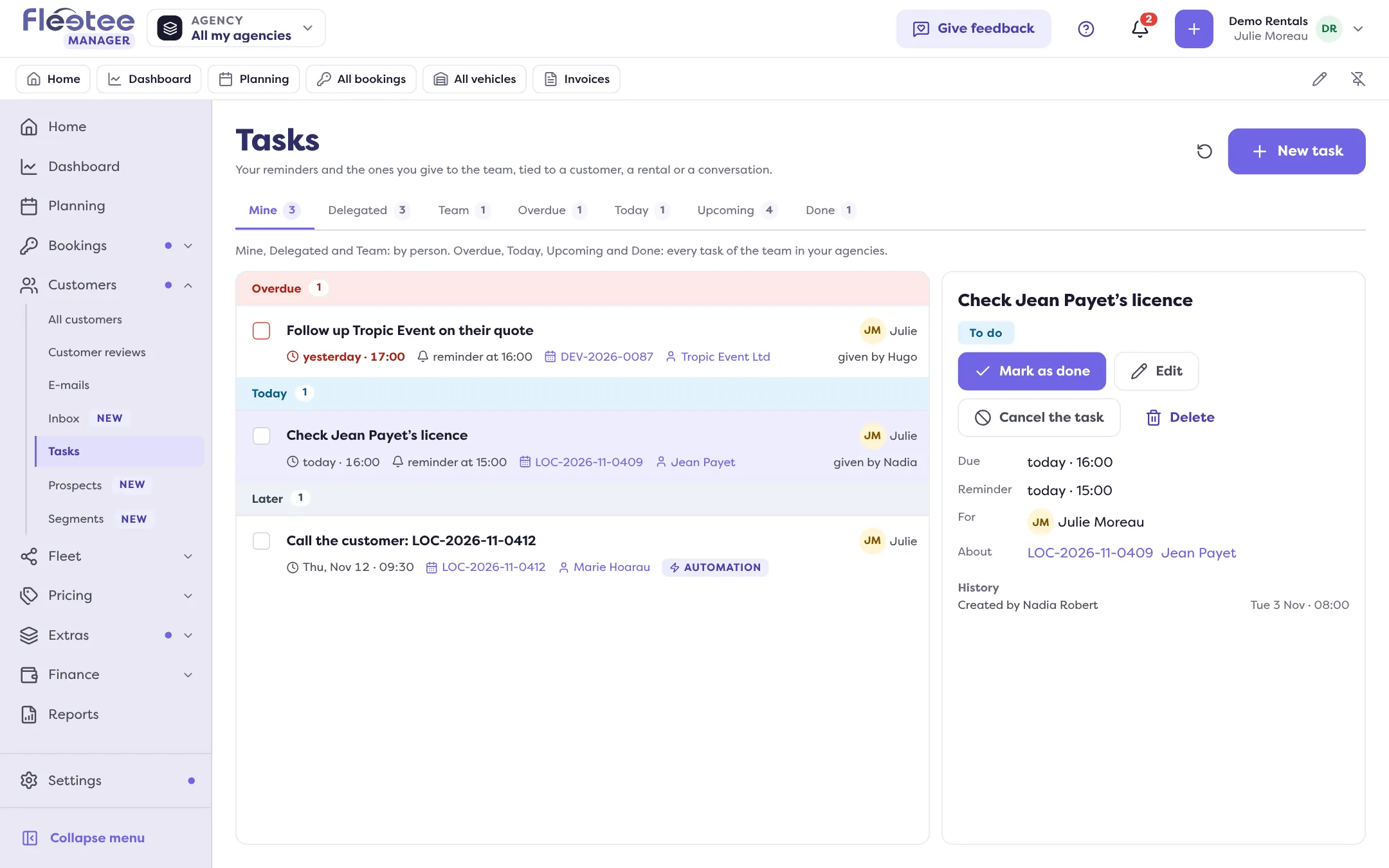
Open a task to see its due date, reminder, link and history. You can “Mark as done”, “Reopen”, “Edit”, “Cancel the task” or “Delete” it (deletion is final, for the whole team). In a conversation, the tasks to do show under the thread, with a tick box.
An automation can also create a task, with the “Create a task” action; the task then says an automation created it.
Where to find it: Customers › Tasks; “Create a task” from a conversation
Where to find it: Customers › Tasks; “Create a task” from a conversation
Go further
Updated on 18 November 2026 with version 3.0