

How do I get notified when a customer leaves a review?
- Manager v3
- Administrator
In short. Settings › Customer reviews › Notifications: turn on “Alert me on every new review”, choose the channel (e-mail, Fleetee Manager or both), the recipients and the threshold. You are only alerted for reviews at or below the threshold.
When a customer leaves a review, Fleetee can alert you by e-mail, in Fleetee Manager, or both. You even choose from which rating: only be alerted about bad reviews, for example.
This settings page is reserved to the administrator. Alerts only exist if review collection is on.
Open Settings › Customer reviews
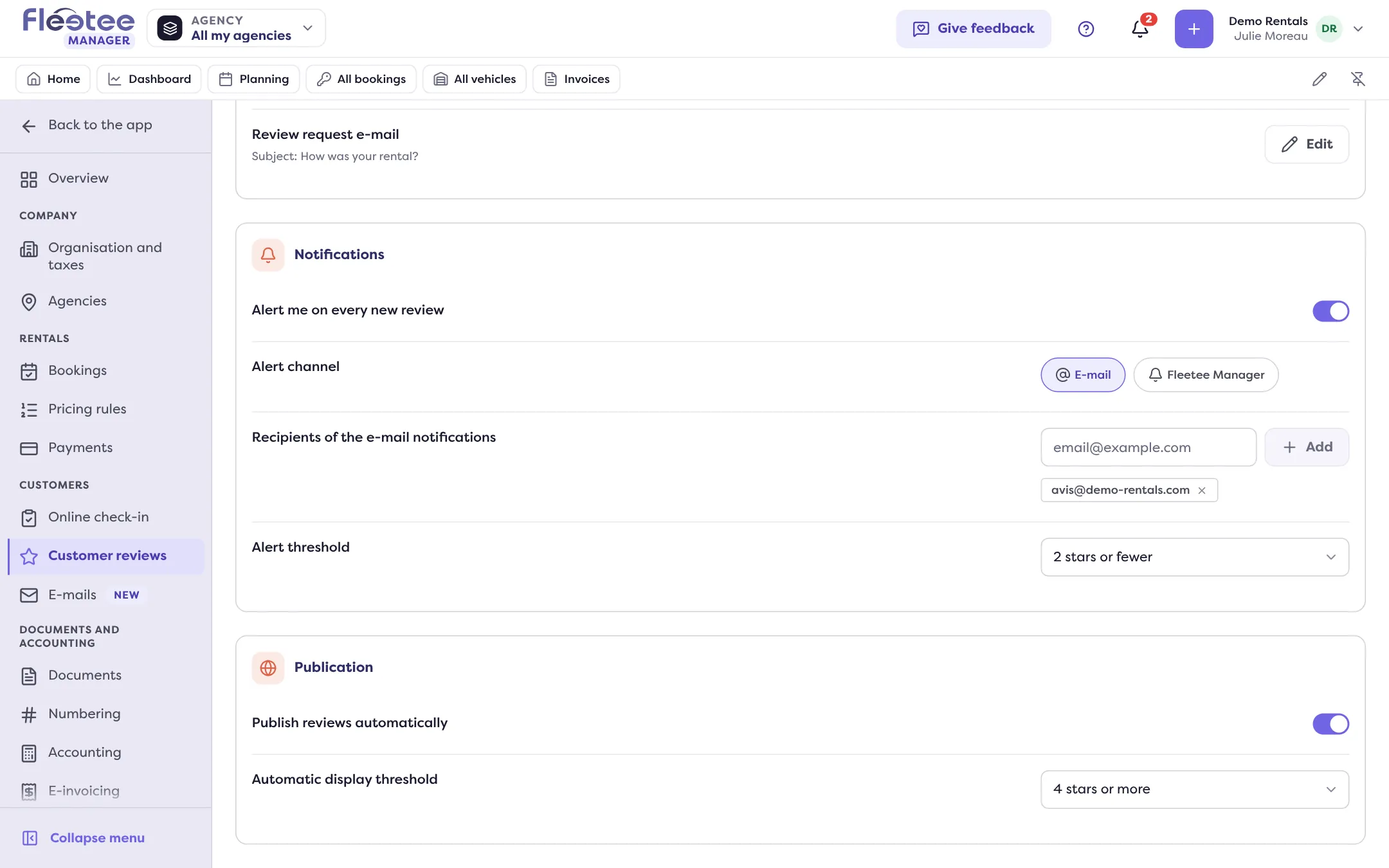
In the Notifications card, turn on “Alert me on every new review”. Each setting is saved as soon as you change it.
Choose the channel
“Alert channel”: E-mail, Fleetee Manager, or both. At least one is required while alerts are on. Fleetee Manager sends a notification to the bell (see Choose which notifications I get).
Add the e-mail recipients
“Recipients of the e-mail notifications”: type an address, then “Add” (or Enter). Remove one with its cross. With no address, the e-mail goes to the administrator and the agency managers of the rental.
Choose the alert threshold
“Alert threshold”: from 0 stars to 5 stars or fewer.
How the threshold works
Fleetee compares the review’s rating (out of 5) with the threshold: the alert is sent only if the rating is equal to or below the threshold.
- “2 stars or fewer”: you are alerted about reviews of 2 stars or fewer, never the others.
- “5 stars or fewer”: you are alerted about every review.
- “0 stars”: only a review with no star at all triggers an alert. Choose another value if you want to be alerted about rated reviews.
To turn off
Turn off “Alert me on every new review”: the channels are removed. Review collection itself carries on.
To read the reviews you received, see Where can I read and export my customer reviews?
Where to find it: Settings › Customer reviews
Where to find it: Settings › Customer reviews
Go further
Updated on 18 November 2026 with version 3.0