

How do I make a test booking without skewing my figures?
- Manager v3
- Administrator
- Agency manager
- Rental agent
In short. In Bookings › All bookings, click “Make a test rental”. Nothing is saved or sent: the rental shows neither in your figures nor to your customers. You can even sign a sample contract.
A test rental lets you try the whole booking creation, with no consequence. Use it to discover Fleetee, or to show a colleague how it works.
Open Bookings › All bookings
The “Make a test rental” button is at the top of the list. As long as you have no real rental, Home also offers “No rental at hand?” with the “Try it” button.
Fill in the rental like a real one
The form is the one for creating a real booking: dates, category, options. For the customer, take “Use the test customer” or one of your customers: a test rental changes no customer and sends them nothing.
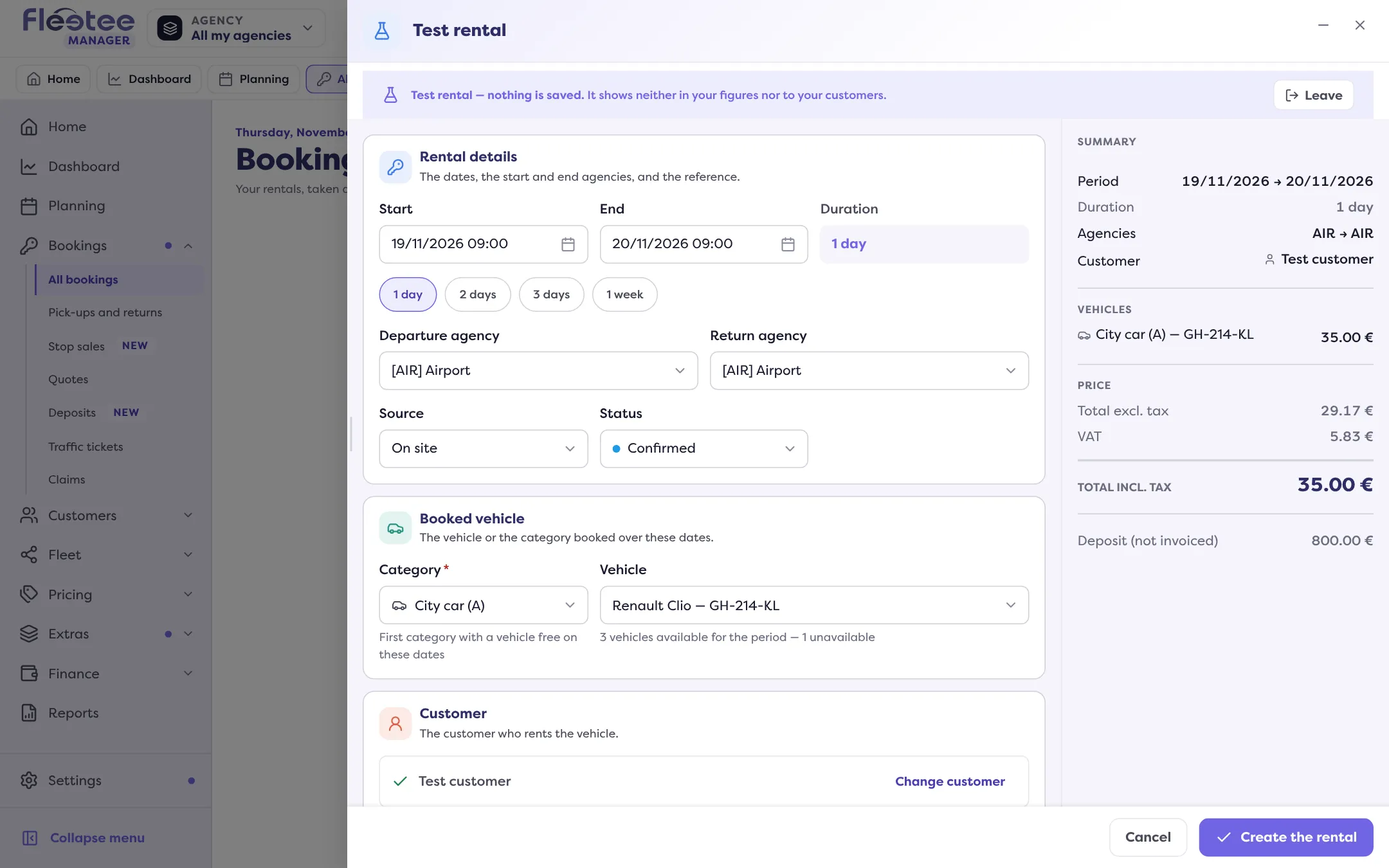
Create the rental
Fleetee announces “Test rental created: nothing was saved or sent.” The test rental appears at the top of the list, with the “Test rental” badge, and in the planning.
Try the contract
In the file, “Preview and sign” opens the sample contract: your real contract template, filled in with the test rental. You can view it (“View the contract”) or sign it on the device (“Sign on this device”, then “Confirm the signature”).
Erase the test rental when you are done
Click “Erase the test rental”, then “Erase”. It disappears from the list and the planning: nothing else is touched.
Why your figures do not move
A banner reminds you throughout: “Test rental — nothing is saved. It shows neither in your figures nor to your customers.” The rental is kept in your browser, not in your account. Real vehicles, customers and payments are not touched.
Every page of the sample contract carries the watermark “EXEMPLE — sans valeur”: the document has no value and is sent to no one.
Good to know
- It expires after 24 hours. After that, the file says “This test rental no longer exists”.
- It is personal. It stays in the browser of the person who made it: another agent does not see it.
- An action that would write to your account is refused. Fleetee then says “Unavailable in a test rental” or “In a test rental, nothing is saved.”, for example for the payment settings.
- A test rental does not replace your first real rental. The Home invitation stays until you have made a real rental.
If you do not see “Make a test rental”, the feature is not open for your account yet. Fleetee puts it this way: “The test rental is not open for your account yet.”
Where to find it: Bookings › All bookings › “Make a test rental”
Where to find it: Bookings › All bookings › “Make a test rental” (also on Home, “No rental at hand?” › “Try it”)
Go further
Updated on 18 November 2026 with version 3.0