

How do I create a secondary invoice, and what does it change?
- Manager v3
- Administrator
- Agency manager
In short. In the rental’s Invoices panel, “Create a secondary invoice” opens the invoice form, already attached to the rental: add the products, check the preview, save the draft, then validate. It is counted apart from the rental’s invoices.
This is reserved to the administrator and the agency managers. With another role, ask one of them to do it.
A secondary invoice is a free-form invoice attached to a rental, for what fits neither the rental invoice nor the balance invoice: a one-off extra, an exceptional fee, a forgotten service.
Open the rental page, Invoices panel
Click “Create a secondary invoice”. The button is always offered in the panel, except on a quote. It needs access to the Invoices page: the administrator and the agency manager have it.
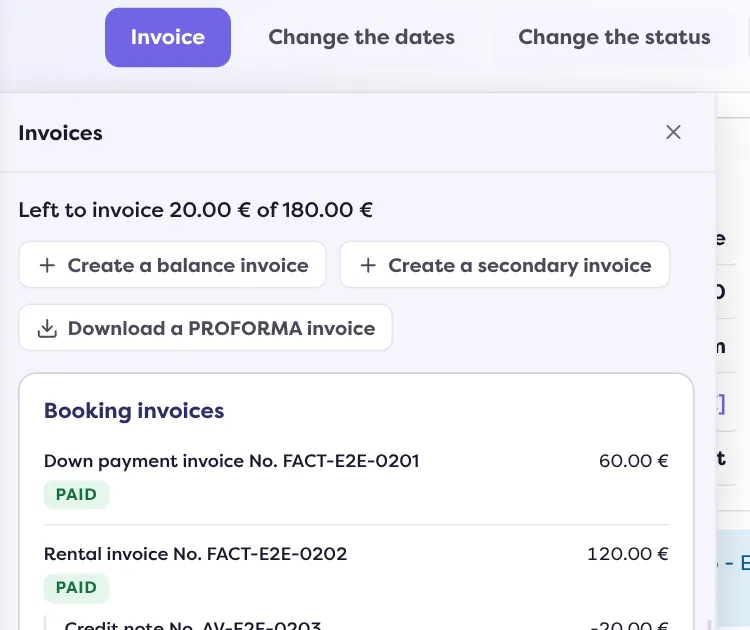
Open the “New invoice” form
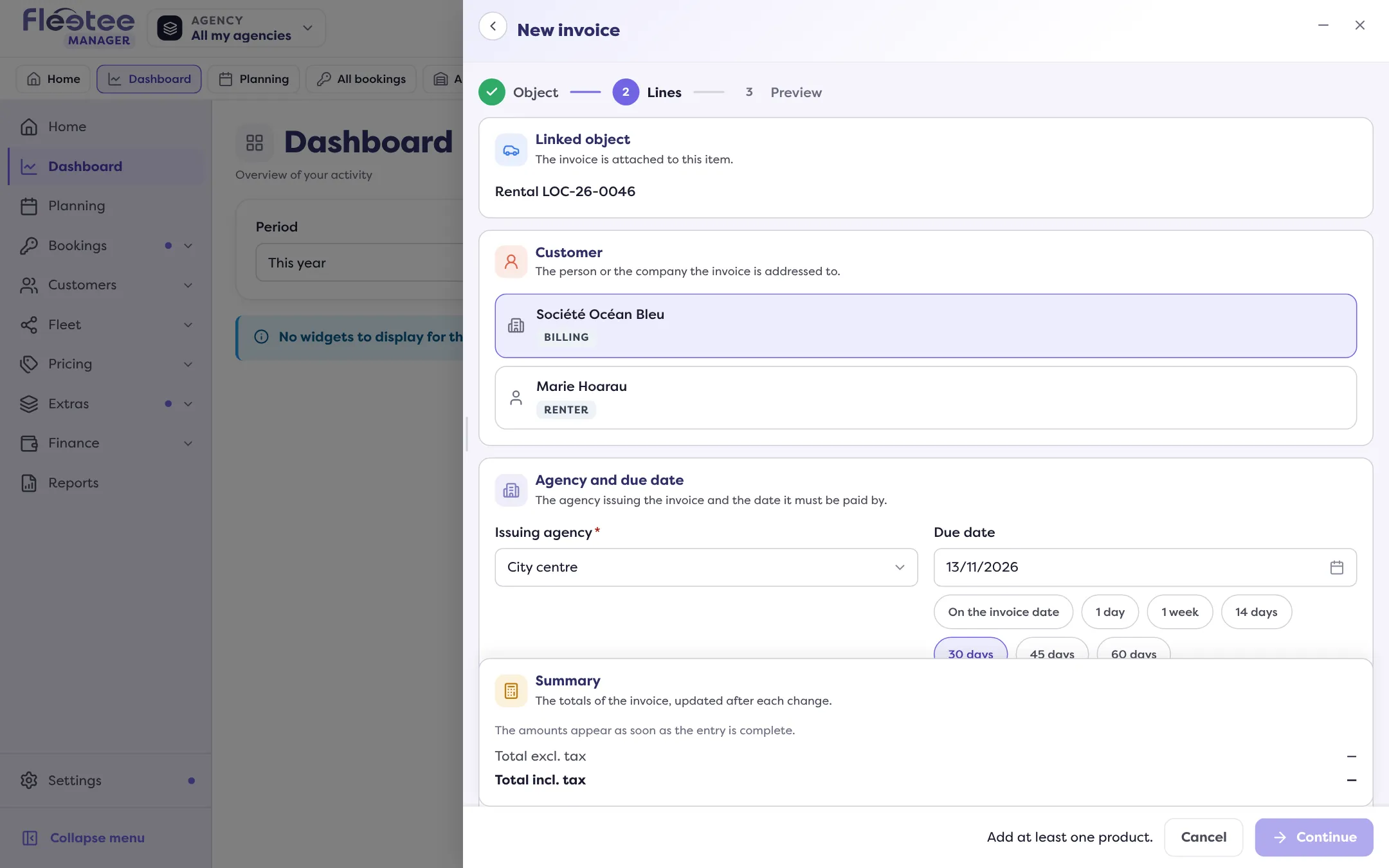
The Object step is skipped: the invoice is already attached to the rental. The rental’s customer is taken over.
Lines step: say what you bill
Choose the Issuing agency and the Due date (on the invoice date, 1 day, 1 week, 14, 30, 45 or 60 days, or a date). In Products, click “Add a product” and search your catalogue by name or accounting code: set the Qty and the price. Add a discount, Particular conditions and the customer’s payments to link if needed. The Summary gives the total excluding and including tax.
Preview step: check, then “Create the invoice”
You can also choose the document template for a secondary invoice. Message: “The invoice was saved as a draft.”
Validate the draft
The invoice is a draft: validate it to give it its number. Read Validate an invoice and send it.
What it changes in the rental
- It is filed under “Other invoices”, not “Booking invoices”. The rental’s Total invoiced only counts the rental’s invoices; a secondary invoice has its own Total other invoices.
- It has its own payment state, shown on its line: “paid”, “paid … · … left” or “not paid”.
- Claims and traffic tickets are also billed as “other invoices”, with their tag.
A draft already created is not lost: the form offers to keep it or delete it when you leave the page (“Draft not validated”).
Where to find it: Rental page › Invoices › “Create a secondary invoice”
Where to find it: Rental page › Invoices › “Create a secondary invoice”
Go further
Updated on 18 November 2026 with version 3.0