

What is the booking module?
- Web v2
- Administrator
- Marketing
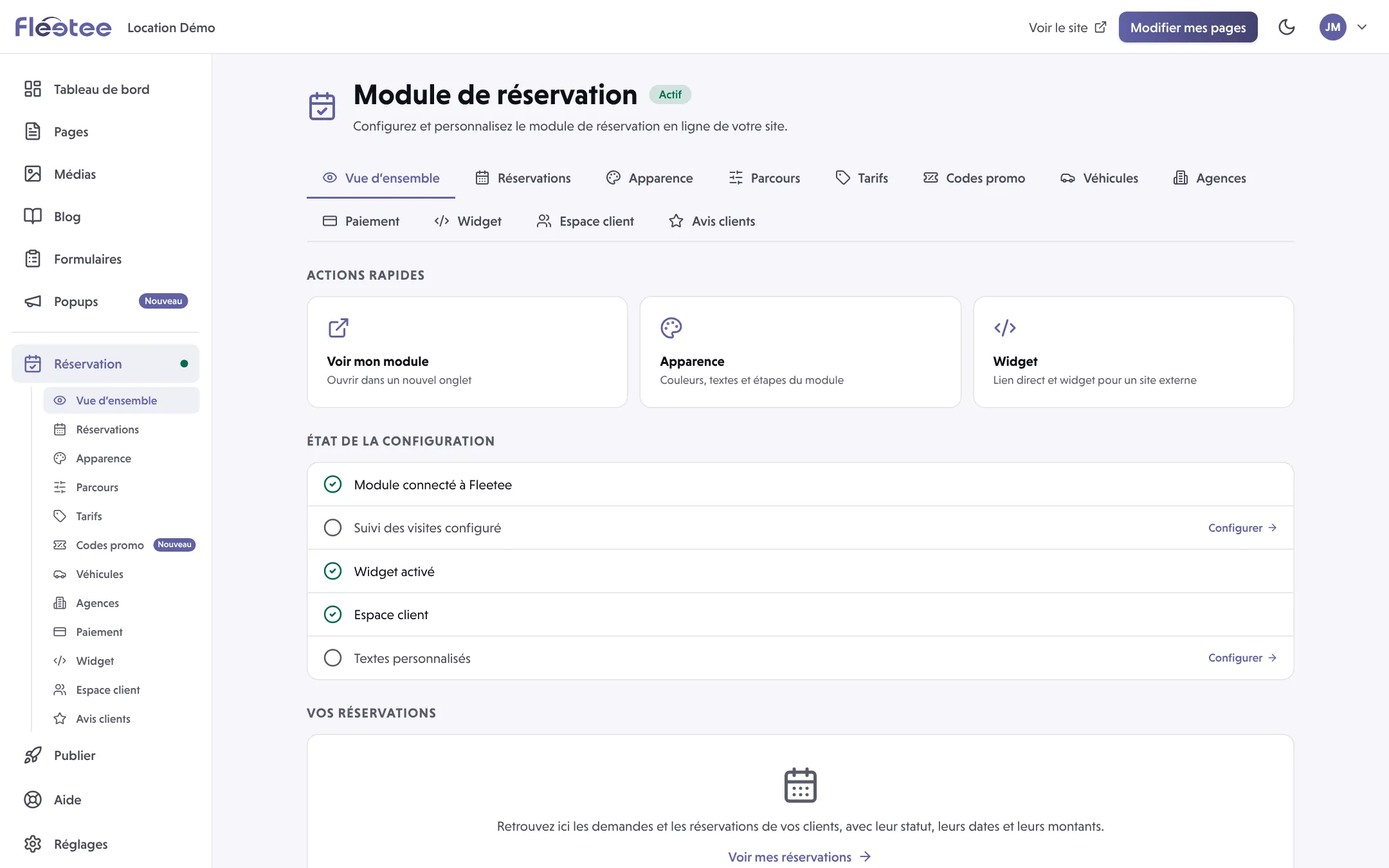
In short. The booking module is the online flow where your customers search for a vehicle, choose it and book. It reads your agencies, vehicles and prices from Fleetee, and shows on your Fleetee site, through a direct link or a widget.
The booking module is the part of Fleetee Web where your customers book by themselves, without calling you. It holds no data of its own: it reads your agencies, your vehicles and your prices from Fleetee, and the booking is created in Fleetee.
Your customer’s journey
The customer goes through steps. They are also the tabs of Réservation › Apparence (Booking › Appearance), where you set their titles and texts:
- Recherche (Search): the dates and the agency;
- Résultats (Results): the categories or vehicles that are available;
- Options: the extras on offer;
- Coordonnées (Contact details): the customer’s information;
- Récapitulatif (Summary): the price and the conditions;
- Confirmation: the outcome of the booking.
A last page, Ma réservation (My booking), lets the customer find their booking with the booking number and their last name, even if you have not turned on the customer area.
The three ways to show it
- Built into your Fleetee site: the module is on the “Réservation” page of your site, and the search bar is also a block of the page editor.
- Direct link: an address to send to your customers. It is in Réservation › Widget.
- Widget: the module shows on another site that you keep (WordPress, Wix…). See How do I embed the booking module in my WordPress site?.
In Réservation › Parcours (Booking flow), the Type de site (Site type) setting chooses between Site complet (Full site: your pages and the module, on your Fleetee site) and Module seul (Module only: you keep your own site and embed the module in it). You can change your mind at any time.
What you set, and where
- Parcours (Booking flow): booking validation (automatic or manual), the deposit, the displayed agencies, the search results.
- Paiement (Payment): online payment. See How do I turn on online payment on my website?.
- Apparence (Appearance): the colours, texts and content added to each step.
- Véhicules and Agences: what the site shows of your fleet. See How do I show my vehicles’ photos and order on the site?.
- Espace client (Customer area): your customers’ account. See How do I set up my website’s customer area?.
- Réservations (Bookings): the bookings received. See Where do I see the bookings made on my website?.
What the module does not change
Availability, prices and booking rules stay those of Fleetee. Changing a colour or a text does not fix a price, an availability or a refused booking: if a search gives an unexpected result, first check the dates, agencies, opening hours, availability and prices in Fleetee.
You do not need to build an integration to use the module: Fleetee Web has its own connection to Fleetee and never asks you to paste a secret key into a public page.
To get it running, follow How do I get my booking module up and running?.
Fleetee Web is displayed in French. The names above are quoted as they appear on screen, with a translation in brackets.
Go further
Updated on 18 November 2026 with version 2.0