

How do I show deductibles and mileage tiers in the booking module?
- Web v2
- Administrator
- Marketing
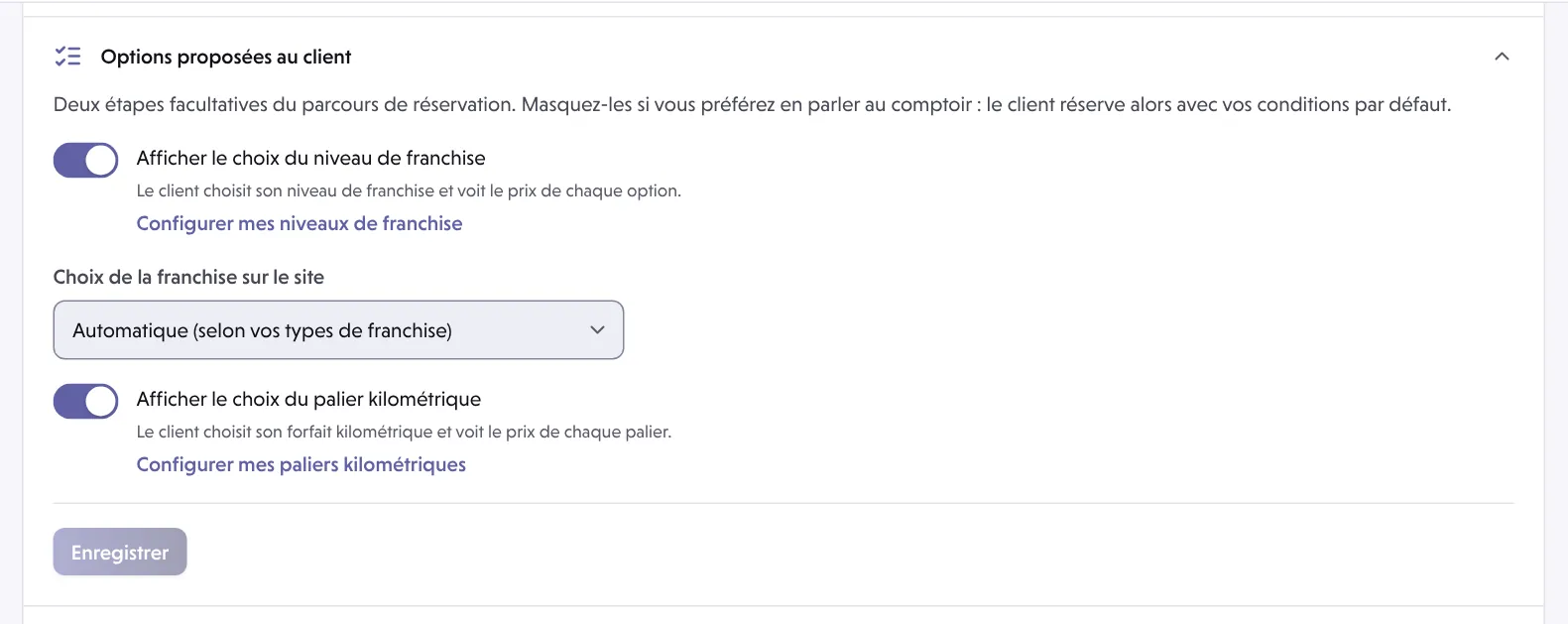
In short. In Réservation › Parcours › “Options proposées au client”, turn on the deductible level choice and the mileage stage choice: the customer chooses and sees the price of each option. Hidden, they book with your default deductible and mileage package.
Choosing the deductible and choosing the mileage package are two optional steps of the booking flow. Hide them if you would rather discuss them at the counter: the customer then books with your default terms.
Fleetee Web is in French: the labels below are those of the screen.
First set your levels and stages in Manager
Deductible levels and mileage stages are created in Manager. The Configurer mes niveaux de franchise and Configurer mes paliers kilométriques links take you there. See How do I set deductibles and the deposit amount per category? and How do I offer unlimited mileage or mileage stages?.
Open Réservation › Parcours › “Options proposées au client”
In Fleetee Web.
Show the deductible choice
Turn on Afficher le choix du niveau de franchise (show the deductible level choice): the customer chooses their deductible level and sees the price of each option. If the Choix de la franchise sur le site list appears, choose Automatique (selon vos types de franchise) (automatic, by your deductible types), Un seul niveau (a single level) or Un niveau par type de franchise (one level per deductible type).
Show the mileage stage choice
Turn on Afficher le choix du palier kilométrique (show the mileage stage choice): the customer chooses their mileage package and sees the price of each stage.
Save
“Options du parcours enregistrées” (flow options saved).
Good to know
- Both settings apply to the whole company, even when the rest of the flow is set per agency.
- When off, the step is hidden: the customer books with your default deductible and default package.
- Extras and packs are set separately: How do I show, order or hide my extras in the booking module?.
Where to find it: Réservation › Parcours › “Options proposées au client” (Booking › Journey › Options offered to the customer)
Where to find it: Réservation › Parcours › “Options proposées au client” (Booking › Journey › Options offered to the customer)
Go further
Updated on 18 November 2026 with version 2.0