

Save, preview, publish: what is the difference?
- Web v2
- Administrator
- Marketing
In short. Saving keeps your work in Fleetee Web, with no visitor seeing it. The preview checks the draft. Only publishing puts the change online. Always save before you publish.
Changing a page takes three distinct gestures. Mixing them up is the first cause of “I changed my site but nothing moved”.
| Gesture | What it does |
|---|---|
| Enregistrer la page (Save the page) | Keeps the work in Fleetee Web. A visitor of the public site does not see this draft. |
| Aperçu (Preview) | Lets you check the draft. It is not the address to give your customers. |
| Publier (Publish) | Puts the chosen content online. |
Save
In Pages, finish typing by clicking outside the text, then click Enregistrer la page (or Ctrl+S, Cmd+S on Mac). Wait for the save to finish and do not close the tab meanwhile. If a confirmation warns of unsaved changes when you leave the screen, stay to save them.
Preview
Aperçu gives two choices: the quick preview in the editor, and Prévisualiser sur le site (Preview on the site), which opens the draft in another tab. Check the texts, images and links, in the mobile view as well. A good preview does not replace publishing.
Publish
Before you publish, click Enregistrer la page explicitly and wait for the confirmation: do not count on publishing to save text you are still typing.
- Site already online: Publier cette page (Publish this page), in the editor, puts only the page you worked on online.
- First time online: Publier le site (Publish the site), or Publier in the left menu. Fleetee Web guides you in four steps: the domain, the DNS configuration, the content to publish (you tick the pages and articles), then the checks before publishing. To connect your domain name, see How do I connect my domain name to my website?.
After publishing, open the public address in another tab, without using the preview link, and test the important links on a phone and on a computer.
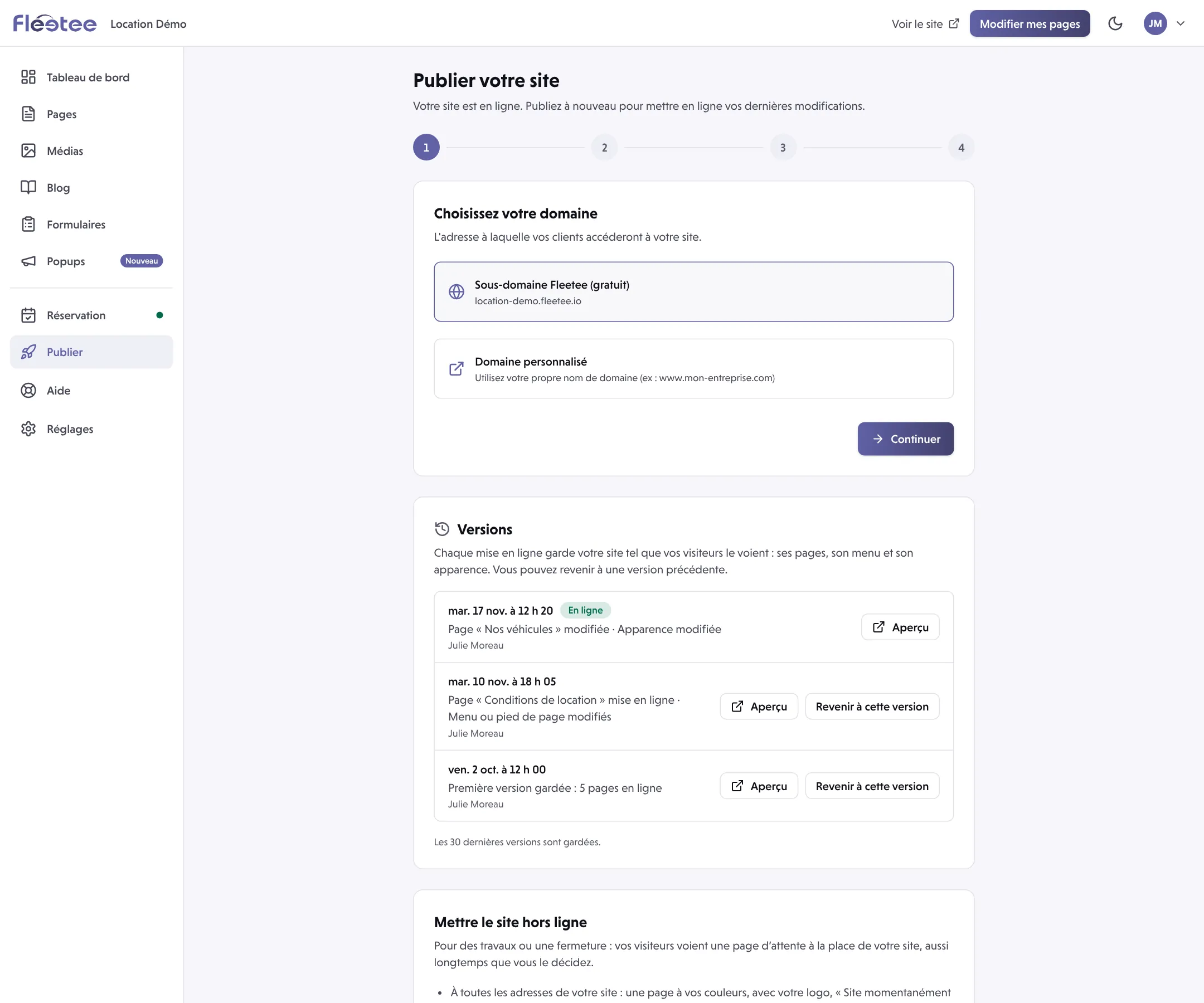
Pages you leave unticked at the content step are not published: Fleetee Web shows “N pages non publiées” (N unpublished pages). Review the selection before you continue, otherwise a menu link may lead to a missing page.
Not everything goes through “Publier”
The booking module settings (Réservation menu) have their own cycle: they are saved with their own button and do not depend on publishing a page. For example, Widget settings show on your other site within 1 minute of saving, with no publication. Follow the message of the screen you are on, and do not publish an unrelated page to try to validate a module setting.
If the change does not show
- You may be looking at another language or at an unpublished page: check the public page in the right language.
- Publishing may ask for checks: open the detail, fix the point raised, then try again. A saved draft is not lost because a publication was refused.
- If saving fails, keep your text, read the message and check your connection and your rights before trying again.
Fleetee Web is displayed in French. The names above are quoted as they appear on screen, with a translation in brackets.
Where to find it: Publier (Publish)
Go further
Updated on 18 November 2026 with version 2.0