

How do I apply a specific price list to my website?
- Web v2
- Administrator
- Marketing
In short. In Réservation › Parcours › “Groupe tarifaire”, turn on “Imposer un groupe tarifaire” and pick the group: the prices shown and charged on your site are then those of that group. Fleetee asks you to confirm first.
Fleetee Web calls “groupe tarifaire” (pricing group) what Manager calls a price list. By default, the site picks the list as at the counter: the logged-in customer’s, otherwise the agency’s or your account’s. If you want your whole site to use one specific list, you impose it.
Fleetee Web is displayed in French. The names below are quoted as they appear on screen, with a translation in brackets when needed. The list itself is created in Manager: see How do I create a price list and choose the default one?.
Open Réservation › Parcours › “Groupe tarifaire”
The section says: “Imposez un groupe tarifaire aux locations faites sur votre site, quel que soit le tarif de l’agence ou du compte” (impose a pricing group on rentals made on your site, whatever the agency’s or account’s rate). If your settings are “Agence par agence” (agency by agency), choose the agency first.
Turn on “Imposer un groupe tarifaire” (impose a pricing group)
Fleetee preselects the first group offered. If the switch is unavailable, no group is offered: “Les groupes se créent dans Tarifs › Groupes tarifaires” (in Manager).
Choose the “Groupe tarifaire imposé”
The list shows the groups offered. A group Fleetee still holds but no longer offers appears with “(plus proposé)” (no longer offered): it stays shown, never silently replaced.
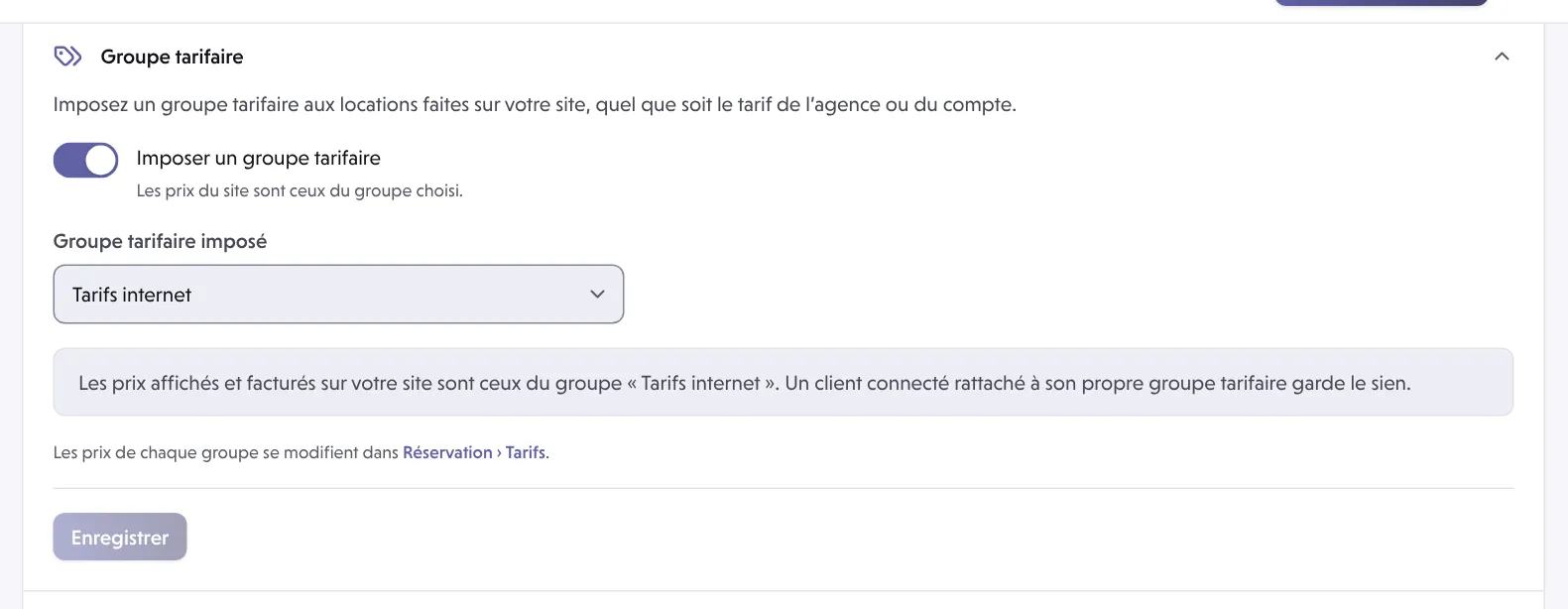
Save and confirm
Fleetee asks: “Imposer le groupe « … » ?” and recalls the effect: from now on, the prices shown and charged on your site are those of that group. Click Imposer ce groupe (impose this group).
What changes
- The prices shown and charged on your site are those of the chosen group, whatever the agency’s or account’s rate.
- A logged-in customer attached to their own pricing group keeps theirs.
- The change is immediate, for every booking made afterwards.
- Options, packs, deductibles and mileage packages are also attached to a group: the site only offers those of the rental’s group. After imposing a group, check what it offers in How do I show, order or hide my extras in the booking module?.
- The prices of each group are edited in Réservation › Tarifs (Booking › Prices).
Going back to automatic choice
Turn the switch off, then save. Fleetee asks: “Ne plus imposer de groupe tarifaire ?” (stop imposing a pricing group?). Prices then follow the customer’s group, otherwise the agency’s or the account’s, according to your settings in Fleetee. See How do I apply a price list to a customer or a type of customer?.
Imposing a group changes all the site’s prices at once. Check the group on a test search first, without going as far as a payment.
Where to find it: Réservation › Parcours › “Groupe tarifaire”
Where to find it: Réservation › Parcours › “Groupe tarifaire” (Booking › Journey › Pricing group)
Go further
Updated on 18 November 2026 with version 2.0