

How do I set up my website’s customer area?
- Web v2
- Administrator
In short. In Réservation › Espace client, turn on “Activer l’espace client” (Turn on the customer area): your customers create their account from a link received by e-mail, then see their bookings, download their documents and edit their details.
This setting is reserved to the account administrator; a marketing profile can read it but not change it.
The customer area is your customers’ account on your site. It is set in Réservation › Espace client.
Fleetee Web is displayed in French. The names below are quoted as they appear on screen, with a translation in brackets. Like all booking module settings, the customer area is reserved to the roles allowed to change the site: without that right, you can read the screen but not change it.
Open Réservation › Espace client
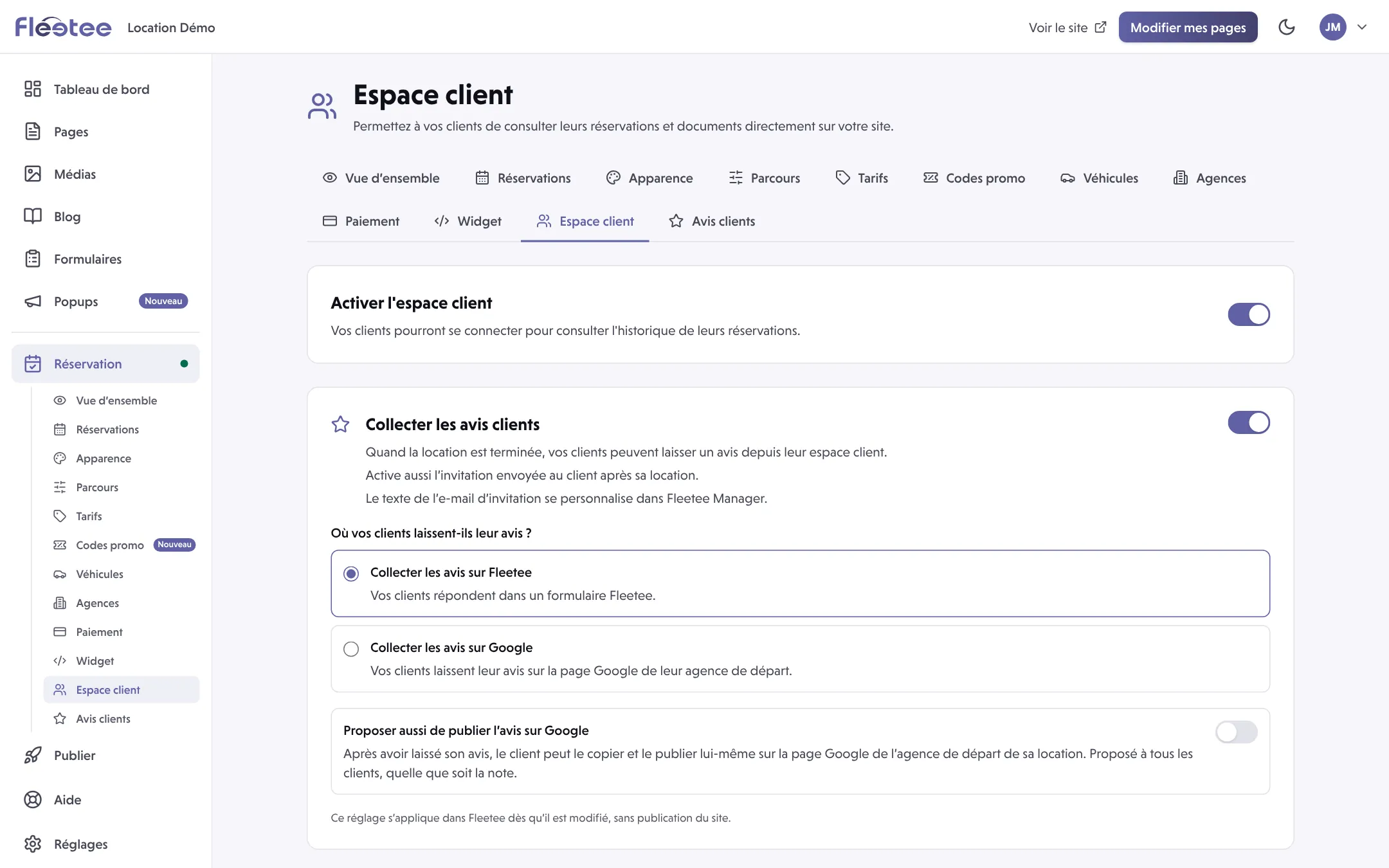
The page says: “Permettez à vos clients de consulter leurs réservations et documents directement sur votre site.” (Let your customers see their bookings and documents directly on your site.)
Turn on “Activer l’espace client”
The switch saves straight away: “Espace client activé” (Customer area on). To turn it off, use the same switch: “Espace client désactivé” (Customer area off).
Note the address of the customer area
Under the switch, an information block gives the address of the customer area. If your site has never been published, it shows with the label “pas encore en ligne” (not online yet) and cannot be clicked yet.
Link to it from your site
With a full site, your site’s header already shows a link to the customer area: you have nothing to add. With the module only, add a “My account” link to this address on your own site, so that your customers find it.
What your customers can do when it is on
- create their account: they choose their password from a link received by e-mail;
- sign in with their e-mail address and password;
- see the list of their bookings;
- download their documents (contract, invoice, confirmation);
- edit their personal details.
When it is off
Your customers can still find a booking with their booking number and their last name: the “Ma réservation” (My booking) page stays available.
Reviews, on the same page
The page holds two cards for customer reviews:
- Collecter les avis clients (Collect customer reviews): when the rental is over, your customers can leave a review from their customer area. The customer area must therefore be on. This setting applies in Fleetee as soon as it is changed, with no site publication. You choose where the review is left: on Fleetee or on Google (each departure agency then has its Google page identifier).
- Publier automatiquement les avis (Publish reviews automatically) from a minimum rating you choose: off until you turn it on. Reviews received are read one by one in Réservation › Avis clients (Customer reviews).
To see what your customers book, read Where do I see the bookings made on my website?.
Where to find it: Réservation › Espace client (Booking › Customer area)
Go further
Updated on 18 November 2026 with version 2.0