

How do I delete an agency?
- Manager v3
- Administrator
In short. In Settings › Agencies, open the agency, “Information” tab, at the bottom: “Delete the agency”. Fleetee first shows what is attached to it; you confirm, then “Undo” stays available for a few seconds.
Only an administrator can delete an agency. Deleting moves and cancels nothing: it only removes the agency from the choices offered.
Open the agency
In Settings › Agencies, click the agency, then the “Information” tab. The “Delete the agency” block is at the bottom.
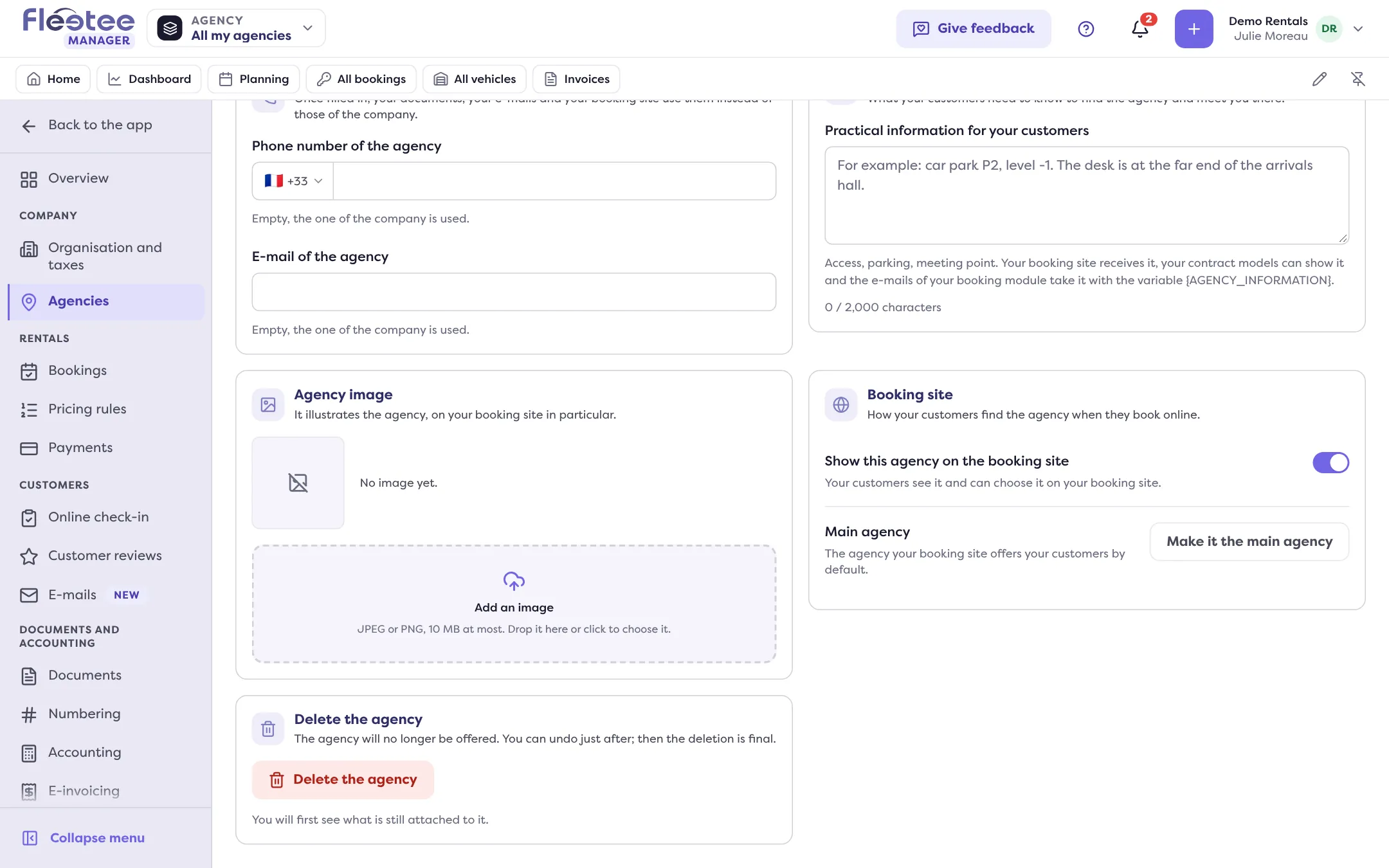
Click “Delete the agency”
Fleetee first shows what is still attached to the agency: its vehicles, the upcoming or ongoing bookings that leave from it or come back to it, the users who have access to it only, what belongs to it alone (pricing groups, surcharges, options with an imposed return, API keys) and its own settings (booking parameters, billing, online payment, online deposit, booking module).
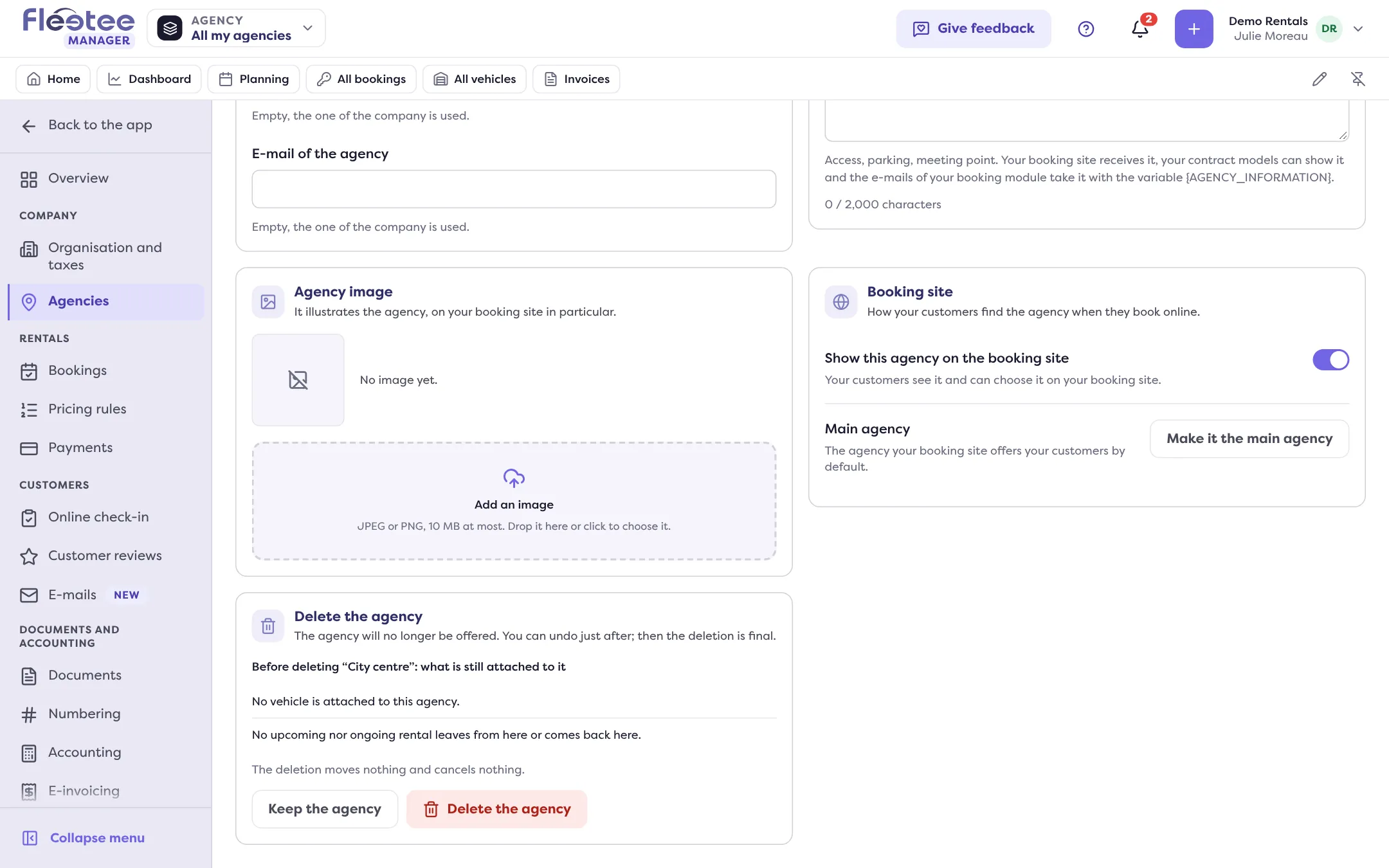
Move the vehicles if needed
If the agency holds vehicles, the button “See these vehicles to change their agency” opens the list. Select them, then “Assign a main agency”.
Confirm
Click “Delete the agency” in the “Delete “Name”?” window. To back out, click “Keep the agency”.
Undoing the deletion
A message says ““Name” is deleted.” with an “Undo” button, offered for about ten seconds. It restores the agency (““Name” is restored.”). After that, the deletion is final.
Deleting the agency does not change its vehicles, bookings, users or settings: nothing is moved or cancelled. Deal with what is attached first, using the list shown. If it is your main agency, choose another one afterwards.
When the button is missing or refuses
- It is the only agency (or the last active one): it cannot be deleted. Add another agency first (How do I create an agency and set its opening hours and closures?).
- You have unsaved changes in the tab: save or cancel them first.
- A specific agency is chosen in the agency selector: deleting affects the whole company. Choose “All my agencies” (How do I show the data of a single agency?).
- You are not an administrator: an agency manager does not see this block.
Where to find it: Settings › Agencies › the agency › “Information” tab › “Delete the agency”
Where to find it: Settings › Agencies › the agency › “Information” tab › “Delete the agency”
Go further
Updated on 18 November 2026 with version 3.0