

How do I add a vehicle from its number plate?
- Manager v3
- Administrator
- Agency manager
- 0:52
In short. In Fleet › All vehicles, type the registration number in the field at the top of the list, then “Add”. Fleetee looks the vehicle up and fills in the model, category and price. There is nothing else to type.
Adding a vehicle takes one piece of information: its registration number. Fleetee fills in the rest for you.
Open Fleet › All vehicles
At the top of the list, the field “Add a vehicle by its registration number” reads “Registration number” and shows an example, “EQ-123-AB”. The same field exists on Home, in the “Add a vehicle” card.
Type the registration number, then click “Add”
Fleetee shows “Looking up…” during the search, then “Adding…” during the creation.
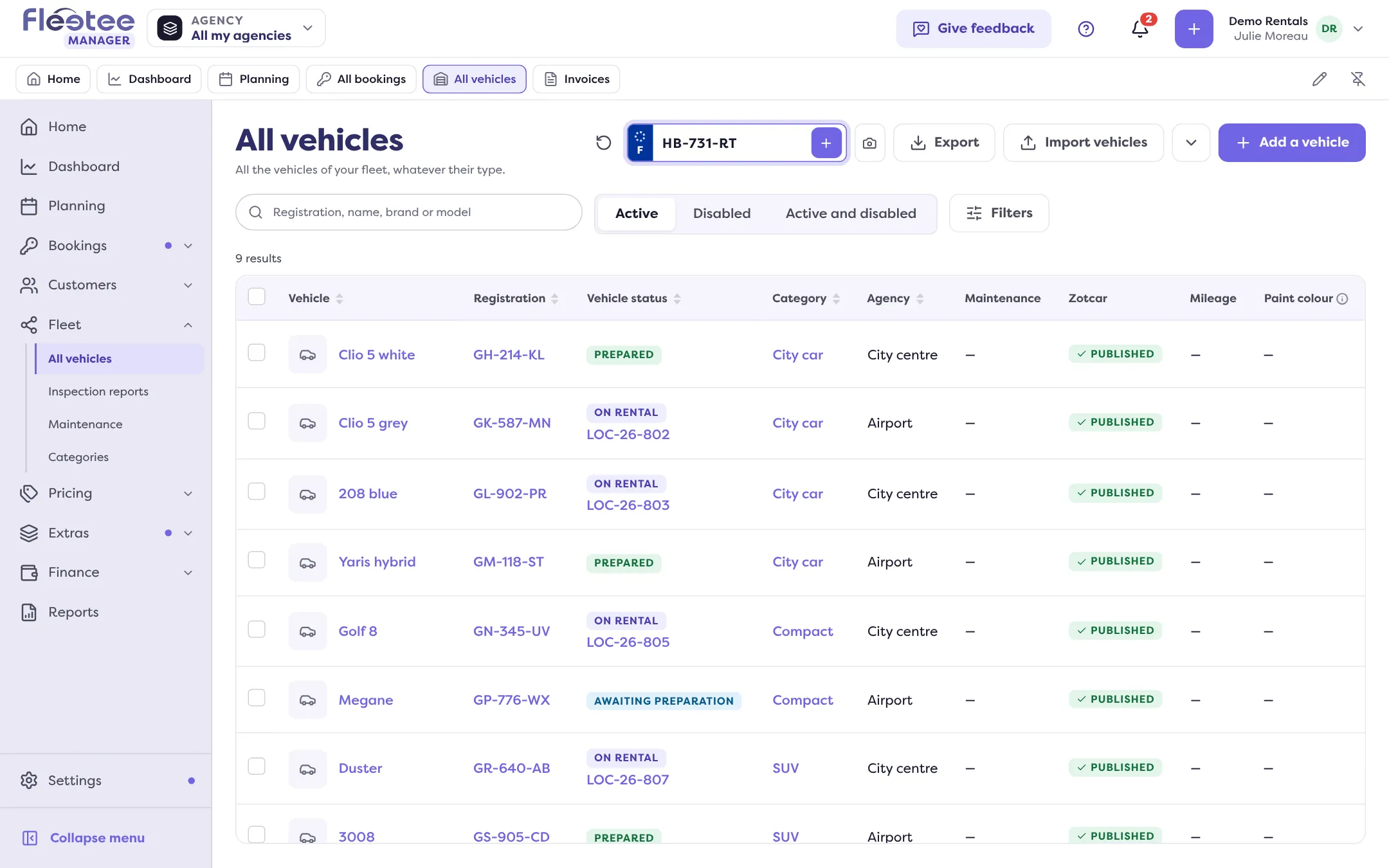
Check what appears
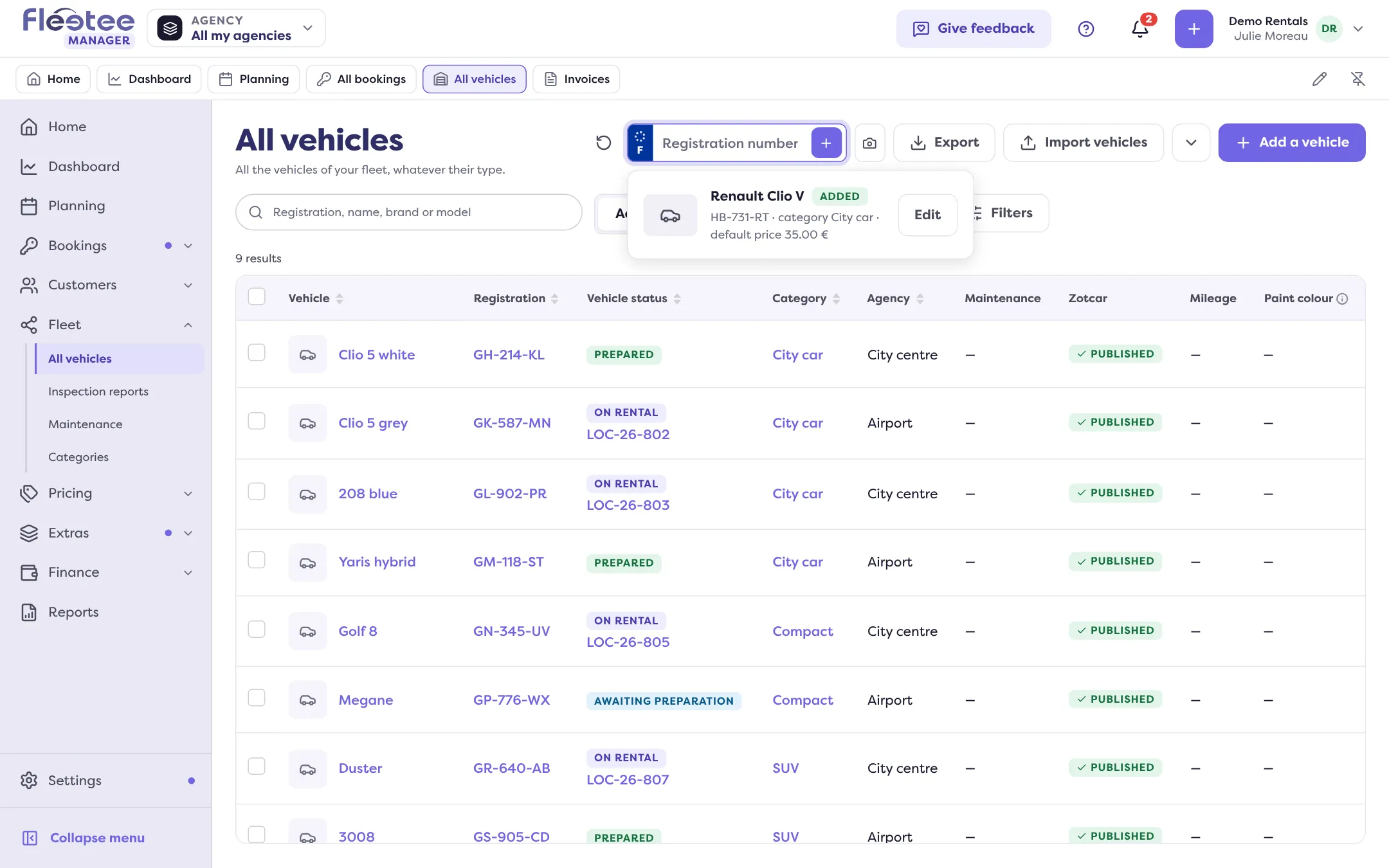
The vehicle shows under the field with “Added”, its category and its default price. Click “Edit” to complete its sheet. The default price is the one of the category: you can change it afterwards in Pricing › Prices.
If Fleetee does not recognise the vehicle
Sometimes Fleetee cannot identify a vehicle automatically. A small panel then opens under the field: enter the make and model (for example “Renault Clio”). Fleetee suggests a category and its price. You can change it with “Change”, or create the category if you do not have it yet.
The full form also opens by itself when the addition cannot be finished in one gesture. The registration number is already filled in.
Special cases
- The vehicle is already in your fleet. Fleetee says so (“… is already in your fleet”) and opens its sheet. Nothing is created twice.
- No registration number (bike, trailer, equipment). Use the “Add a vehicle” button: the form opens, with no plate.
- Your vehicles have no plate yet. On Home, “My vehicles are arriving soon” lets you type your models, for example “2 Dacia Sandero, 1 Peugeot 208”. The plate is asked on delivery.
- Many vehicles to add. Use the import: “Import vehicles” in the same list.
- Photos. Next to the field, the “Photograph your vehicles” button reads plates from photos.
Adding a vehicle is reserved for the administrator and agency managers. A message tells you if your role does not allow it.
Where to find it: Fleet › All vehicles, “Registration number” field (or the “Add a vehicle” card on Home)