

How do I book my free training session?
- Manager v3
- Administrator
In short. Open the Help menu (the “?” at the top of the screen) and click “Book my free training session”. A Fleetee team page opens in a new tab: you pick your time slot there.
The Fleetee team offers you a free training session to get you started with Fleetee. You book it yourself, at a time that suits you.
Open the Help menu
It is the “?” at the top of the screen. On a phone, the same entries are in your account menu.
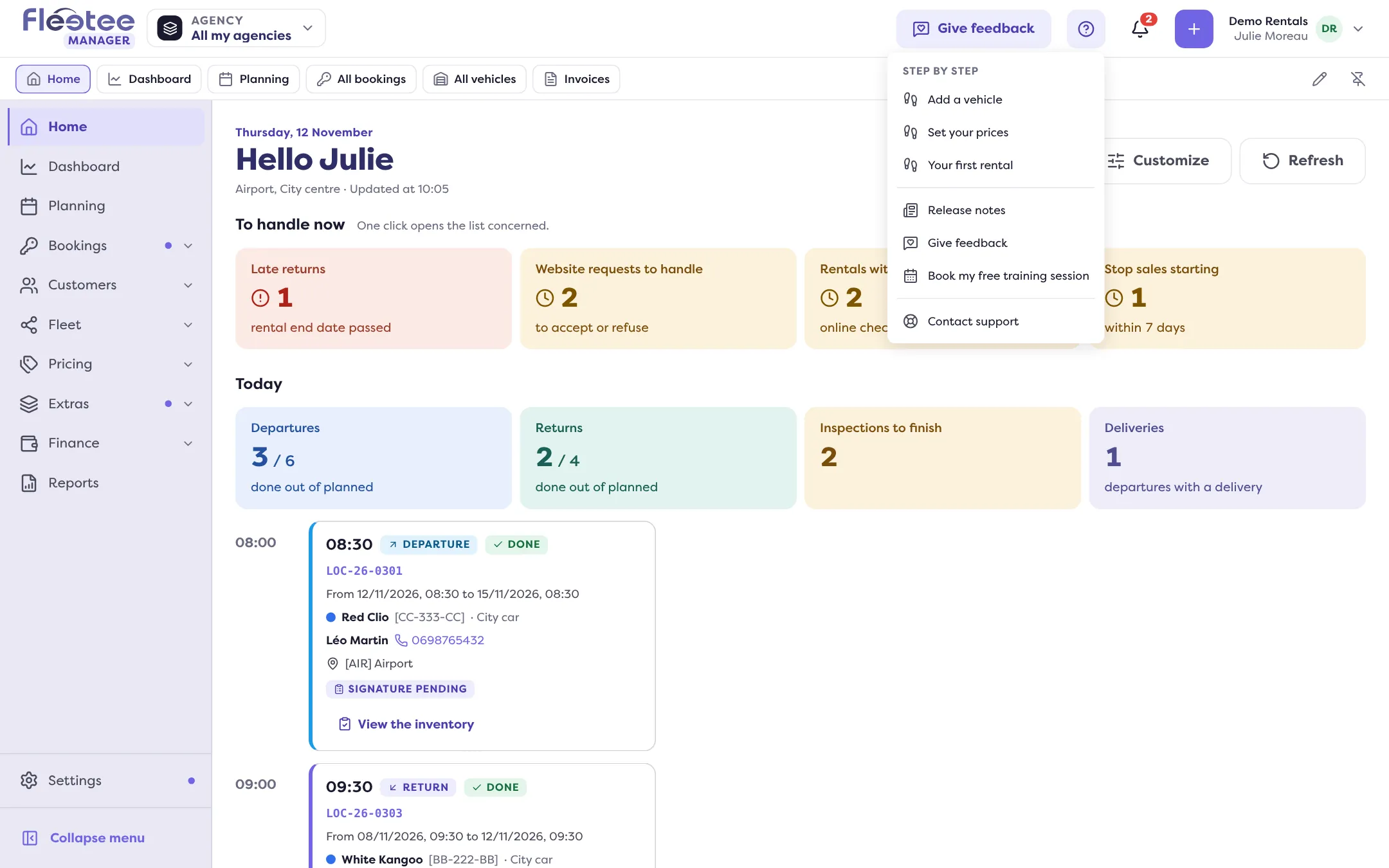
Click “Book my free training session”
The booking page opens in a new tab. Your Fleetee session stays open in the original tab.
Choose your time slot with the Fleetee team
Follow the booking page through to the confirmation.
The offer shown during an import
When an import of vehicles, customers or bookings runs into refused rows, Fleetee shows a “Need a hand?” card: “A free training session is available to you. Choose a time with the Fleetee team.” Its “Book my free training session” button leads to the same page.
If the offer is of no interest to you, “Don’t show this suggestion again” hides it in your browser.
Other ways to get help
- The Help menu also offers “Step by step” (see How do I get a step-by-step guided tour) and “Contact support”, which opens a new request on the support site.
- To import your data yourself: How do I import everything at once.
Where to find it: Help menu › “Book my free training session”
Where to find it: Help menu › “Book my free training session”
Go further
Updated on 18 November 2026 with version 3.0