

Can I use Fleetee Manager on my phone?
- Manager v3
- Administrator
- Agency manager
- Rental agent
- Accountant
In short. Yes. Manager opens in a phone’s browser, with the same account and the same data. Under 768 pixels, the menu opens from the top-left button and lists become cards. A few actions are still made for a computer.
Fleetee Manager works in the browser of a computer, a tablet or a phone. It is the same account and the same data: nothing to install to work.
What changes on a phone
Under 768 pixels wide, or on a phone held sideways, Fleetee switches to the “phone” layout:
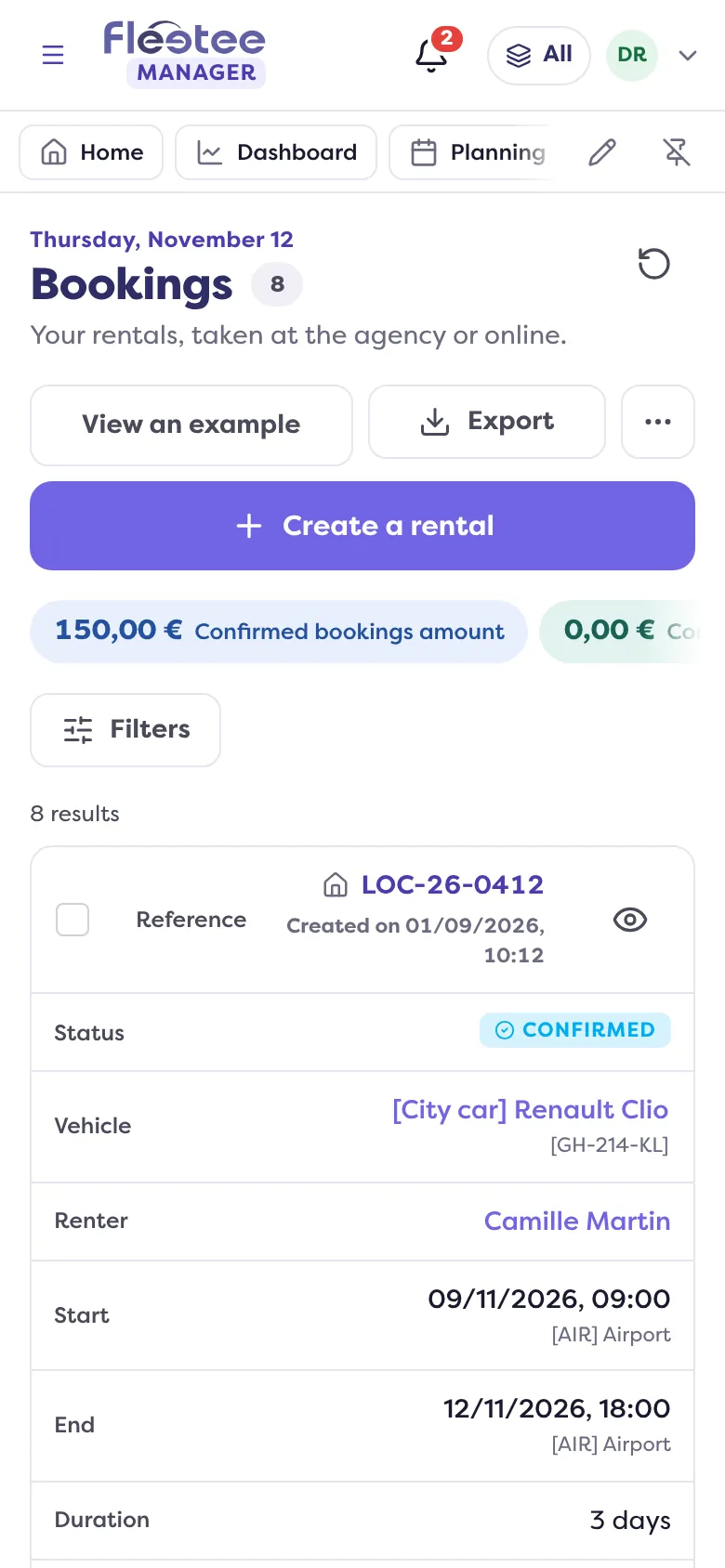
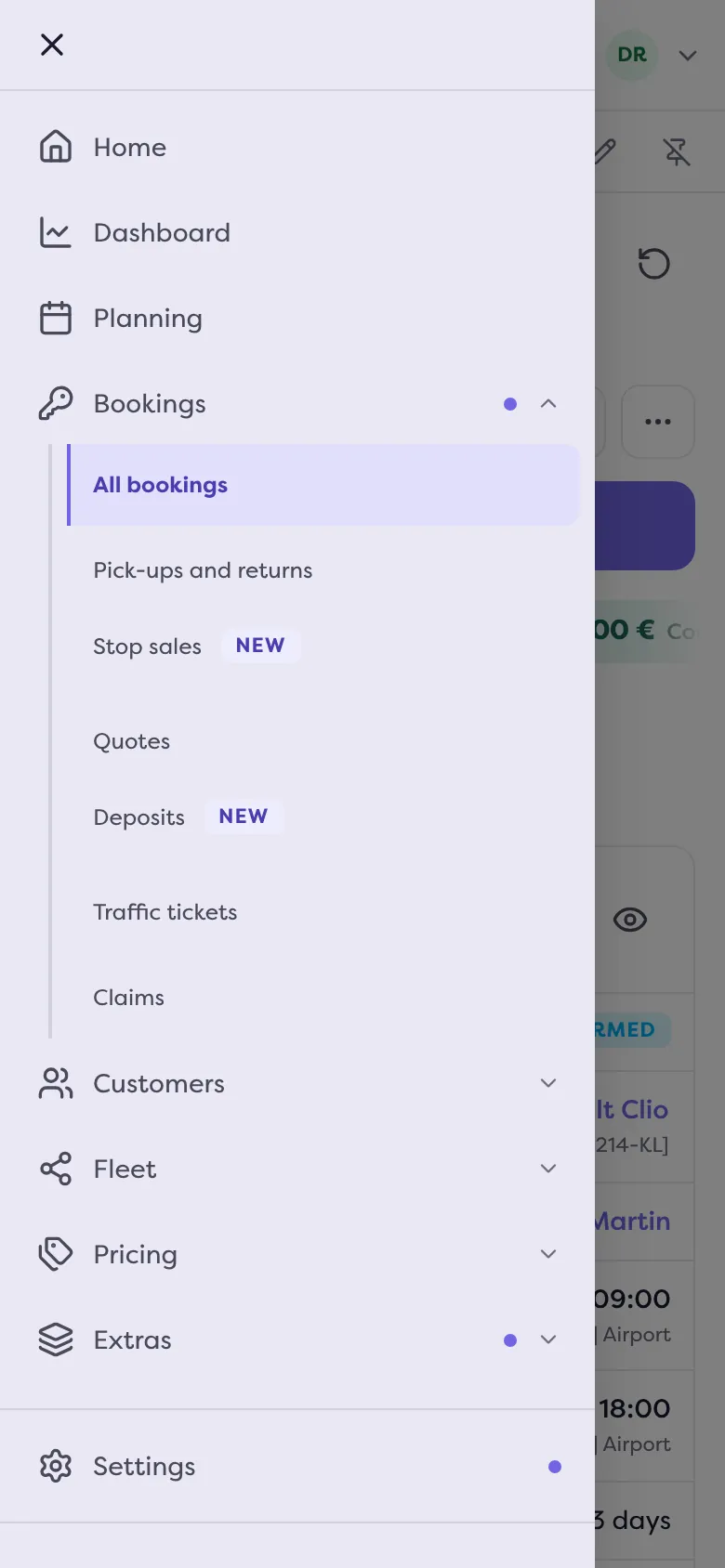
- The menu is no longer in the page. It opens with the “Open menu” button, at the top left.
- The Help menu entries move into your account menu: “Step by step”, “Book my free training session”, “Contact support”.
- Lists show as cards instead of a table. In “Customize”, the “Phone” part lets you choose the “Card information”.
- The planning is touch-friendly. The planning tip becomes: “tap a date on a vehicle’s row to create a rental there”. See How do I read the bookings planning.
What is better done on a computer
- Imports: on a phone, Fleetee says “Importing is done on a computer.”
- Choosing a list’s columns and number of rows: these settings do not appear on a phone, since the list is made of cards there.
What a phone does very well
- Photographing your vehicles. “Take photos” opens the camera: see How do I create my vehicles by taking photos of them.
- Receiving notifications. They are turned on in your browser. On iPhone and iPad, they only work from the Home Screen: tap Share, then “Add to Home Screen”, and open Fleetee Manager from that icon.
To find your way around the menu, read How do I find my way around the Fleetee Manager menu.
Was this article helpful?
Go further
Updated on 18 November 2026 with version 3.0