

What happens the first time I sign in to Fleetee Manager?
- Manager v3
- Administrator
In short. Fleetee Manager asks you one question, “Where are you with renting?”, then tailors Home to your answer. You can skip the question and change your profile later.
When a company’s administrator opens Fleetee Manager for the first time, Home starts with a question. It is there to show you the right steps, not all of them.
The arrival question
A welcome screen (“Welcome to Fleetee”) asks: “Where are you with renting?” Three answers:
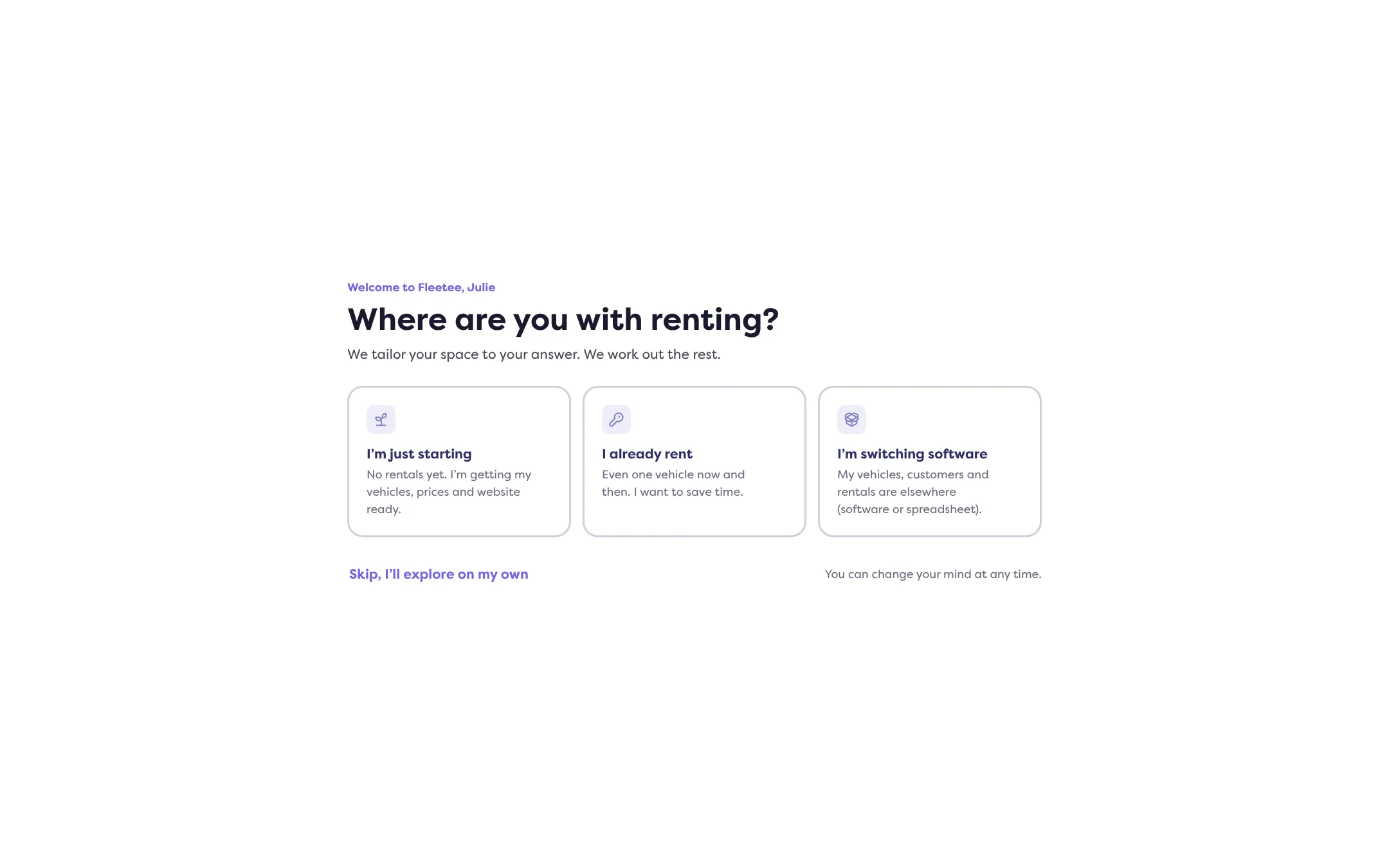
- “I’m just starting”: no rentals yet. You are getting your vehicles, prices and website ready.
- “I already rent”: even one vehicle now and then. You want to save time.
- “I’m switching software”: your vehicles, customers and rentals are elsewhere (another software or a spreadsheet).
Fleetee says “We tailor your space to your answer. We work out the rest.” One click is enough: your answer is saved and the screen closes.
What changes with your answer
Home then shows the “Getting started” card, with the steps that match your profile and the number of “Key steps done”. Each step has its button, and some have a “Show me” button. The details are in Which steps should I follow to get started.
No rental at hand? Make a test rental: nothing is saved.
Skipping the question
The “Skip, I’ll explore on my own” link closes the screen without answering. Fleetee will not ask the question again by itself. You keep the ordinary Home.
Changing your mind
On Home, the “Change profile” button in the “Getting started” card reopens the question. Your current answer is marked; “Keep my current profile” closes the screen with no change. “You can change your mind at any time.”
If you had set the start aside, the Help menu offers “Resume the start” as long as Fleetee can resume it. Only the company administrator can do it.
Only the administrator sees this question. The other users of the company go straight to the ordinary Home.
Where to find it: Home, at first sign-in; “Change profile” in the “Getting started” card
Where to find it: Home, at first sign-in; “Change profile” in the “Getting started” card