

How do I get a step-by-step guided tour of Fleetee?
- Manager v3
- Administrator
- Agency manager
- Rental agent
- Accountant
In short. The Help menu offers three “Step by step” guides: add a vehicle, set your prices, make your first rental. A bubble shows where to click; you make every move, nothing is saved without you.
A “Step by step” is a guide on the screen. A bubble points at the button to use, one step after another. It never clicks for you.
Open the Help menu
The Help menu is the “?” at the top of the screen (on a phone, it is in your account menu). The “Step by step” section lists the guides.
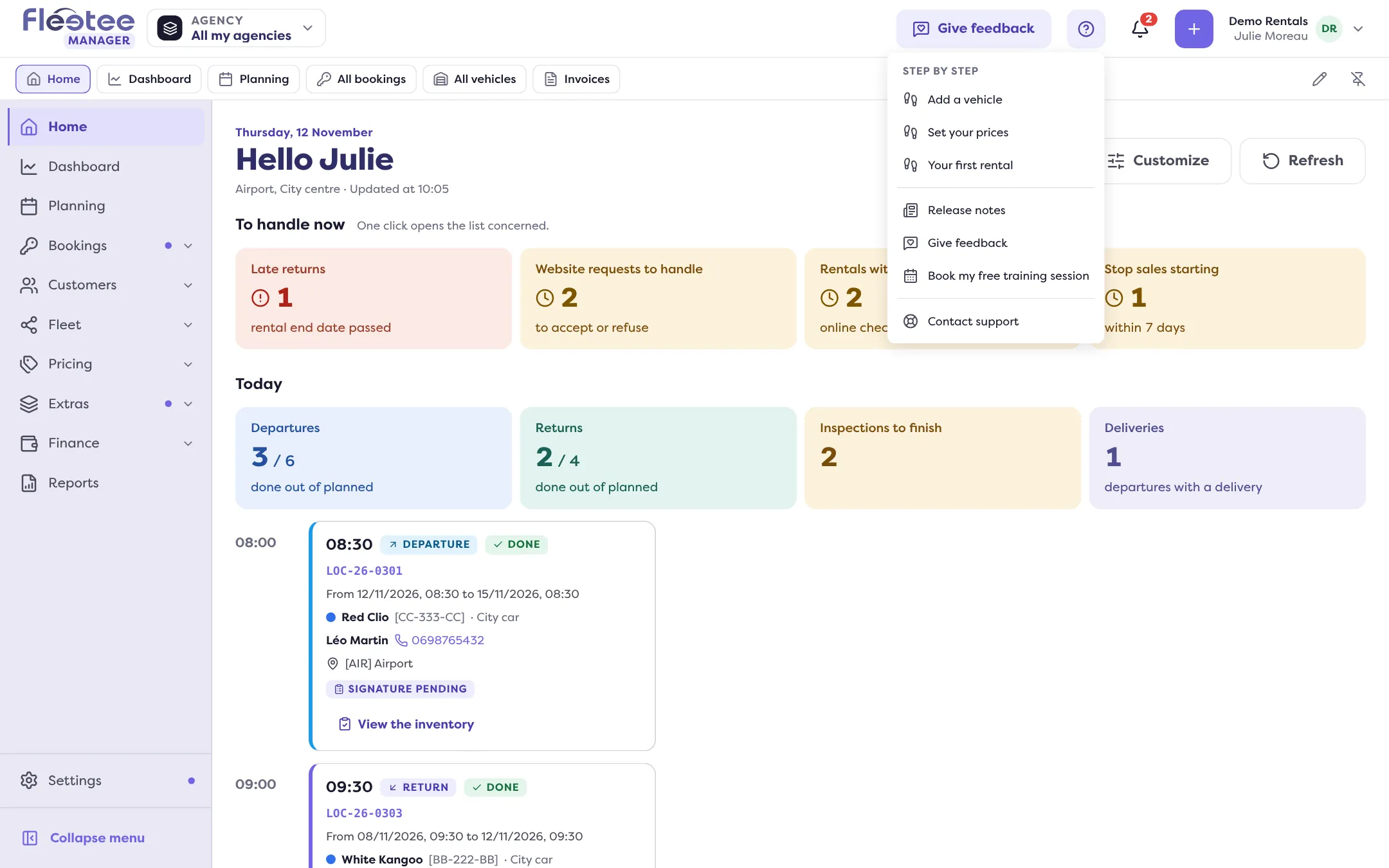
Choose a guide
Three guides exist: “Add a vehicle”, “Set your prices” and “Your first rental”. A guide you have followed to the end shows “Completed”.
Follow the bubble
Each bubble shows “Step 2 of 5” and what to do. “Show me where” points to the button. Nothing is opened and nothing is saved until you act.
Finish, minimise or exit
“Finish” ends the guide. “Minimize” folds the bubble; “Resume: …” reopens it. “Exit step by step” stops it.
From Home: “Show me”
On Home, the steps “Add your vehicles”, “Set your prices” and “Make your first rental” have a “Show me” button next to their main button. It starts the matching guide. It also appears on the empty state of the vehicle and rental lists.
What each guide does
- “Add a vehicle”: open Fleet › All vehicles, choose “Add a vehicle”, type the registration, choose the category, then “Create the vehicle”.
- “Set your prices”: open Pricing › Prices, then the “Your prices” assistant (“Set up my prices”, “Redo my prices” or “Start from an example”). The guide steps aside during the assistant.
- “Your first rental”: open Bookings › All bookings, “Create a rental”, then the dates and agency, the category or vehicle, and the customer.
When a guide stops or is not offered
- Your role does not allow the action. The guide is greyed out and says who can do it, for example “An administrator or an agency manager can do it.”
- A window is open. The guide resumes when you close it.
- You are offline. Resume when the connection is back.
- Your rights or your company changed. The guide stops by itself.
To try things out without saving anything, see the test rental instead.
Where to find it: Help menu › Step by step, or the “Show me” button on Home
Where to find it: Help menu › Step by step, or the “Show me” button next to a step on Home