

What does “View an example” do on an empty screen?
- Manager v3
- Administrator
- Agency manager
- Rental agent
In short. On the Planning, the bookings list, quotes and the Dashboard, “View an example” fills the screen with sample data and never touches your real data. “View my real data” takes you back.
An empty screen does not show what it will be useful for. “View an example” fills it with sample data so you can see what you will track with your own.
Where to find it
The “View an example” button exists on four screens: the Planning, Bookings › All bookings, Bookings › Quotes and the Dashboard. The Dashboard is open only to the administrator and the agency manager.
What you see
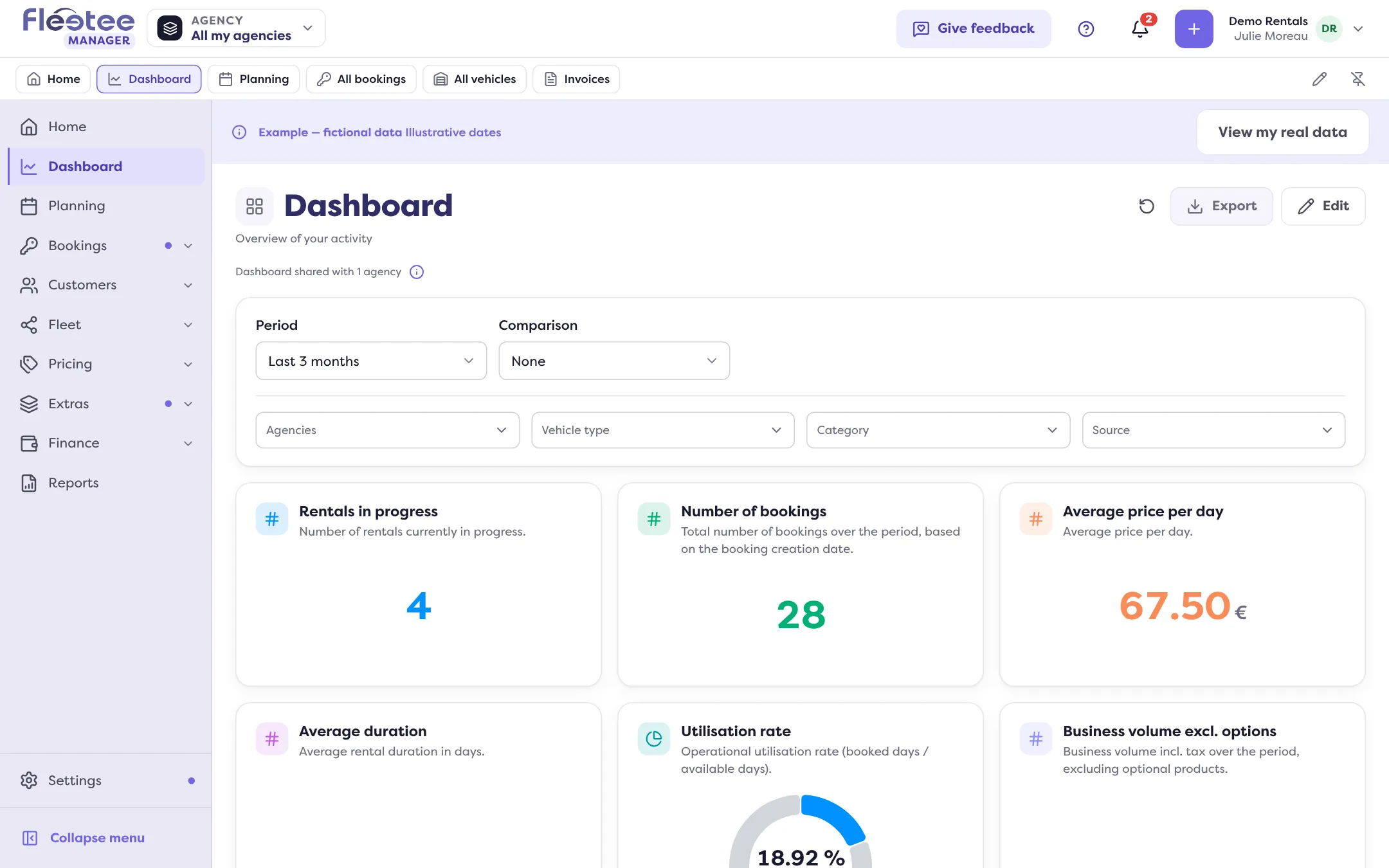
A banner reads “Example — fictional data” and “Illustrative dates”: the dates follow the current week and match no real booking. Rows carry sample names (“Sample customer 1”, “Sample booking 1”, “EXAMPLE-1”). None of it is part of your business.
What you can do in it
You can browse, open a record and change the period as on a real screen. What you create in the example stays in the example: “Added to the example. Nothing is saved to your data.” The example disappears when you leave it.
Some actions are not offered. The Manager then says: “This action isn’t available in the example. Return to your data to use it.”
Leaving it
Click “View my real data” in the banner. Your real data is back.
When the example shows by itself
While your company has nothing real yet on one of these screens, the Manager may show the example on its own. As soon as you add your first vehicle, booking or quote, it goes away. If you choose “View an example” or “View my real data” yourself, your choice is respected.
For a step-by-step walk-through, read How do I get a step-by-step guided tour of Fleetee?. To try the whole journey with a practice booking, read How do I make a test booking without skewing my figures?.
Where to find it: Planning, Bookings › All bookings, Bookings › Quotes, Dashboard: “View an example” button
Where to find it: Planning, Bookings › All bookings, Bookings › Quotes, Dashboard: “View an example” button