

How do I go back to the old version of Fleetee Manager?
- Manager v3
- Administrator
- Agency manager
- Rental agent
- Accountant
In short. Open your account menu, at the top right, and click “Back to the old version”. Fleetee asks you why in one click, without blocking you. Your data is the same in both versions.
Manager v3 and the old version share the same account and the same data: going back loses nothing. You can switch versions at any time.
Open your account menu
It is the menu at the top right, with your company and your profile.
Click “Back to the old version”
The window “You are going back to the old version” opens. It never blocks the return.
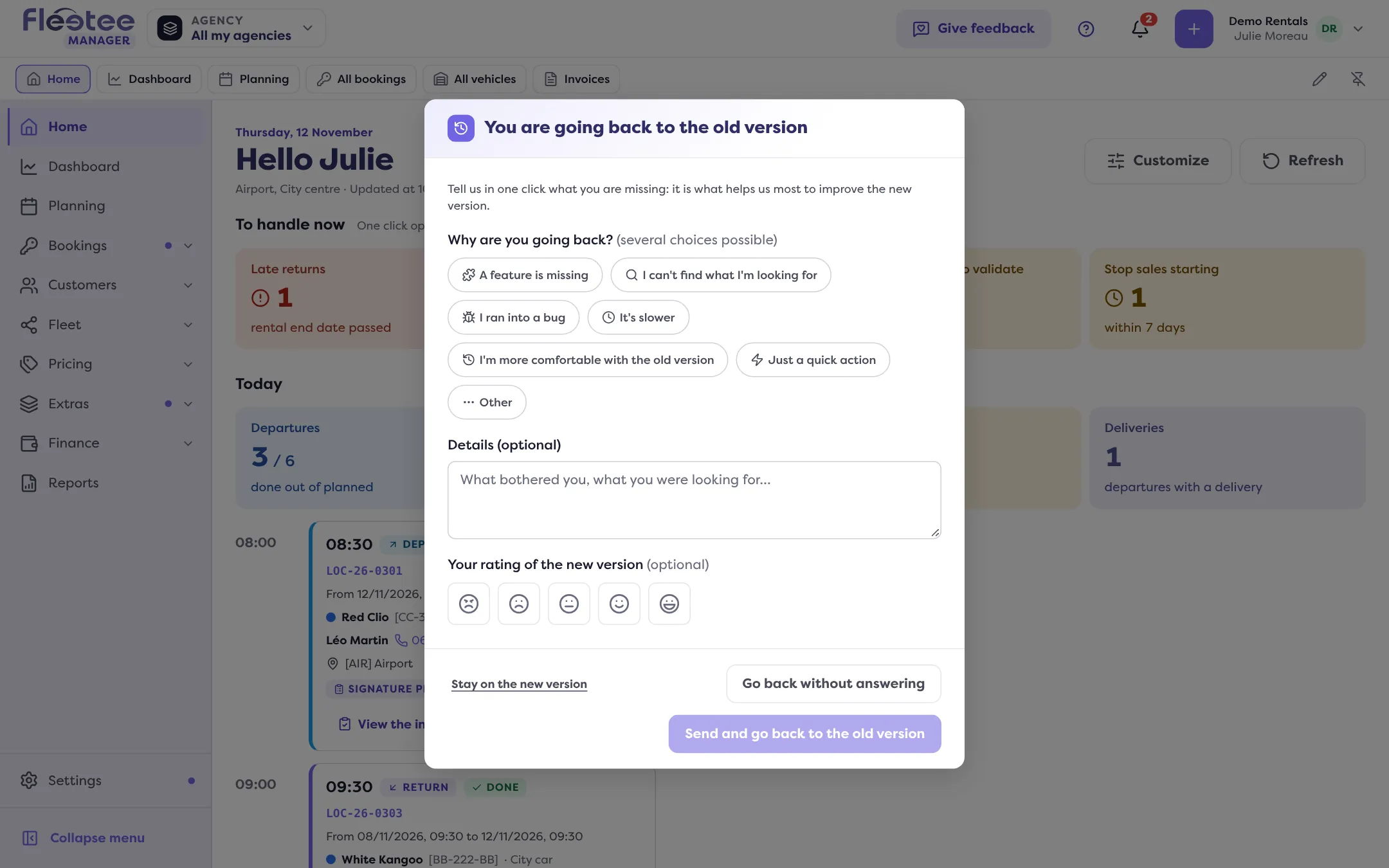
Tell us why, in one click
Under “Why are you going back?”, tick one or more reasons: “A feature is missing”, “I can't find what I'm looking for”, “I ran into a bug”, “It's slower”, “I'm more comfortable with the old version”, “Just a quick action” or “Other”. If a feature is missing, “Which one?” lets you name it. Rating the new version is optional.
Choose how to leave
- “Send and go back to the old version” sends your feedback (one reason is enough), then opens the old version;
- “Go back without answering” opens the old version right away, sending nothing;
- “Stay on the new version” closes the window.
If sending your feedback fails
Fleetee says “Your feedback could not be sent.” and offers “Go back anyway”. What you typed is kept as long as the page stays open.
Why you are invited to answer
Your reasons help the Fleetee team improve the new version, which is what helps it most. If you already answered less than seven days ago on this device, the window shows the reasons only.
For a remark without leaving v3, use “Give feedback”. To find a screen of the old version, first see Where is my old screen in v3?: it may already be in v3.
Where to find it: Account menu › “Back to the old version”
Where to find it: Account menu › “Back to the old version”
Go further
Updated on 18 November 2026 with version 3.0