

Where can I see the history of a booking?
- Manager v3
- Administrator
- Agency manager
- Rental agent
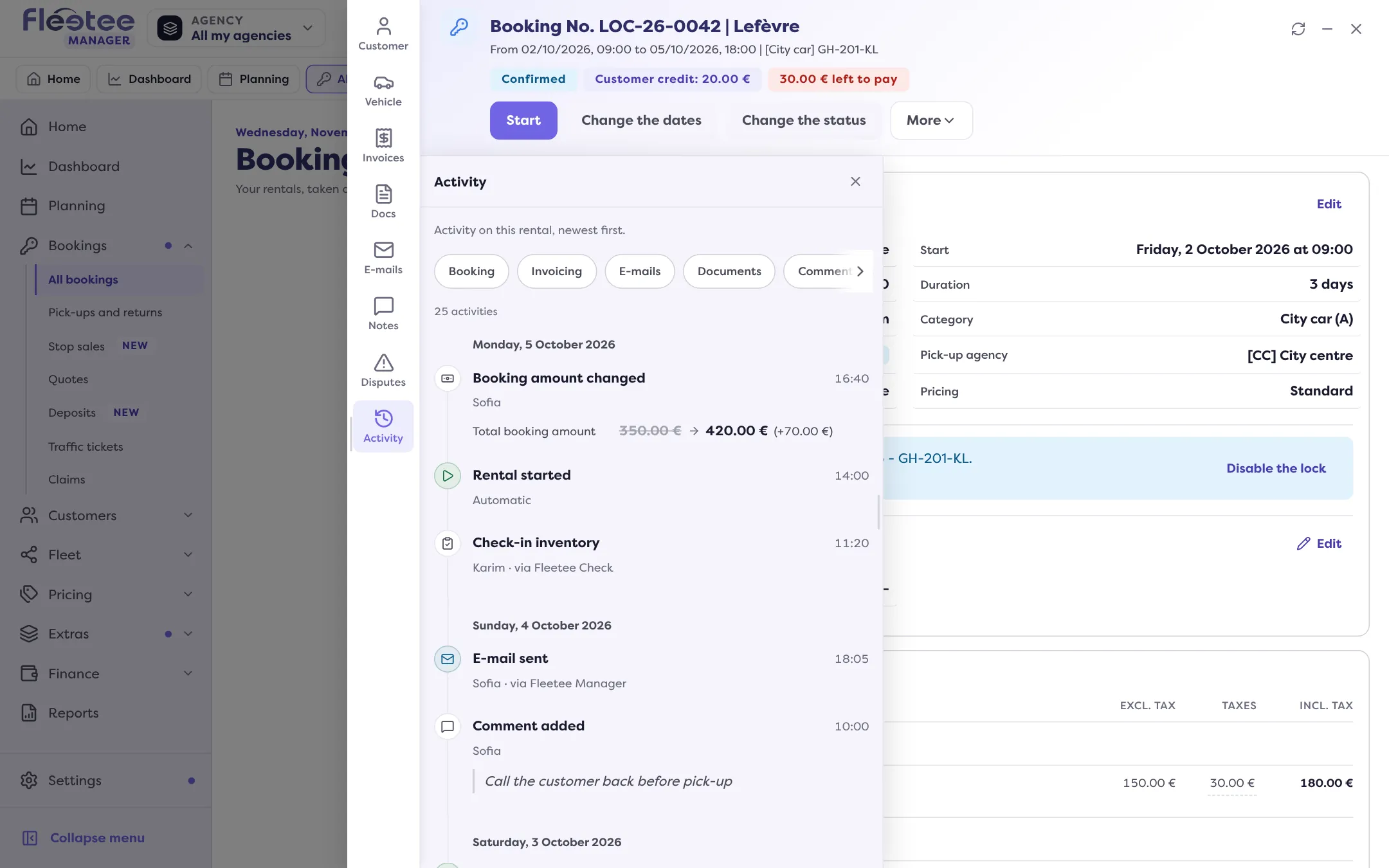
In short. In the booking file, the Activity panel lists everything that happened, newest first: changes, payments, e-mails, documents, invoices, statuses. Each line says who did it and when.
To know who changed the dates, when the contract was signed or which e-mail went out, open the booking’s Activity. Nothing can be edited or deleted there: it is a log.
Open the booking file
From Bookings › All bookings, the Planning or the search.
Open the “Activity” panel
The panel is in the file’s rail. It says: “Activity on this rental, newest first.”
Read the lines
Each line has a title (for example “Dates changed”, “Payment added”, “Status changed”), the person who did it or “Automatic”, the date and time, and the detail of what changed. A badge says where the action came from: “via Fleetee Manager”, “via Fleetee Check”, “via the website”… Lines also take you to the e-mail sent or the document concerned.
Load more
Click “Load more” to go further back in the history.
Filtering by type of activity
The “Filter” button (or the chips on a computer) limits the list to one or more groups: Booking, Invoicing, E-mails, Documents, Self-service (if the digital key is turned on), Comments and Other. “Show all” removes the filter.
What you find there
Changes of dates, options, vehicle, customer, status, price list, deductible, discount, deposit and drivers; return and cancellation fees; payments, payment links, credit notes and refunds; down payment, main, balance and cancellation invoices; e-mails and documents sent; contract signatures; changes made by the renter themselves (“Booking changed by the renter”).
A quote has the same Activity: “Quote created”, “Quote sent to the customer”, “Quote converted to a rental”…
If the list is empty or does not load
- “No activity recorded”: the booking has no event yet.
- “No activity for this filter”: click “Show all”.
- “The history could not be loaded”: click “Retry”.
For what each panel of the file contains, see What is in a booking file?.
Where to find it: Booking file › “Activity” panel
Where to find it: Booking file › “Activity” panel
Go further
Updated on 18 November 2026 with version 3.0