

How do I restore something I deleted by mistake?
- Manager v3
- Administrator
In short. Right after a deletion, click “Undo” in the message that appears. Later, open the Trash from your account menu and click “Restore”. Some items (bookings, invoices) are restored with support.
The Trash is reserved to the administrator. With another role, “Undo” right after a deletion remains possible; after that, ask the administrator to restore the item.
A deletion is not final right away. Two ways back: “Undo”, just after, or the Trash.
Right after: “Undo”
When you delete an item from its file (a customer, an option, a vehicle type, a price list, a deductible, a purchase, a supplier…), Fleetee shows a message with an “Undo” button, for about ten seconds. Click it: the item is restored (“The item … is restored.”). If restoring fails, the message says “find it in the Trash” with an “Open the Trash” button.
Later: the Trash
Open your account menu, then “Trash”
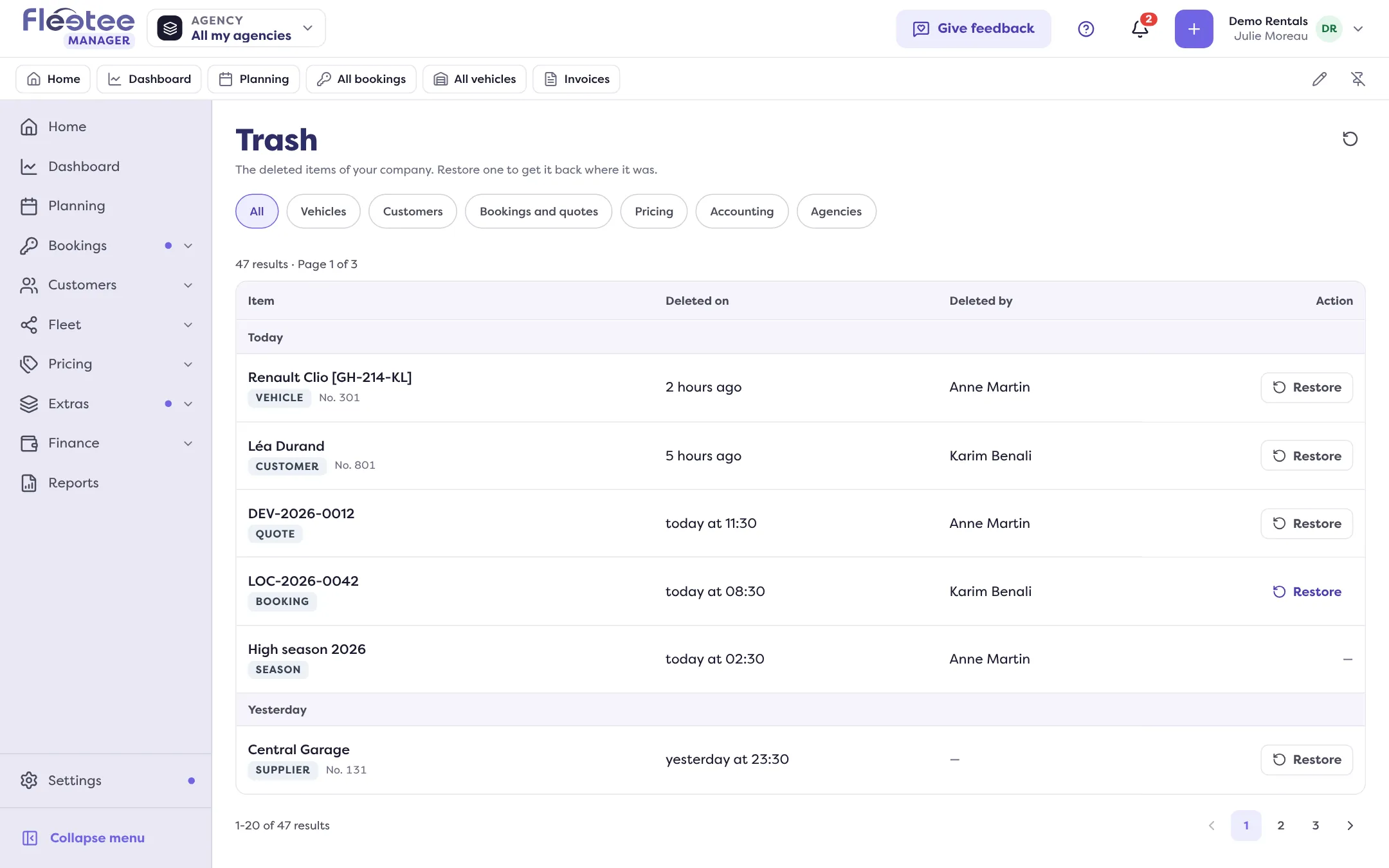
The “Trash” page lists your company’s deleted items, newest first: the item, the deletion date (“Deleted on”), the person (“Deleted by”) and an action. Only the administrator has access.
Filter if needed
“Filter by type”: All, Vehicles, Customers, Bookings and quotes, Pricing, Accounting, Agencies.
Click “Restore” next to the item
A window asks “Restore … ?” and says: “The item gets its place back and shows again in its lists.” A “What comes back with the item” section appears when restoring reactivates other items, for example an option’s product.
Confirm with “Restore”
Fleetee announces “The item … is restored.” and offers “View …” to open it, or “View the list”.
What cannot be restored from the Trash
- Bookings, invoices, repairs, maintenance plans: the window says “To restore …, contact technical support.” Do so from the Help menu (“Contact support”).
- Seasons and items of another type: “No action”.
A booking cancelled by mistake is not a deletion: reopen it by changing its status. See How do I cancel a booking, and what happens to its payments?.
If restoring fails
“The item … could not be restored. It may already have been restored: the list is reloaded.” Check the item’s list before trying again.
Where to find it: “Undo” after a deletion; account menu › Trash
Where to find it: “Undo” after a deletion; account menu › Trash
Go further
Updated on 18 November 2026 with version 3.0