

How do I deliver or collect a vehicle at an address?
- Manager v3
- Administrator
- Agency manager
- Rental agent
In short. The Manager does not ask for the address yet: it marks the booking “Delivery” through an option with the “Delivery” behaviour. The mention shows on the booking, in “Pick-ups and returns” and on Home.
Fleetee has no “delivery address” field in the booking. What the Manager can do is mark a booking as a delivery so your team prepares it: the place itself “is not asked for now”.
Prepare the “Delivery” option
Creating or editing an option is reserved for the administrator and the agency manager; an agent can then add it to a booking.
Create or open an option
In Extras › Options, create an option (for example “Delivery to the customer’s address”, with its price) or open one. See How do I create extras (child seat, additional driver…)?.
Choose the “Delivery” behaviour
In the “Behaviour” section, choose “Delivery”: “The rental carries the mention ‘Delivery’.” Only one behaviour per option.
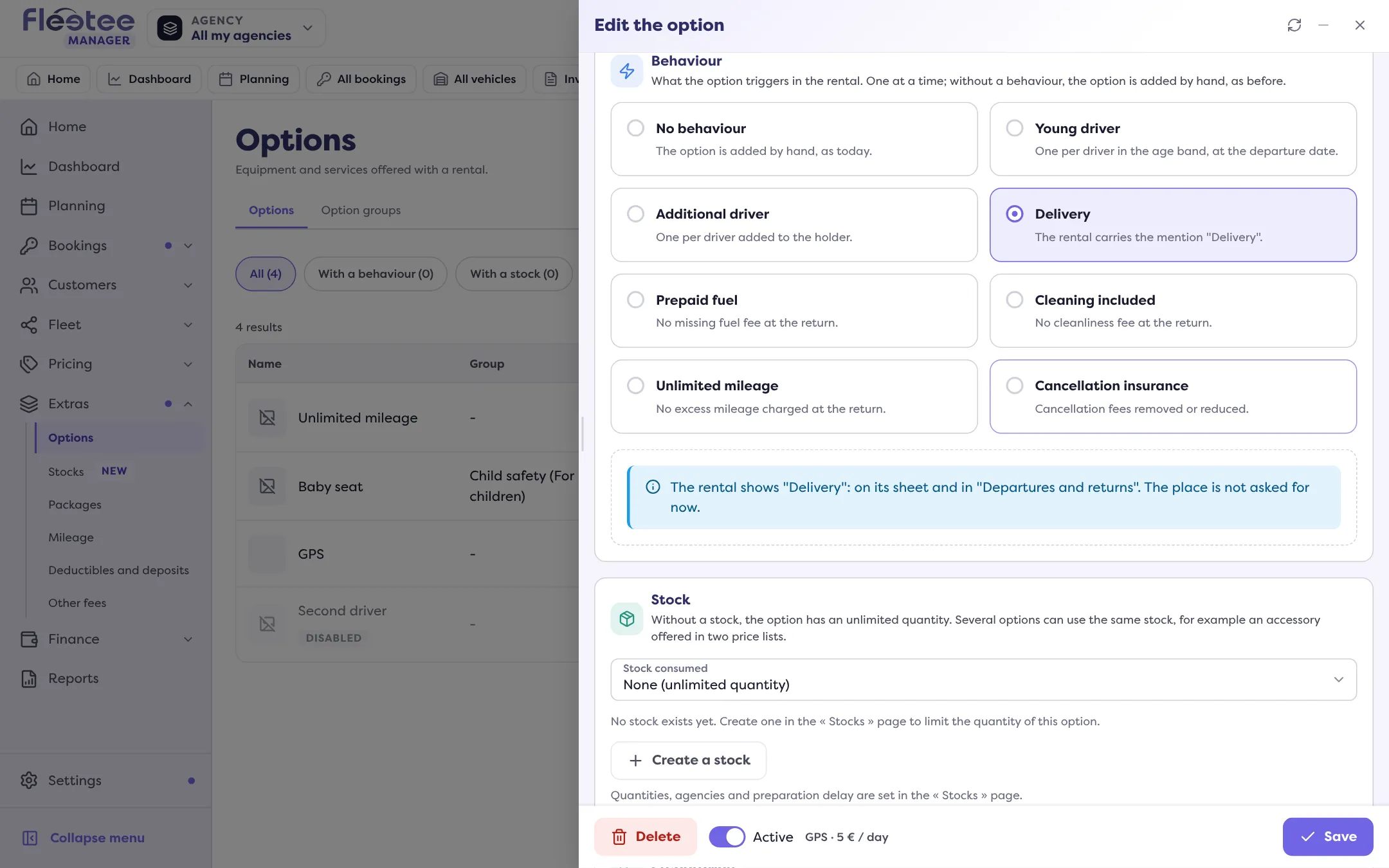
Save
The option’s price is the price of your delivery: it shows on the booking, contract and invoice like any option.
Use the option on a booking
Add the option to the booking, at creation or later. The form says: “The rental will be marked ‘Delivery’: to prepare in ‘Departures and returns’.”
- In Bookings › Pick-ups and returns, the booking carries a “Delivery” badge.
- The booking page also shows “Delivery”.
- On Home, the “Deliveries” card counts the day’s “departures with a delivery”.
Where to note the address
Write it in a How do I add a comment to a booking?: keep it internal for your team, or tick “Show on the rental contract” so it appears in “Other information” on the contract.
What the Manager does not do
It has no address field, and “Delivery” is the only behaviour of this kind: there is no “Collection” behaviour. For a vehicle collected at the customer’s, create an option with the name you like, without a behaviour, and note the place in the comment.
Where to find it: Extras › Options › the option › “Behaviour” › “Delivery”
Where to find it: Extras › Options › the option › “Behaviour” › “Delivery”
Go further
Updated on 18 November 2026 with version 3.0