

How do I give a voucher, and can it expire?
- Manager v3
- Administrator
- Agency manager
In short. In the customer’s record, “Customer account” panel, “Create a voucher”: amount, agency, optional end date. With no date it does not expire. A voucher cannot be refunded. Administrator and agency manager only.
A voucher is “a credit offered to the customer, usable to pay for their bookings”. It feeds the customer’s wallet like an advance, but cannot be refunded: it can only be used to pay. Only the administrator and the agency manager can create one.
Open the customer’s wallet
Customer record, “Customer account” panel, Wallet card.
Click “Create a voucher”
The form shows the current balance and computes the new one.
Fill in the voucher
Amount, Agency and, if needed, Valid until.
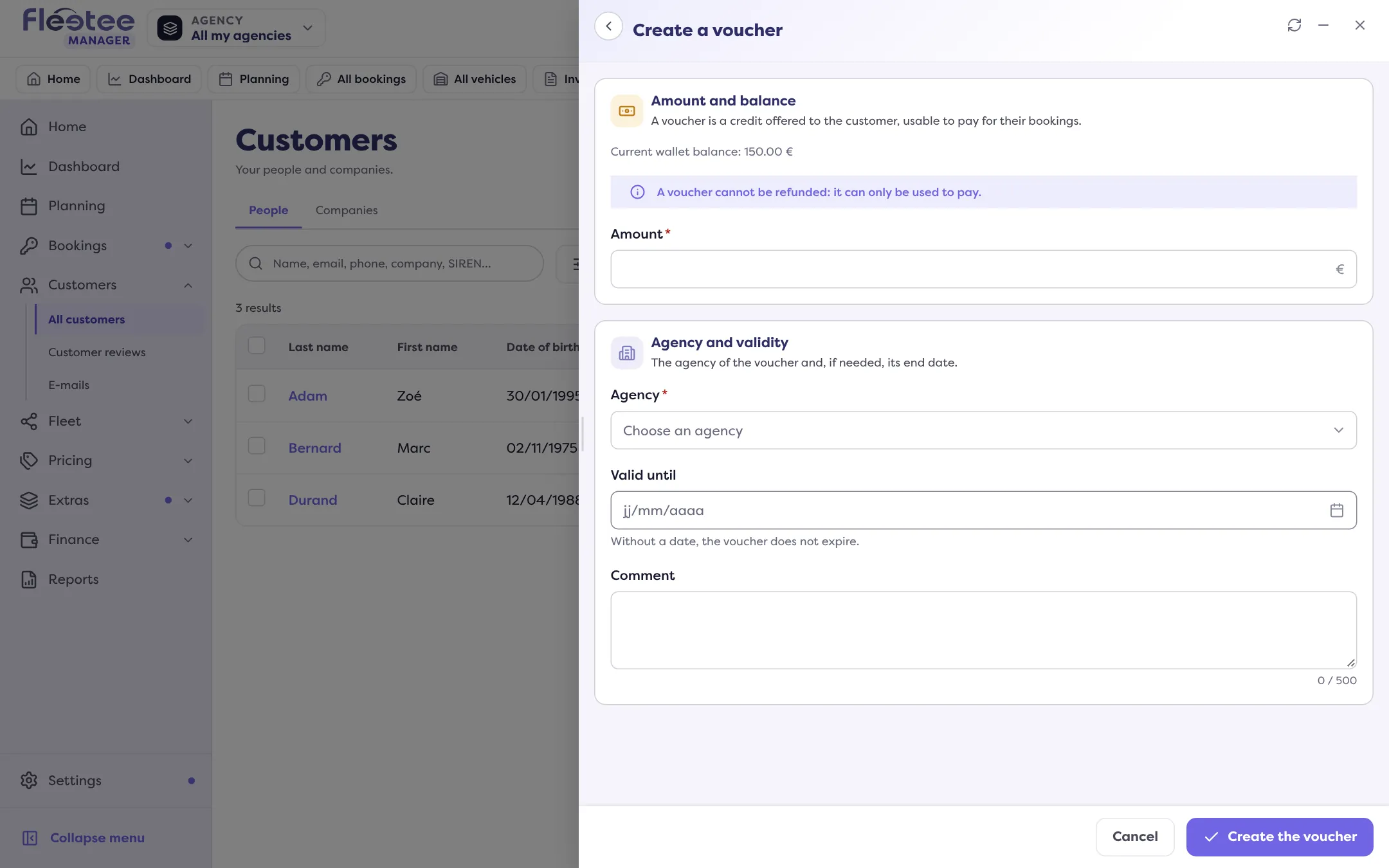
Click “Create the voucher”
“Voucher of … created for …”. It shows in the History and under “In vouchers (not refundable)”.
Can it expire?
Yes, if you set an end date: the voucher stays usable until the evening of that day. With no date, it does not expire. Choose today or a later date; “Remove the end date” clears it. The wallet and the History flag credit that expires soon.
Voucher and refund
A refund only covers prepayments: if the balance is made only of vouchers, “Refund” is disabled (“the balance is made of vouchers, which cannot be refunded”). For an advance: How do I record an advance payment for a customer?.
Where to find it: Customer record › “Customer account” › Wallet › “Create a voucher”
Where to find it: Customer record › “Customer account” › Wallet › “Create a voucher”
Go further
Updated on 18 November 2026 with version 3.0