

Can I change the due date of my invoices?
- Manager v3
- Administrator
- Agency manager
In short. Yes, while the invoice is a draft. In “Add an invoice” or “Edit”, Lines step, the “Due date” field takes a date, or a suggested duration: on the invoice date, 1 day, 1 week, 14, 30, 45 or 60 days. A validated invoice no longer changes.
The due date is the date by which the invoice must be paid. It is chosen invoice by invoice, before validation.
Open the draft invoice
Finance › Invoices: Add an invoice for a new invoice, or open a draft and click Edit.
Go to the Lines step
The Payment deadline section (or Agency and due date if you have several agencies) holds the Due date field.
Choose a duration or a date
The Suggested durations: On the invoice date, 1 day, 1 week, 14 days, 30 days, 45 days, 60 days. With a duration, the date is worked out when the invoice is validated. Or type a date: it replaces any duration.
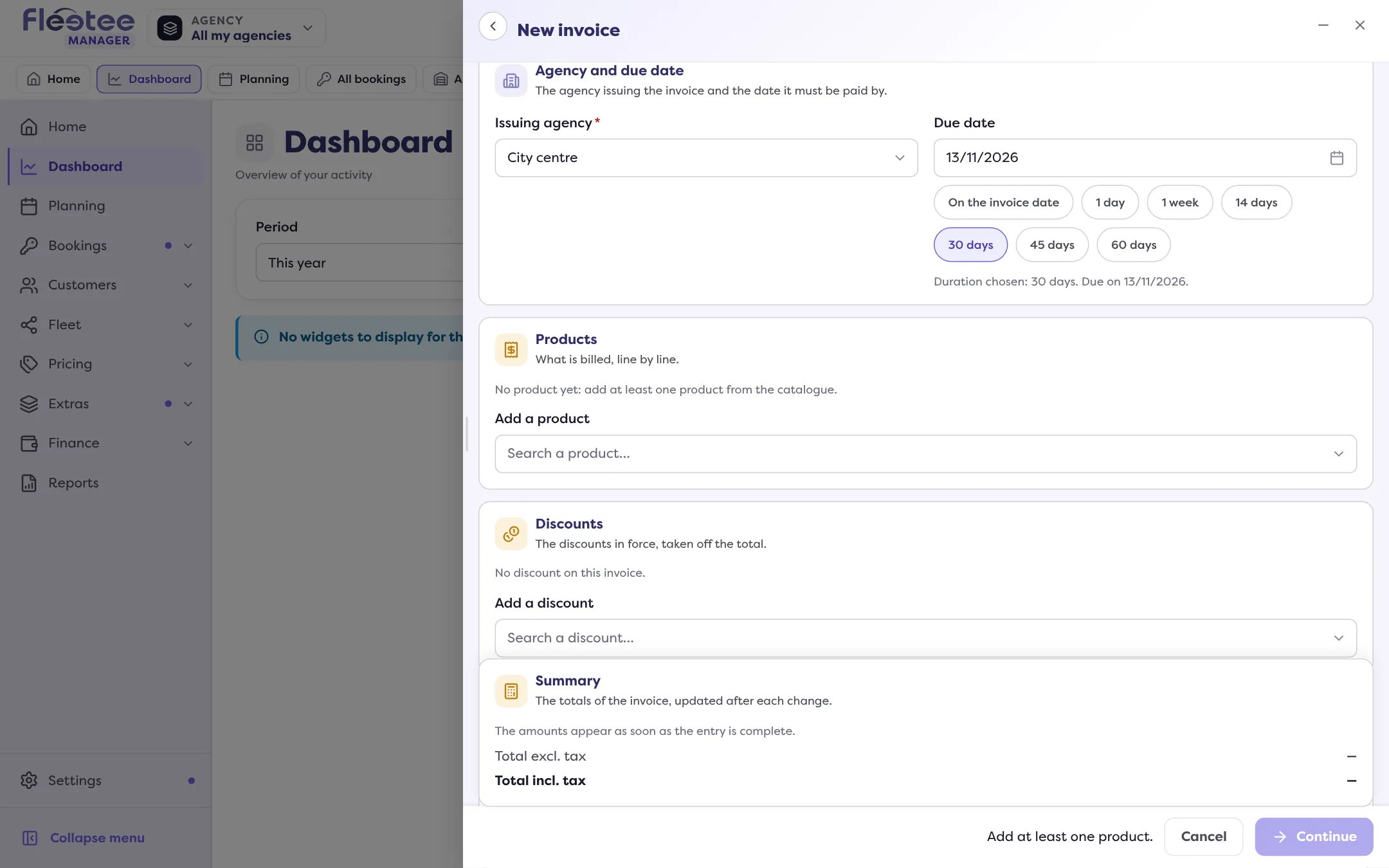
Save, then validate
The due date is fixed when the invoice is validated.
Good to know
- A validated invoice can no longer be changed, due date included: cancel it with a credit note and issue a new one if needed. See Can I edit an invoice that is already validated?.
- To find overdue invoices, the invoice list offers the Due date filter and a highlight for invoices where “The due date has passed and an amount is left to pay”.
Where to find it: Finance › Invoices › “Add an invoice” or a draft › “Edit” › Lines step › “Due date”
Where to find it: Finance › Invoices › “Add an invoice” or a draft › “Edit” › Lines step › “Due date”
Go further
Updated on 18 November 2026 with version 3.0