

My invoices cannot be transmitted: what should I fix?
- Manager v3
- Administrator
- Agency manager
In short. Your invoices are issued but stay blocked at transmission. Open Settings › E-invoicing: “What is left to settle” lists the causes (company information, SuperPDP account, VAT rate, customer record, agency). Fix them one by one.
These pages are reserved to the administrator and the agency managers. With another role, ask one of them.
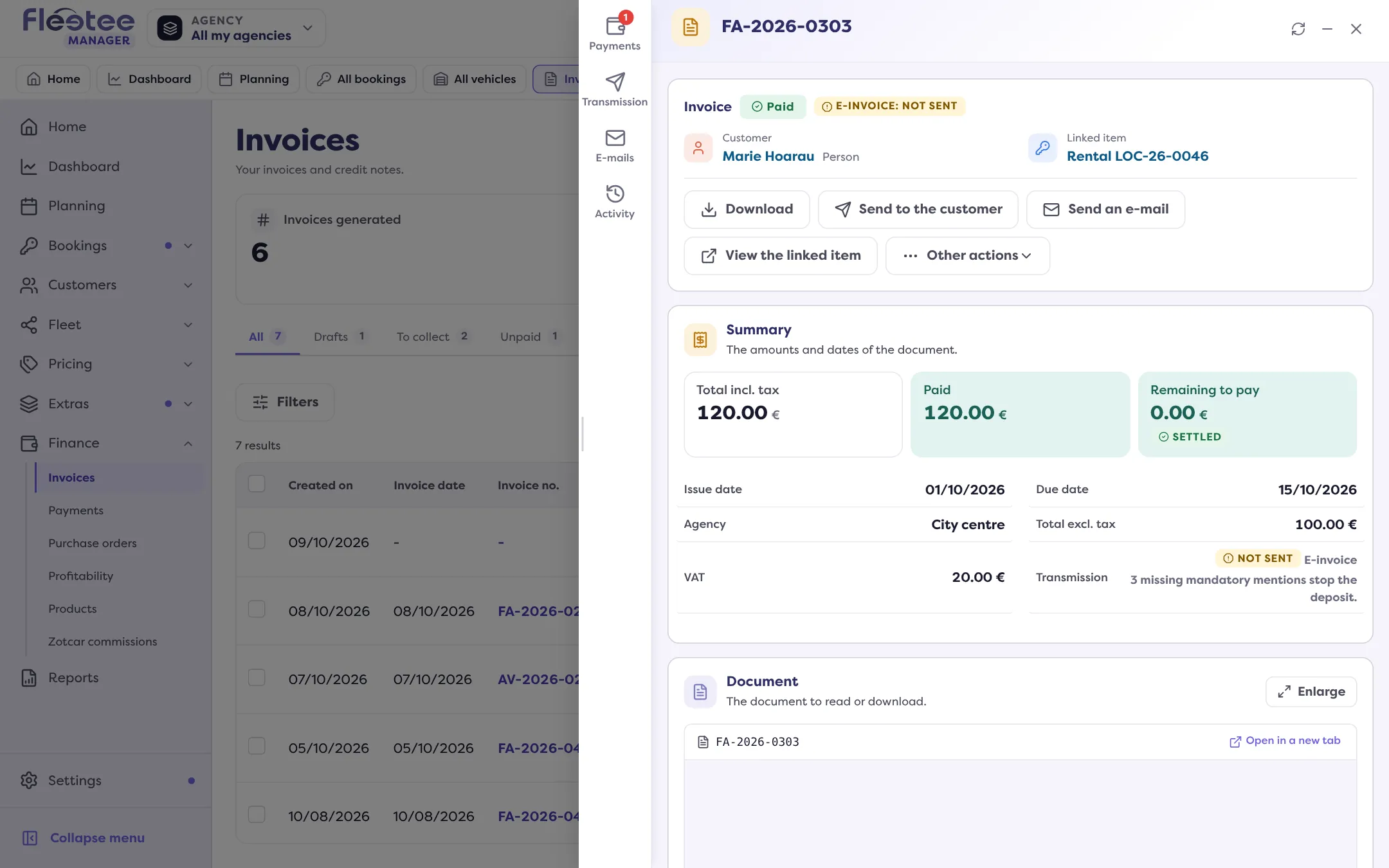
“Your invoices are issued, but they stay blocked at transmission as long as this information is missing.” That is Manager’s message. Nothing is lost: you keep invoicing, and the invoices will go out once everything is settled.
Spot what is blocked
- Settings › E-invoicing: the alert “Your invoices cannot be transmitted” (or “Your agency cannot transmit its invoices”) and, below it, “What is left to settle”.
- Finance › Invoices: the E-invoicing column and the “Blocked by e-invoicing” filter.
- In the invoice, the Transmission tab: “The deposit was refused before sending: the invoice does not carry all the mandatory mentions.”
Cause 1: your company information is incomplete
“What is left to settle” sorts it in groups: Company identification, Address, VAT, Mandatory mentions on the invoice. A field is “Missing” or “To correct”.
What to do? Click “Complete my information” and follow How do I get my company ready for e-invoicing?.
Cause 2: the SuperPDP account is not validated
The SuperPDP account line is “To create”, “Consent pending”, “Under verification” or “To correct”.
What to do? “To create” or “Consent pending”: “Create the account” or “Resume the connection”. “Under verification”: nothing to do, your invoices will go out automatically once it is validated. “To correct”: “Resume”. Details: How do I connect my SuperPDP account?.
Cause 3: a VAT rate is not accepted
The Tax rate line is “To settle”. A refused rate does not prevent issuing the invoice, but it stays blocked.
What to do? Click “Tax settings” (or “Correct in the taxes”) and correct the rate.
Cause 4: a business customer’s record is incomplete
An invoice to a business customer based in France needs its company name, its SIREN and its address. On Home › To follow › Invoicing, the line “Customers to complete for e-invoicing” lists them.
What to do? Complete the record, or click “Ask the customer”: read E-invoicing: what happens for my business and private customers?.
Cause 5: an agency is not ready
If your agencies invoice under their own identity, the “Your agencies” table gives their state: Ready, Under verification, Turned off or to complete. Each agency has its own information and its own SuperPDP account.
What to do? Click “Complete” next to the agency. An agency that does not invoice with Fleetee can be turned off, then turned back on. The agency is “Read only” if you are neither its manager nor the administrator.
Cause 6: the invoice was issued with missing mentions
An invoice already issued is frozen: completing the settings does not repair it. Manager says so: “This one was issued with this information and will not be deposited again.”
What to do? If it must go out, go through a credit note then a new invoice. The next invoices will go out normally.
Cause 7: e-invoicing is turned off, or not available
- You clicked “Turn e-invoicing off”: start the process again.
- “E-invoicing not available for your business”: it is only open in the countries and territories where it is in force; it will unlock by itself.
When everything is settled
The page shows “E-invoicing active”. An invoice already issued and not sent is then transmitted by hand: read How do I send an invoice to the approved platform?.