

What is a billable product and how do I add one?
- Manager v3
- Administrator
- Agency manager
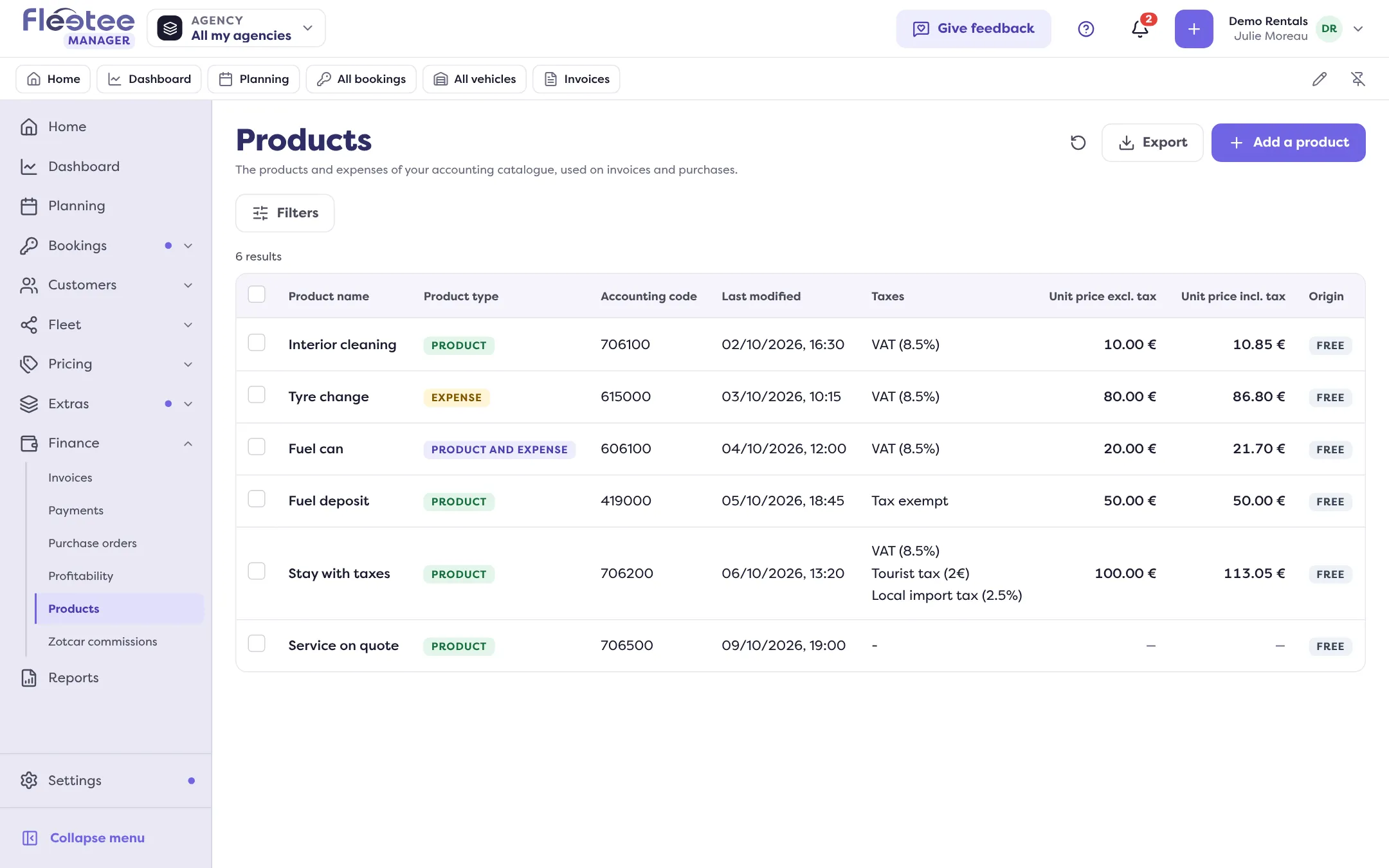
In short. The accounting catalogue (Finance › Products) holds the products (sold) and expenses (bought) of invoices and purchases. “Add a product”: name, accounting code, type, price and taxes. A product serves invoices, an expense serves purchases.
The accounting catalogue gathers the lines you put on your invoices and purchases. Each entry is:
- a Product: what you sell, so what you invoice;
- an Expense: what you buy (suppliers);
- or Product and expense.
Fleetee also creates products by itself: one linked to each option, package, deductible or return fee you create, and reserved products (damage, handling fee, traffic ticket…). They carry the note “linked to another item”: they are edited from their original screen.
Click “Add a product”
In Finance › Products. The “New product” drawer opens. You can also create a product from an invoice or purchase line.
Fill in “Information”
Name, Accounting code, Unit of measure, Nature of the operation (“Provision of services” or “Delivery of goods”), Product type (“Product”, “Expense” or “Product and expense”), Suppliers (for an expense), Price list and Description.
Fill in “Pricing”
The unit price excl. tax and incl. tax (linked: one is recalculated from the other) and the company taxes, depending on the price list. With no tax checked, the product is saved “Tax exempt”.
Click “Save”
The product is then offered in the lines of your invoices and purchases.
“Delete” (“Delete this product?”) removes the product from the catalogue: it can no longer be chosen, but lines already made stay as they are. The page is open to the administrator and the agency manager. Taxes: How do I set up several taxes, or a tax on another tax?.
Where to find it: Finance › Products › “Add a product”
Where to find it: Finance › Products › “Add a product”
Go further
- How do I set my chart of accounts and accounting codes?
- How do I create an invoice with no rental?
- How do I create a secondary invoice, and what does it change?
- How do I set up several taxes, or a tax on another tax?
- How do I record a purchase, a purchase order or a supplier?
- How do I create extras (child seat, additional driver…)?
Updated on 18 November 2026 with version 3.0