

How do I set up several taxes, or a tax on another tax?
- Manager v3
- Administrator
In short. In Settings › Organisation and taxes, “Taxes” card, “Add a tax” as many times as needed. Tick “Compound tax” to compute a tax on other taxes too. Administrator only.
Yes, you can have several taxes, and a tax can be computed on another tax. All the taxes of a product apply. Only the administrator edits taxes.
Open the “Taxes” card
In Settings › Organisation and taxes. “The taxes of your products, in the order they are offered.” A “Taxes of” selector chooses the company or an agency that has its own taxes.
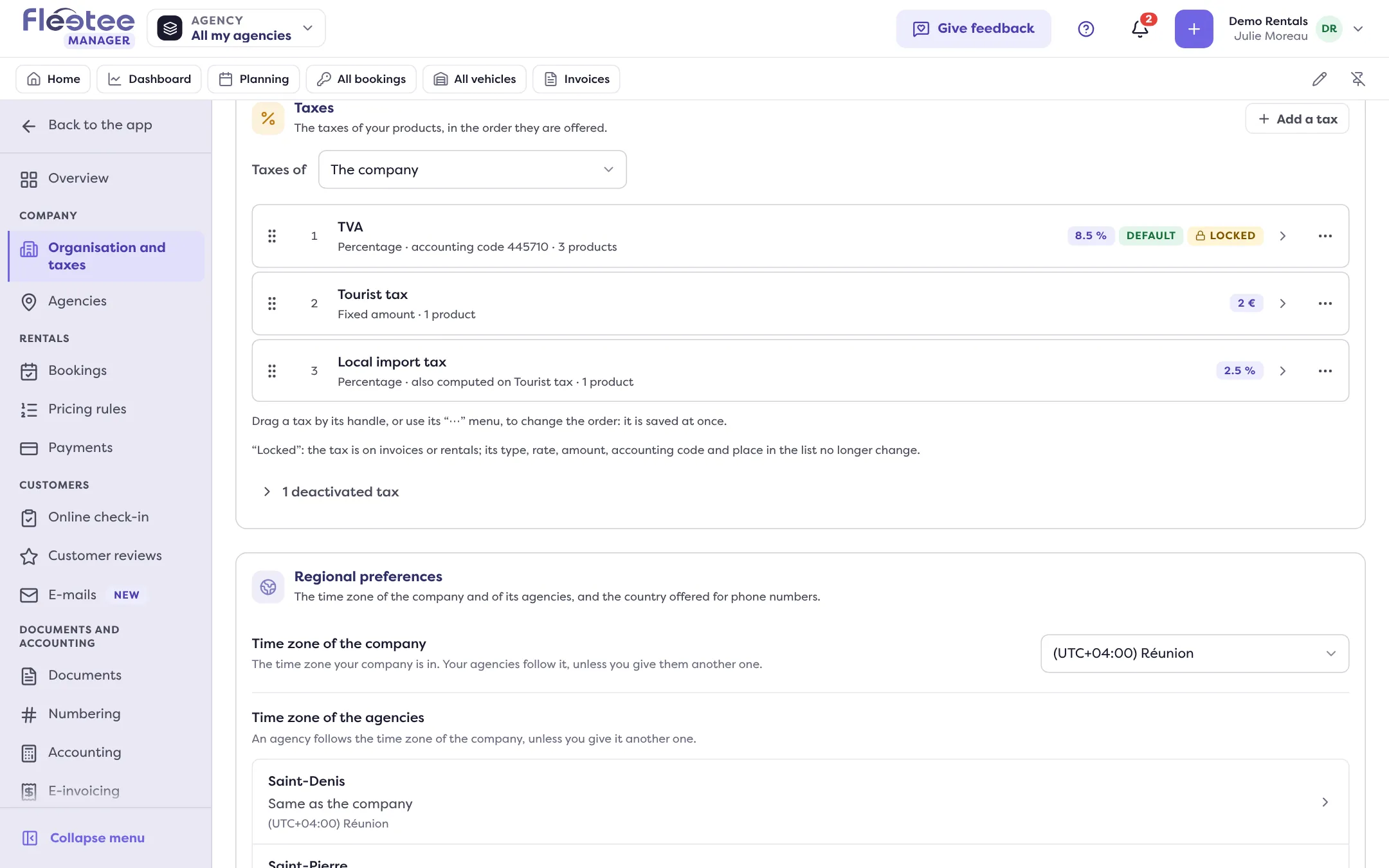
Click “Add a tax”
Fill in the Name of the tax, the Type (“Percentage” or “Fixed amount”), the Rate (from 0 to less than 100%, applied to the amount before tax) or the Fixed amount, and the Accounting code.
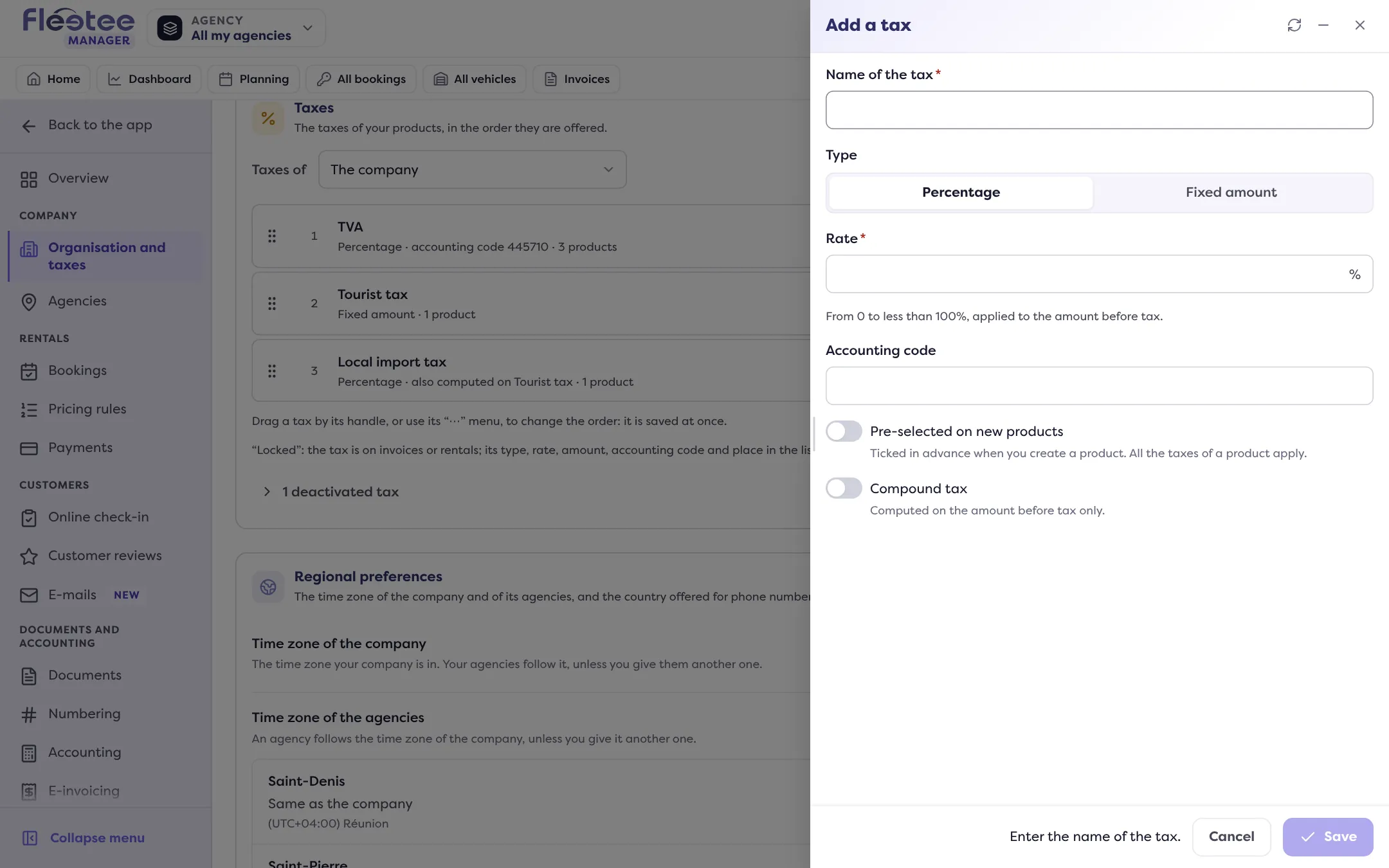
For a tax on a tax, tick “Compound tax”
It is then “computed on the amount before tax and on the taxes chosen” in the list that appears (a fixed amount cannot be a base). Without this box, it is computed on the amount before tax only.
Choose the pre-selection
“Pre-selected on new products” ticks the tax in advance when you create a product (What is a billable product and how do I add one?).
Save
“The tax … is saved.” Saving recomputes the price of the products that hold this tax (the panel gives the number).
Order and locking
Drag a tax by its handle (or its “⋯” menu) to change the order offered: it is saved at once. A tax already on invoices or rentals is “Locked”: its type, rate, amount, accounting code, calculation mode and place no longer change; its name and pre-selection stay editable.
Deactivating a tax
“Deactivate” removes it from the products that hold it (the panel lists them) and from the pre-selection. You can “Reactivate” it, but it does not come back by itself on those products.
An agency with its own billing setup can have its own taxes; otherwise it uses the company’s, shown without being editable (How do I invoice when I have several agencies?).
Where to find it: Settings › Organisation and taxes › “Taxes” › “Add a tax”
Where to find it: Settings › Organisation and taxes › “Taxes” › “Add a tax”
Go further
Updated on 18 November 2026 with version 3.0