

How do I take payment for a secondary invoice?
- Manager v3
- Administrator
- Agency manager
In short. Open the validated invoice, “Payments” tab › “Settle this invoice” › “Collect”: amount, method, date, agency, then “Save the payment”. For a payment already received, use “Reconcile a payment”.
A secondary invoice is settled like any invoice, from its own page (How do I create a secondary invoice, and what does it change?). It must be validated: a draft, a credit note or a closed invoice receives no payment.
The customer pays now
Open the invoice, “Payments” tab
In Finance › Invoices, click the row, or from the booking’s Invoices panel. The “Settle this invoice” block offers “Collect”, “Use the wallet” and “Retain from the deposit”.
Click “Collect”
“Card, transfer, cash or cheque: a payment is recorded and attached to the invoice.” The “New payment” form reminds you of the Remaining to pay.
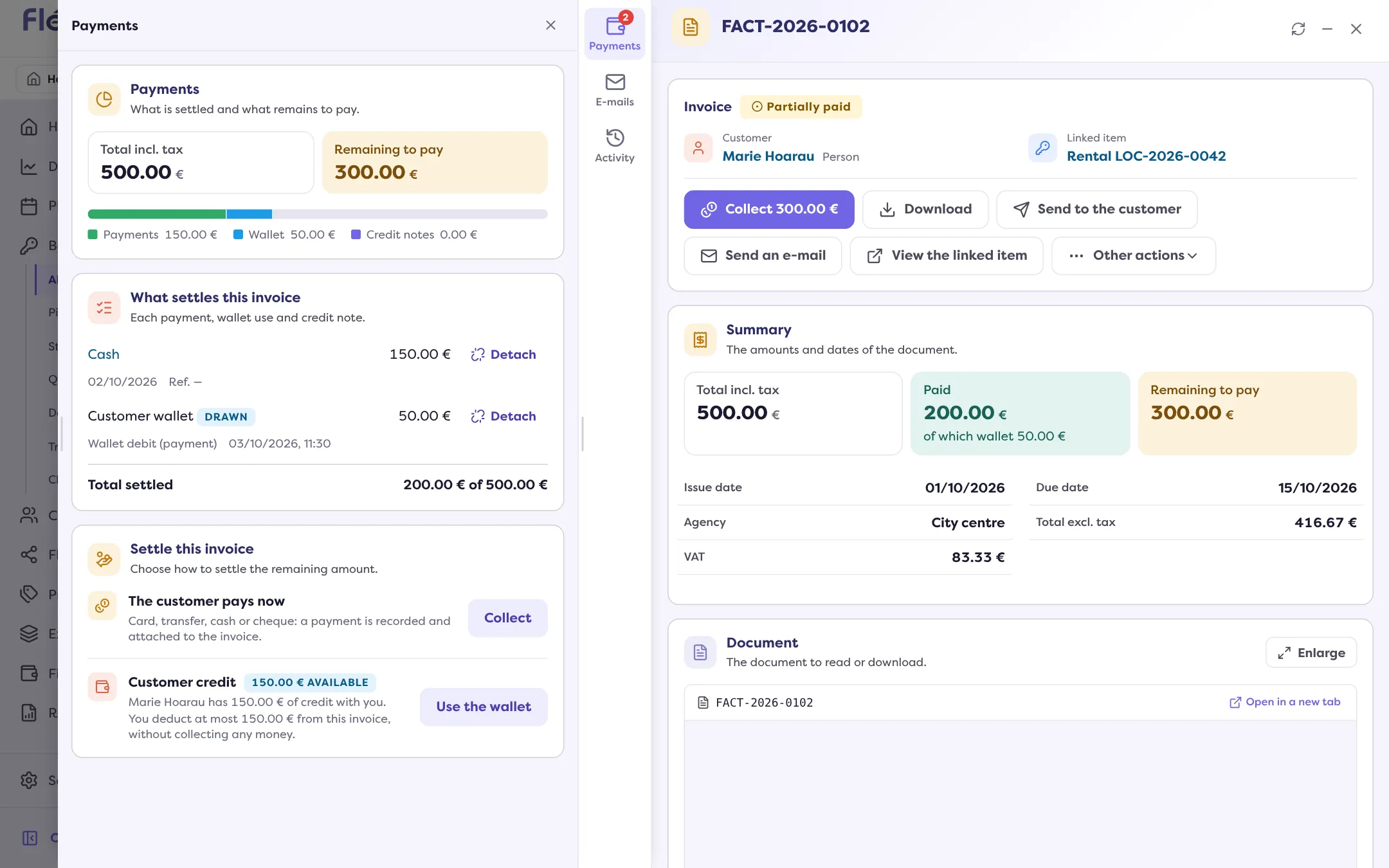
Fill in the payment
Amount, Payment method, Payment date, Collection agency. Depending on the method: Document number (cheque, transfer), Card type (optional). A Comment is optional.
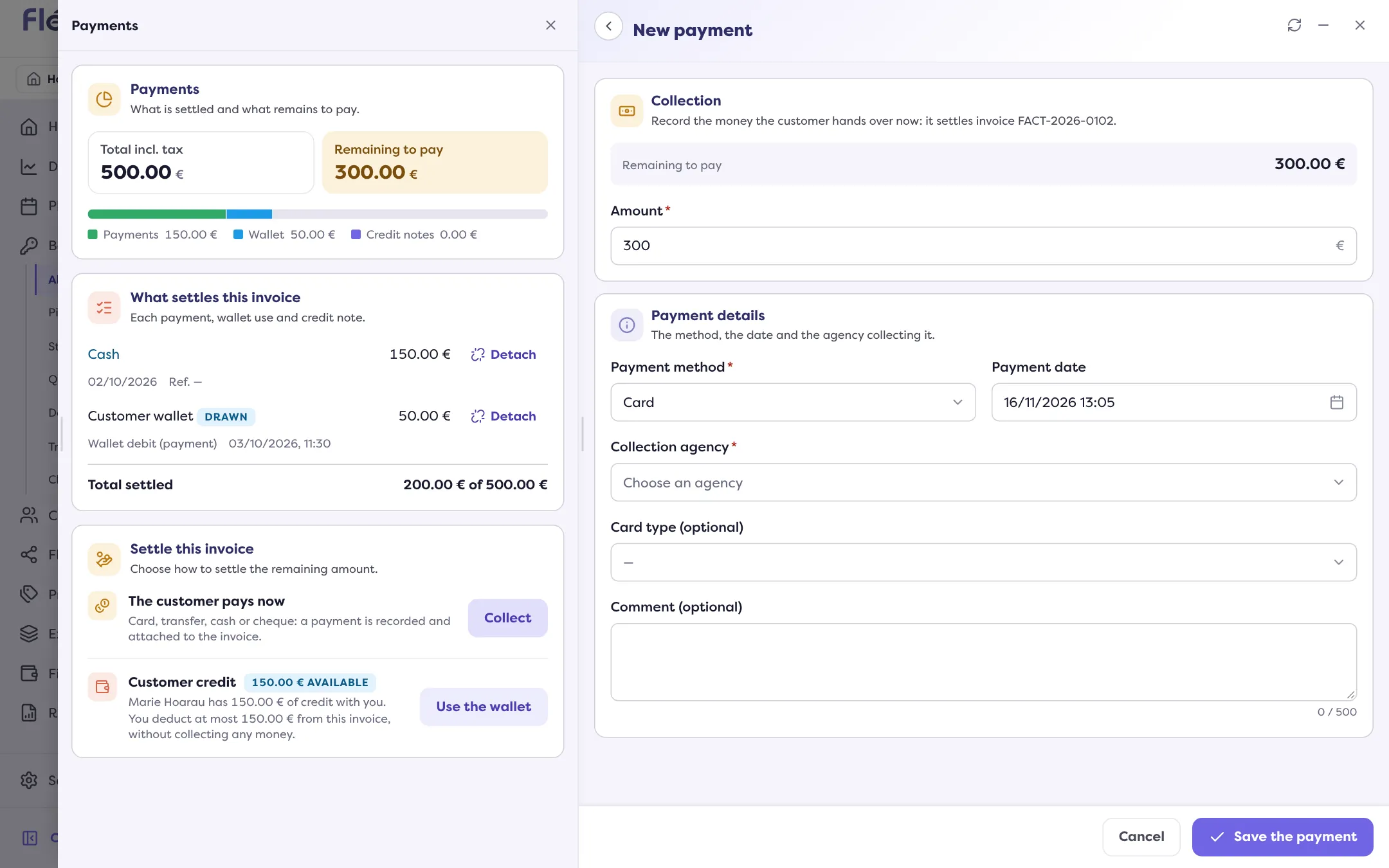
Click “Save the payment”
“Payment of … recorded.” The invoice becomes “Paid” or “Partially paid”.
If you enter more than the remaining amount, only that remainder is attached to the invoice; the surplus stays available on the payment (it does not credit the customer’s wallet).
The payment is already received
In the same tab, “Reconcile a payment” attaches an existing payment of the same customer to the invoice: read How do I match a payment to an invoice?.
If the operation fails
“You are not allowed to settle this invoice or to collect in this agency”: ask an administrator for the rights. If the server times out, “the operation may be recorded”: check the invoice’s payments before trying again, so you do not collect twice.
Where to find it: Invoice › “Payments” tab › “Settle this invoice” › “Collect”
Where to find it: Invoice › “Payments” tab › “Settle this invoice” › “Collect”