

How do I invoice someone other than the renter?
- Manager v3
- Administrator
- Agency manager
- Rental agent
In short. In the rental’s Customer panel, “Add an invoicing customer” attaches a second customer (company, relative…) who can receive the invoices. The renter does not change. Then choose them as the “Invoiced customer” on the invoice.
The renter signs the rental agreement. Sometimes the invoice must be in someone else’s name: a company paying for an employee’s rental, a relative… You then attach a billing customer to the rental.
Open the rental page, Customer panel
The panel shows the Renter and, if there is one, the attached customer, tagged “Attached customer”: they can be chosen as the recipient of an invoice for this booking.
Click “Add an invoicing customer”
When a billing customer already exists, the button reads “Change the invoicing customer”. The panel reminds you: “Changing the billing customer does not change the renter of the rental.”
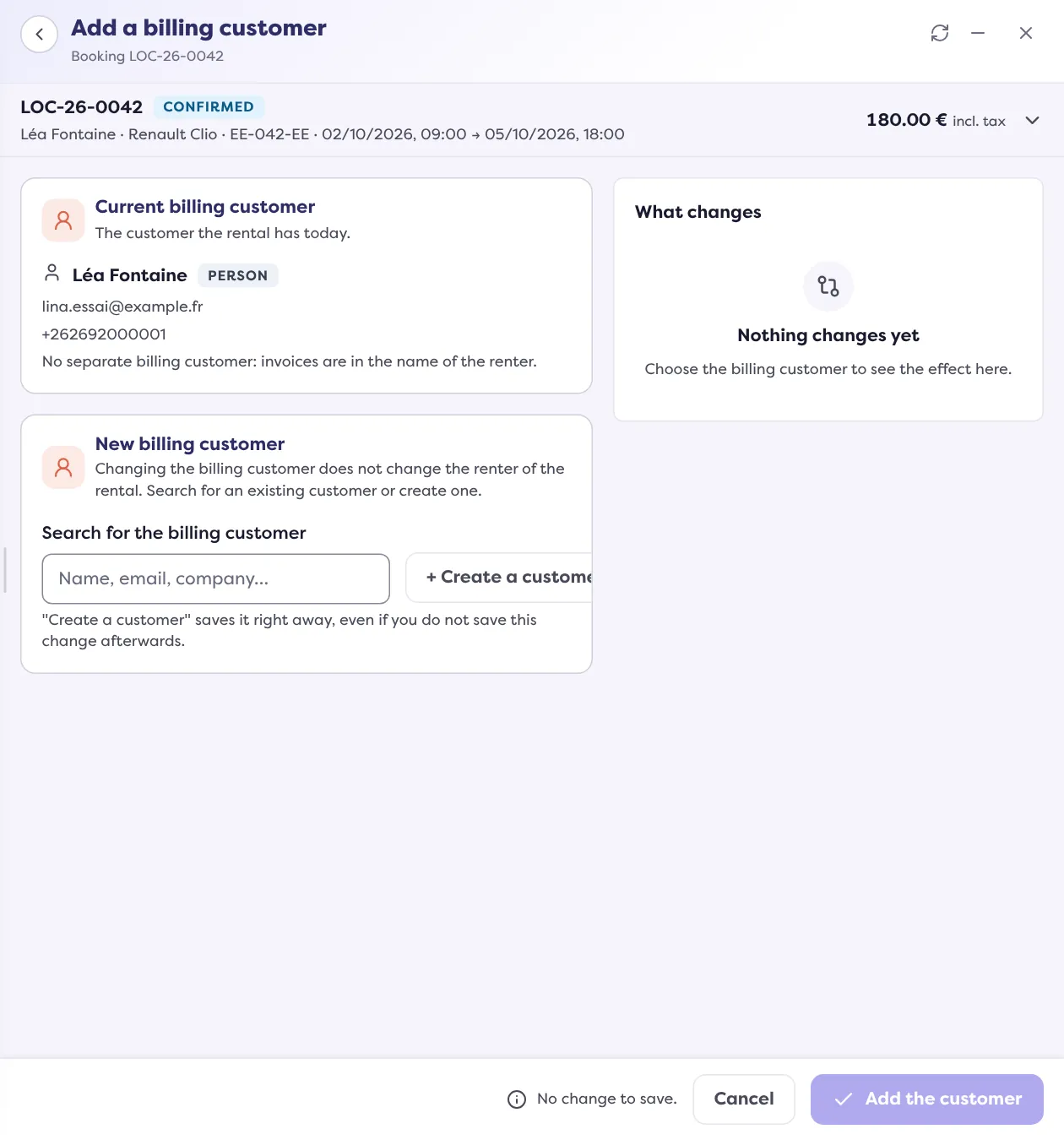
Search for or create the customer
Use “Search for the billing customer” to find an existing customer, or create one. Read Add a customer.
Save
Manager announces “Billing customer added” (or “Billing customer changed”). The change is recorded in the rental’s history: “Invoicing customer changed”.
On the invoice
When you create an invoice for the rental, the Preview step offers the Invoiced customer. If a payment is entered, the invoice is made out to the customer who paid: the field is then “Locked on the paying customer of the payment”. With no payment, you choose between the renter and the billing customer. Read Create a rental’s balance invoice.
Good to know
- With no separate billing customer, “invoices are in the name of the renter”.
- The billing customer stays in place even if the renter changes later. Conversely, if you change the renter with no separate billing customer, the next invoices will be in the new renter’s name; invoices already issued do not change.
- An invoice that is already validated does not change recipient: to redo it in the right name, cancel it with a credit note.
- The wallet and payments follow the payer: only the renter or the billing customer can pay with their wallet on this rental.
- For the rentals of a group, the group’s billing customer is changed from the group’s page, in “Group settings” › “Change the billing customer”.
Where to find it: Rental page › Customer › “Add an invoicing customer”
Where to find it: Rental page › Customer › “Add an invoicing customer”
Go further
Updated on 18 November 2026 with version 3.0